230 • SMP Gateway User Manual
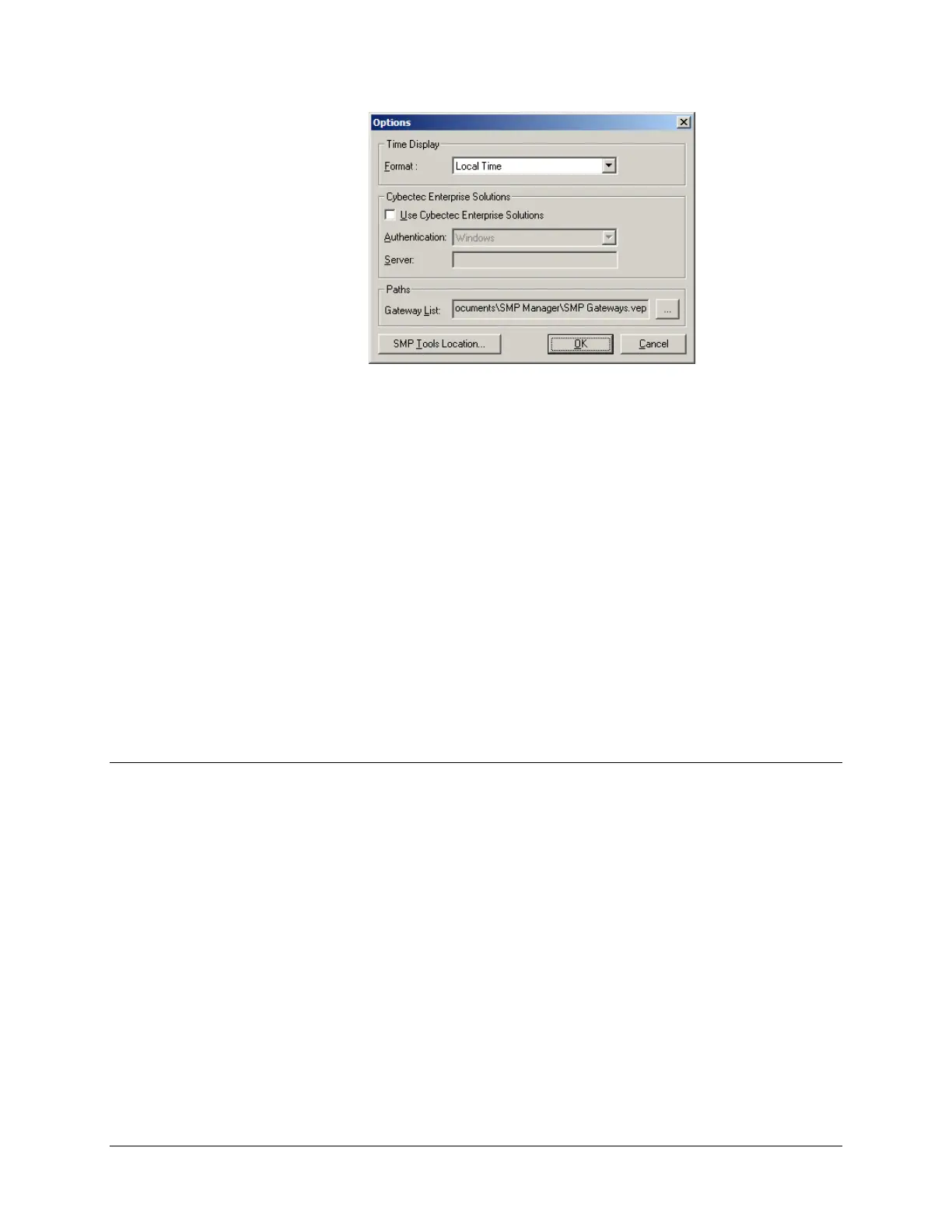
Select the format you want to use to display time information in SMP Manager:
Local Time.
Time information obtained from SMP Gateways will be adjusted to your PC’s time zone
and daylight saving time information.
UTC.
Time information obtained from SMP Gateways will be displayed as is.
Under Cybectec Enterprise Solutions, you will find settings that are specific to global
security, which is not covered by this manual. Refer to Cybectec Enterprise Solutions for
more information about this settings and global security.
Under Paths, you can change the name and the location of the file containing the list of
SMP Gateways that are currently displayed in SMP Manager. This file has a .vep extension.
26.2 SMP Config Features
SMP Config has a few handy features:
Exporting your SMP Gateway’s configuration to a .csv file.
(Click Export from the File menu.)
Importing an SMP Gateway configuration previously saved as a .csv file.
(Click Import from the File menu.)
Clearing the message pane.
(Click Clear Message Pane from the Validate menu.)



 To Next Page