SMP Gateway User Manual • 79
Select the slave SMP Gateway (in the example, the Cedar Creek SMP Gateway).
From the Tools menu, select SMP Config.
Configure the Interconnections slave instance:
In SMP Config, under Slave Protocols, select Interconnections.
In the right pane, under Name, type a name for the interconnections slave instance, and
then click again the Interconnections branch.
A new branch will appear under Interconnections, named after what was just typed.
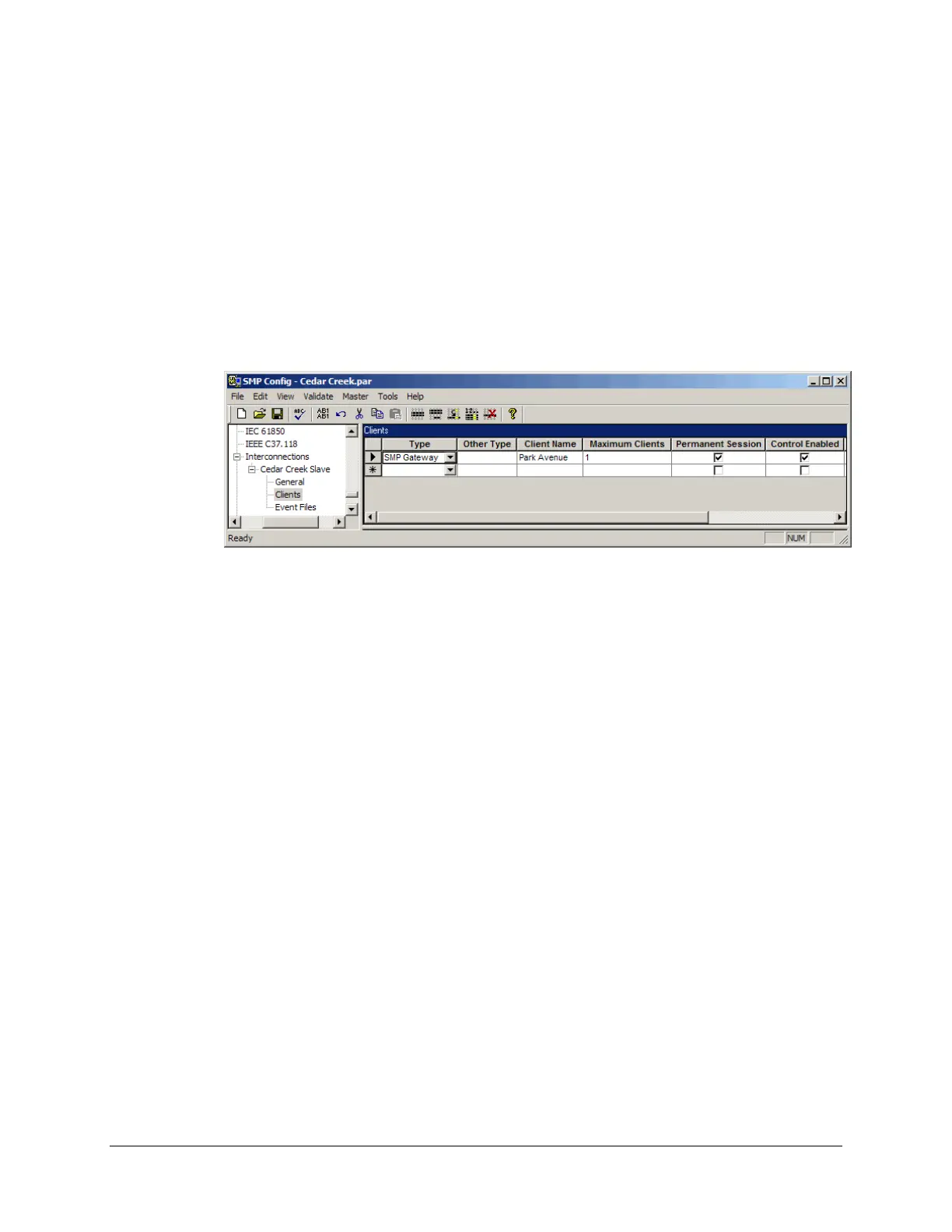
Expand it and select the Clients branch.
Under Type, select SMP Gateway. Under Client name, type the client name (you can
use the gateway’s name, which in the example is Park Avenue). This name should be
unique for a given type of client.
Clear the Control Enabled checkbox if you do not want to allow control operations
through the interconnection. This is required if you do not want to allow SCADA control
operations of an IED through the interconnected SMP Gateways.
If you intend to exchange files between the interconnected gateways, you must define a
single client for each master gateway connected to the slave gateway. Each client must be
defined on a single line, as follows:
Type a Client Name.
Select the Permanent Session checkbox.
Make sure the Maximum Clients parameter is set to 1.
To learn how to specify the file exchange-specific settings, see “Retrieving files from
anot
her SMP Gateway”, page 122.
Configure the slave’s connection:



 To Next Page