158 • SMP Gateway User Manual
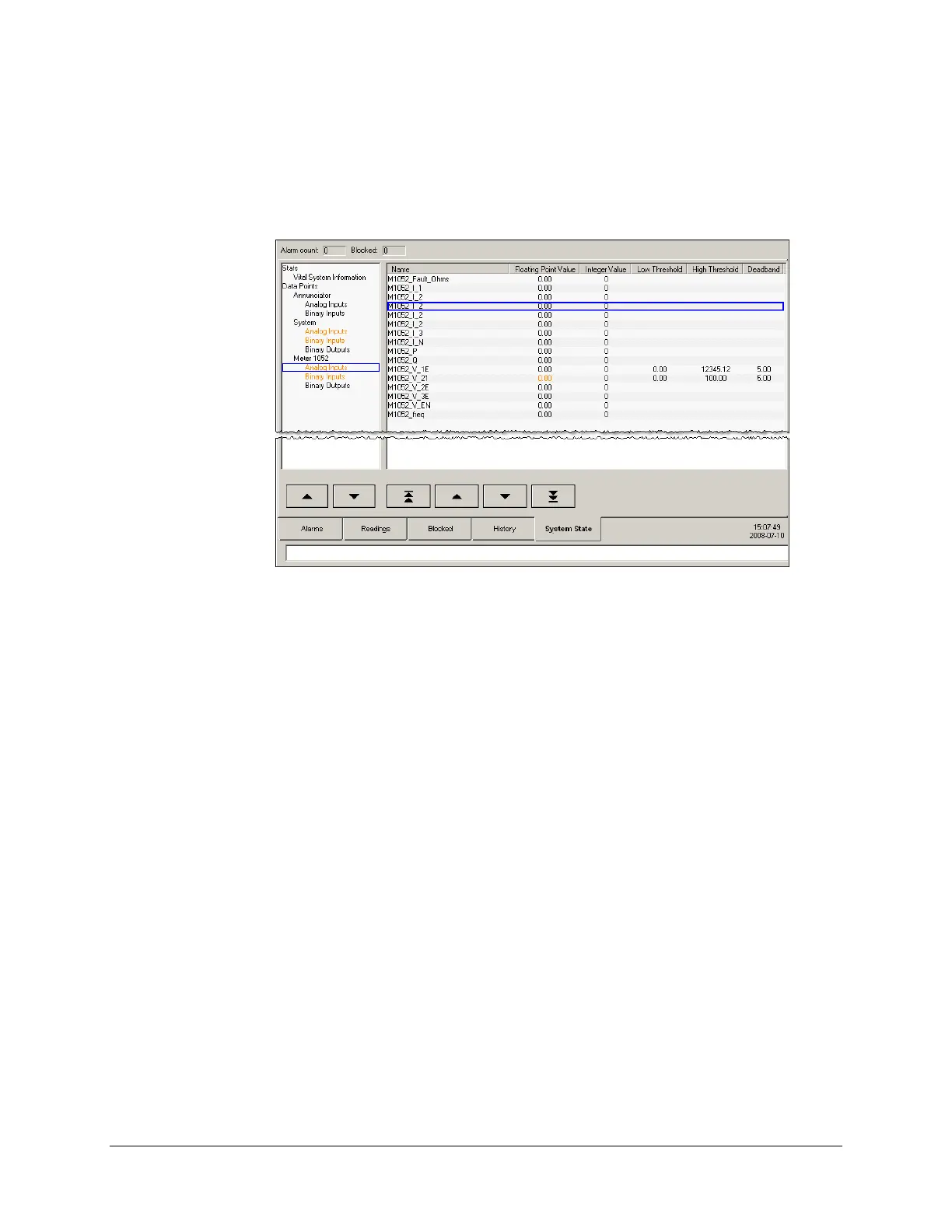
Under the Data Points branch, some branch names might be displayed in orange. This means that
the value of some data points displayed in these branches is unavailable due to communications
failure. These points are also displayed in orange in the right pane.
When an analog inputs or analog outputs branch is selected, the right pane displays the following
information for each analog input:
Name.
The input’s name.
Floating Point Value.
The input’s actual value.
Integer Value.
The input’s actual raw value.
Low Threshold.
The value under which an alarm will be triggered for this input, if configured to trigger
alarms. Nothing is displayed if the data point is not configured to trigger alarms.
High Threshold.
The value over which an alarm will be triggered for this input, if configured to trigger alarms.
Nothing is displayed if the data point is not configured to trigger alarms.
Deadband.
Indicates how much the value must go beyond the low or high threshold to trigger an alarm.
Nothing is displayed if the data point is not configured to trigger alarms.
When a binary inputs or binary outputs branch is selected, the right pane displays the following
information for each binary input:



 To Next Page