SMP Gateway User Manual • 169
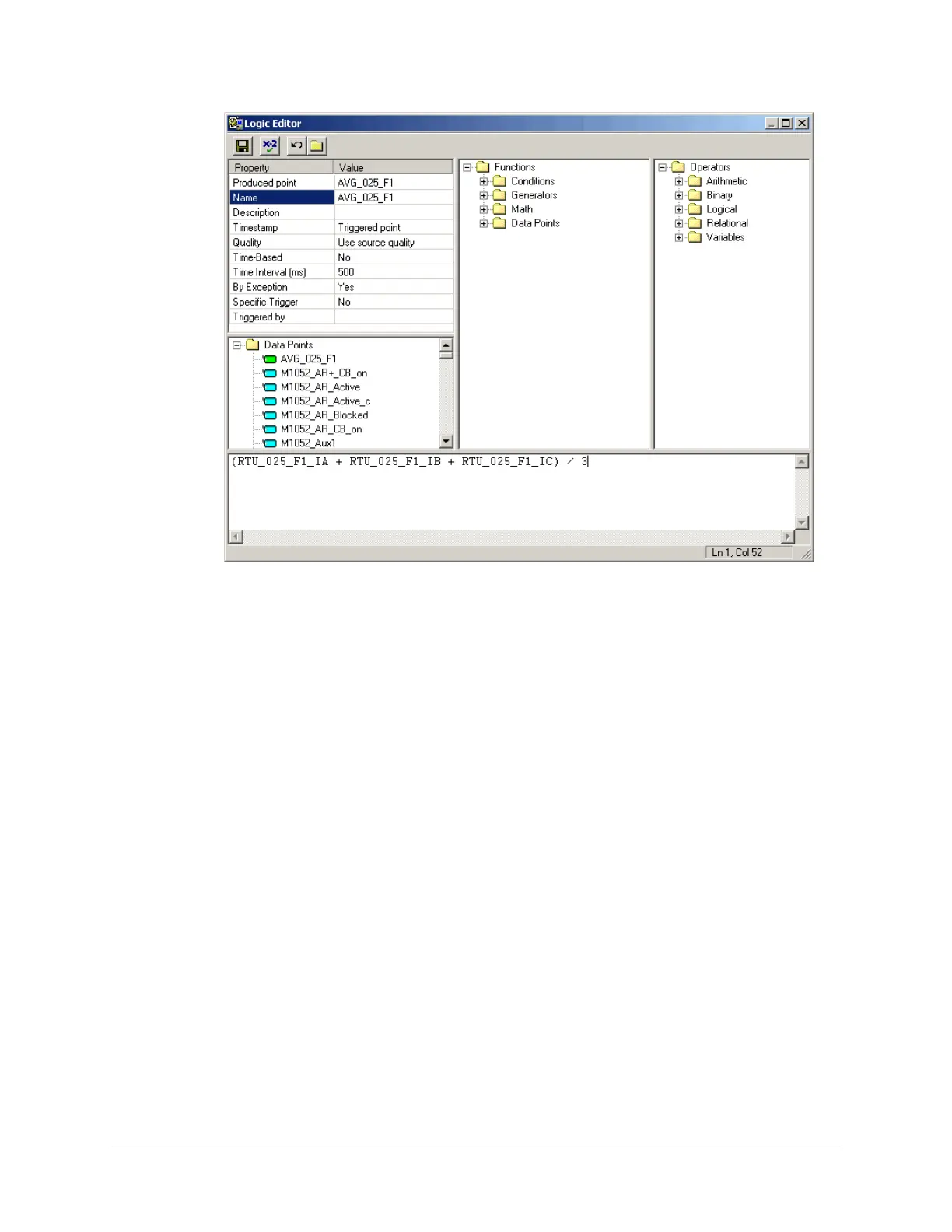
The Logic Editor is used to enter the expression that generates the value of the calculated data
point. It is displayed across several windows, which allow you to set the attributes of the
calculated data point and assist you in editing the expression.
Use the toolbar at the top of the dialog box to validate, save and close the expression, or to undo
the last change to the expression.
The table below describes the various areas of the dialog box:
Window Description
Properties Used to specify the different attributes of the calculated data point. These
attributes are described in the sections below.
Data Points Used to select and enter existing data points in the expression. You can select
data points from the list of available data points. These are grouped together in
folders, based on grouping criteria that you established with the Group Settings
tab of the Display Options dialog.
If you open the various folders, you will note that binary points are displayed in
blue, while analog points are displayed in green.
The list is a memory jogger for selecting I/O points to be used in the expression.
Double-click on an item to insert it at the cursor location in the expression
window.
Functions Displays the list of all the functions that can be inserted in the expression.
Double-click on an item to insert it at the cursor location in the expression
window. The various functions are described in the sections below.
Operators Displays the list of all the operators, constants and variables that can be inserted



 To Next Page