SMP Gateway User Manual • 65
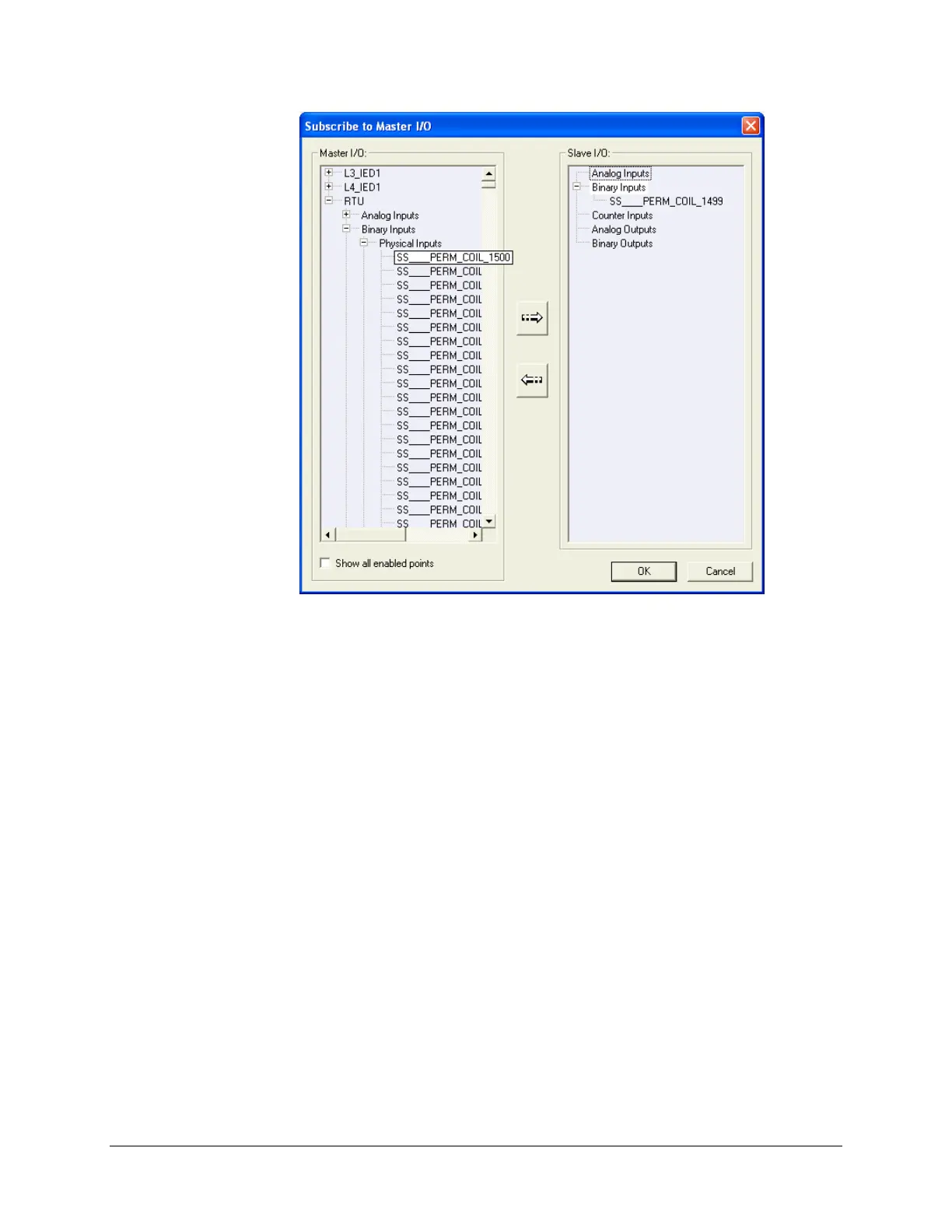
Click in the Master I/O list, to display the list of data points defined for each master protocol
instance.
Choose the data points you want to forward to the control center.
Use the CTRL and SHIFT keys on your keyboard, to extend your selection.
Click the dialog box’s right arrow button.
The data points you choose are added to the Slave I/O list. If, for example, you click a binary
input point in the Master I/O list, the point is added to Binary Inputs, in the Slave I/O list.
Normally, a data point that has been transferred to the Slave I/O list disappears from the Master
I/O list. However, if you want the transferred data points to continue being displayed in the
Master I/O list:
Select the Show all enabled points checkbox.
If you change your mind, you can remove a data point from the Slave I/O list as follows:
Click the data point in the Slave I/O list.
Click the dialog box’s left arrow button.
The data point is removed from the Slave I/O list and reinserted in the appropriate data point list
for the appropriate master.



 To Next Page