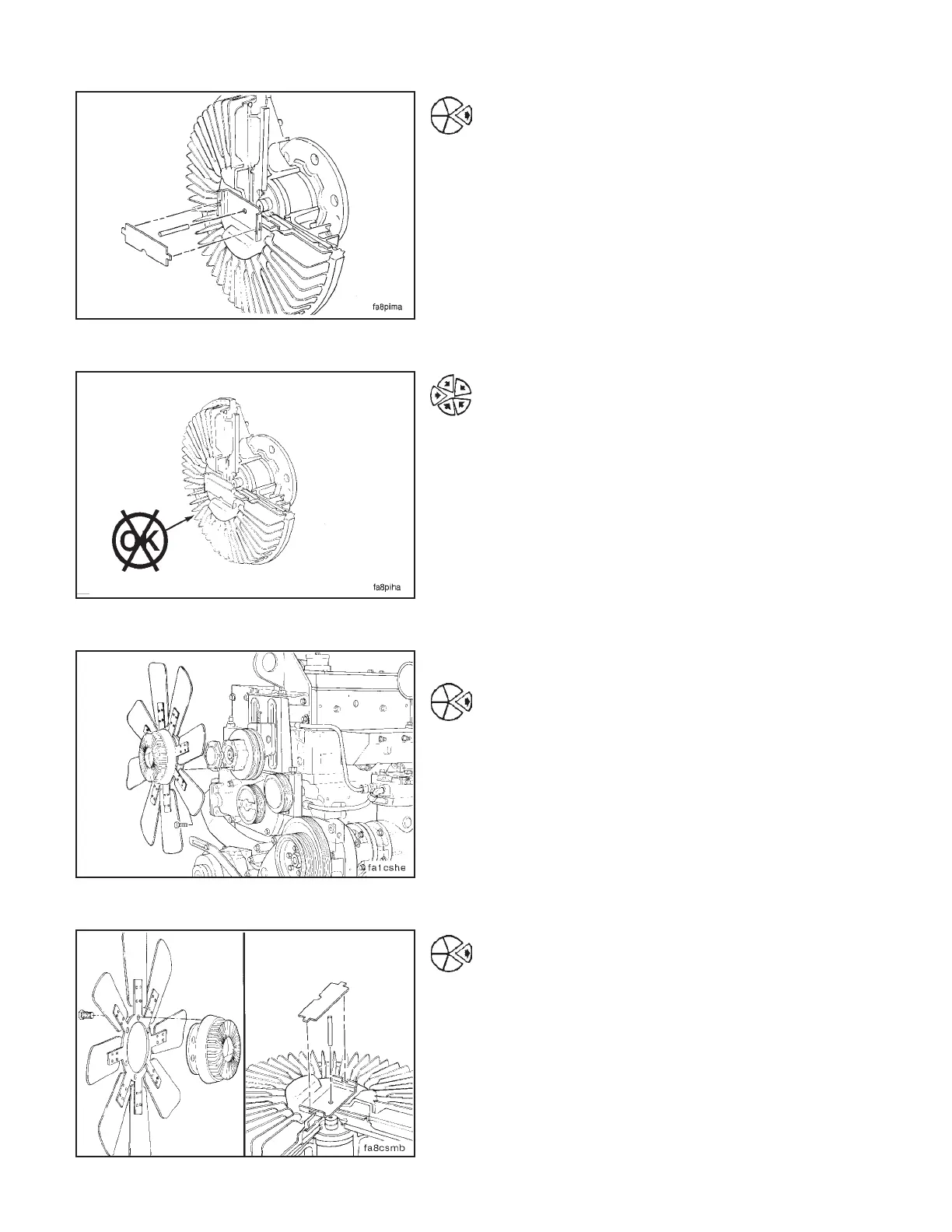
If a fan speed measuring device is not available and the
complaint is overheating, remove the viscous fan hub
bimetal strip and the control pin. This will cause the fan
hub to operate all the time.
If the overheating complaint does not occur with the
control pin removed, install the control pin and take the
fan hub to an authorized fan hub dealer for repair or
replacement.
Removal
Loosen and remove the capscrews or the hexagon nuts
which hold the viscous fan clutch to the fan hub.
NOTE: Do not discard the fan spacers. The spacers provide
the thickness needed to install the fan in the correct position.
Carefully remove the fan and clutch assembly from the
fan shroud, and put it on a workbench with the pin side
up.
Remove the capscrews or the hexagon nuts which hold
the fan to the clutch.
NOTE: If the control pin is removed, the control pin side of
the assembly must be up to prevent fluid loss which will
result in incorrect fan clutch performance.
Viscous Fan Clutch (1-23) Section 1 - Cooling System
N14Page 1-50



 To Next Page