When the inverter is in DC
braking
state, the FWD and REV
indictor are on at the same time.
REV
When the motor is running reverse, this
indicator is on.
ALM When there is a fault alarm, this indicator is on
4.2.4 Control Panel Display State
The control panel display state includes parameter displaying in stopping state, function
code parameter displaying in programming state, fault displaying in alarm state, and
parameter displaying in running state.
A. Parameter displaying in stopping state
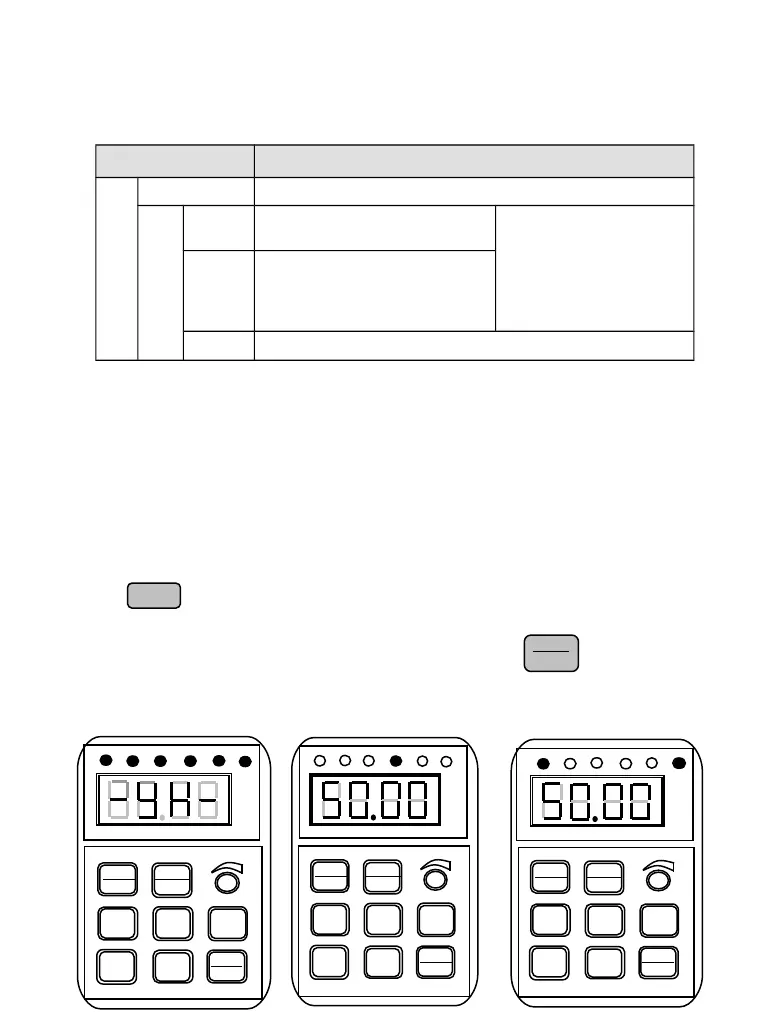
When inverter is in stopping state, panel displays stopping state monitoring parameter which
usually is setting frequency (b-01 monitoring parameter) shown as Fig.4-4 B.
Press key to display the other monitoring parameter (The inverter default displays the
first 7 monitorting paratmeters of b group. The other parameters can be defined by function
code P3.41 and P3.42. Please refer to Chapter 5). Press key for switching to default
display parameter b-01,which is setting frequency, or it will display the last monitoring
parameter.
V
►►
ENTER
DATA
FWD
D
STOP
RESET
T
▲
▼
JOG
►►
ENTER
DATA
MENU
ESC
FWD
STOP
RESET
T
▲
▼
JOG
►
►
ENTER
DATA
MENU
ESC
FWD
STOP
RESET
T
▲
▼
JOG
►►
ENTER
DATA
MENU
ESC


 To Next Page