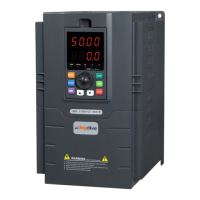
Fig.4-4 Parameter display in initialization, stopping and running state.
B、Parameter displaying in running state
The inverter enters running state after receiving valid running command, and the panel
displays running state monitoring parameter. The default displaying is output frequency (b-
00 monitoring parameter) shown as Fig.4-4 C.
Press key can display the monitoring parameter in running state (defined by function
code P3.41 and 3.42). While parameter displaying, press key for switching to default
display parameter b-00, that is output frequency, or it will display the last monitoring
parameter.
C、Fault displaying in alarm state
The Inverter enters fault alarm display state after fault signal detected. The displayed fault
code will be flashing.
Press key to check fault related parameter. When checking fault related parameter,
press key for switching to Fault code display.
Press key to enter programming state to check P6 group parameter of fault information
After troubleshooting, press key to reset
the inverter (or via control terminal/serial port)
If the fault still exists, it will keep displaying
the fault code.
Note:
To some serious fault such as IGBT protection,
over current, over voltage, etc. Don’t reset the
►►
►
►
STOP
RESET


 To Next Page