EasyManua.ls Logo

degdrive DGI900 - Function Code Parameter Setting; Operation to Display Monitoring Parameter

degdrive DGI900
251 pages
Print Icon
To Next Page IconTo Next Page
To Previous Page IconTo Previous Page
Loading...
55
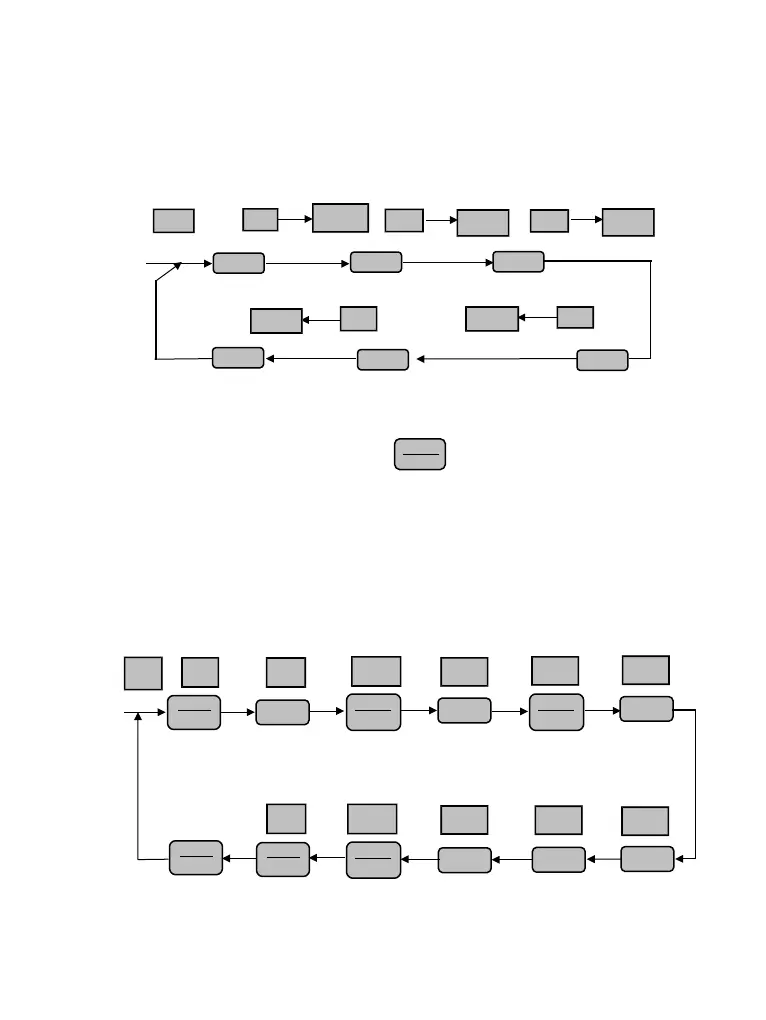
Fig. 4-7 Operation to display monitoring parameter
(2) When viewing monitoring parameter, press key for switching to default monitoring
parameter display state. Default monitoring parameter is setting frequency in stopping state.
In running state, the default monitoring parameter is output frequency.
.BFunction code parameter setting
For example, to set parameter code P3.06 from 5.00Hz to 8.50Hz.
50.00
b-01
Output freq
Key
operation
Set freq.
Output voltage
Bus bar voltage
Module temperature
LED
Display
Parameter
1SEC
b-02
1 SEC
Parameter
b-04
1 SEC
Parameter
b-14
1 SEC
Parameter
►►
►►
►►
b-03
1 SEC
Parameter
Output current
►►
►►
►►
……
50.00
-P0-
-P3-
P3.00
P3.06
Enter programming
state first menu
Select function
code group P3
Enter second menu
Select function
code P3.06
Go back to
first menu
Stop
parameter
displ
a
y
state
Save parameter
and
go
back to
second
menu
Enter third menu
LED
Display
Key
operation
►►
05.00
05.00
08.00
►►
08.00
08.50
P3.07-P3-
Select parameter bit
Parameter
5
8
Select
parameter bit
Parameter
revising
0
5
Exit
ENTER
DATA
ENTER
DATA
ENTER
DATA
ENTER
DATA
MENU
ESC
MENU
ESC
MENU
ESC

Table of Contents