• The CineLister application will appear every time the unit is turned on or rebooted. The
Menu button is where users can access various applications as well as the Control Panel
(Figure 6).
3.1 Passwords
You will be prompted to enter a password for various tasks when using the CineLister application.
Your administrator determines the level of security.
Note: Please contact your administrator for passwords.
The following are types of passwords you may be asked for:
• Admin (Administrator)
• Manager
• Root
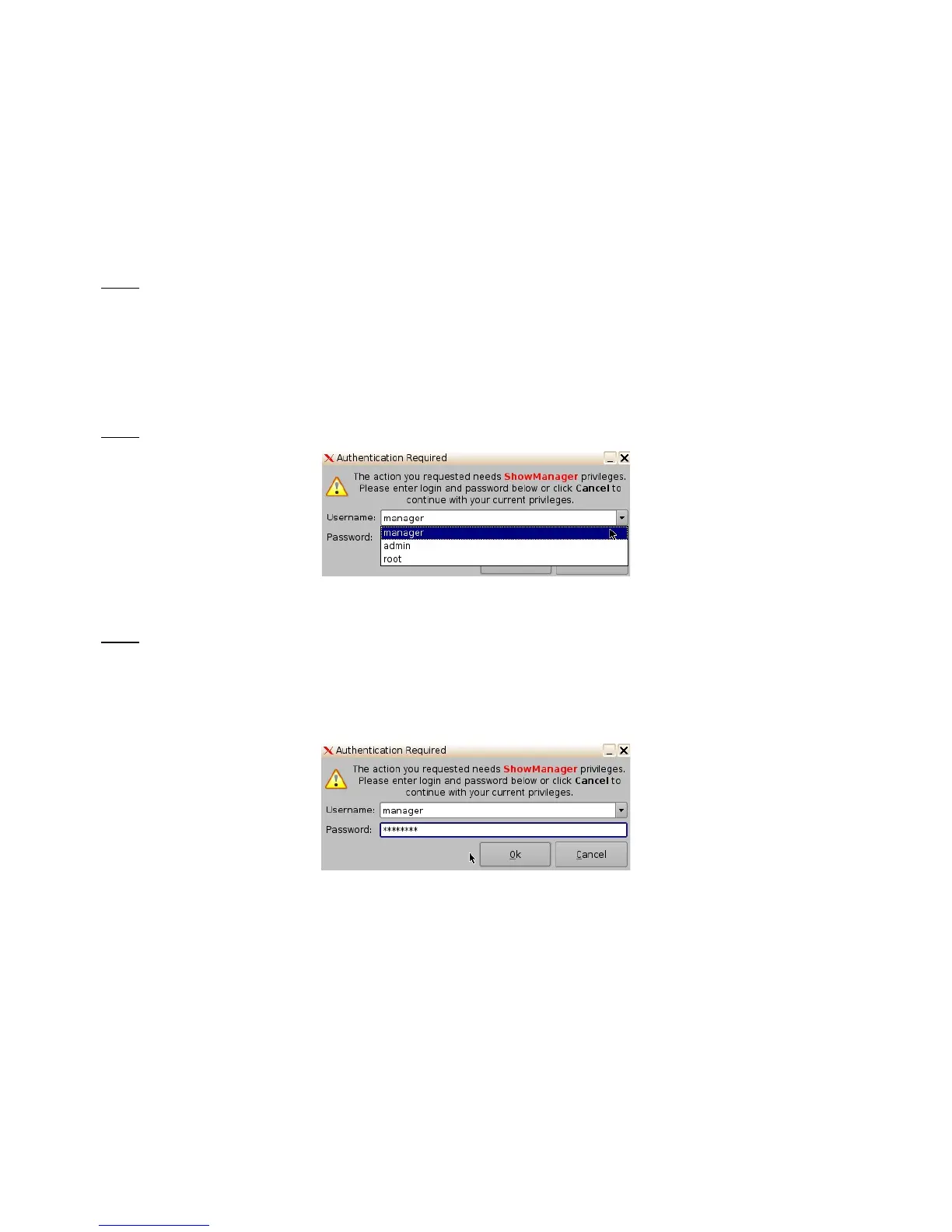
Note: In Figure 7 the user is asked to verify the username and password.
Figure 7: Password Confirmation Window
Note: The server will prompt you to the type of password that is needed for a certain task. For
example, the authentication required in the window below is “ShowManager” privileges, hence the
server will automatically prompt you to the “Manager” username. However, you can also select a
different username from the drop-down list as shown in Figure 7 above, depending on the level of
security that your administrator has provided for you.
Figure 8: Password Confirmation Window - Manager Username
______________________________________________________________________________________
D2K.OM.001822.DRM Page 12 of 177 Version 1.5
Doremi Labs



 To Next Page