• The Account Manager GUI allows the user to edit, add, and delete user accounts (Figure
15).
6.1.1 Add a New User Account
• To add a new user account, click the Add button (Figure 15).
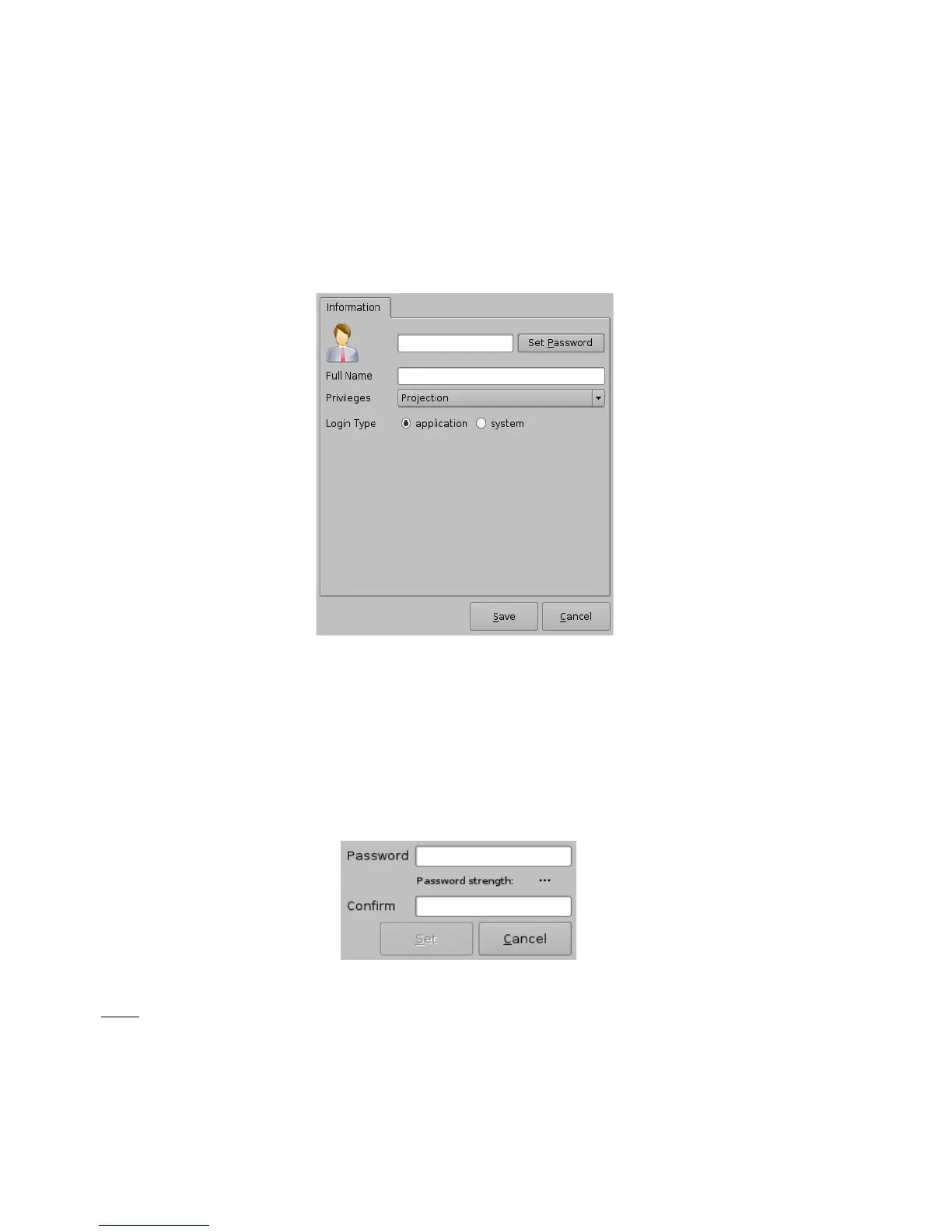
• The following window will appear:
Figure 16: Account Manager GUI – New User Addition
• Enter the username (to be used for log in) in the upper empty field and the associated “Full
Name” used to describe the user. Both names will be displayed in the Control Panel
window after the new user addition is completed.
• Define the password by clicking the “Set Password” button.
• The following window will appear:
Figure 17: Password Definition Window
Note: The user will be provided information about the strength of the chosen password. Click the
“Set” button when the appropriate password is defined. Confirm the password in the “Confirm”
field. The user privileges need to be defined using the list-box.
• Click the Set button to save the new password.
______________________________________________________________________________________
D2K.OM.001822.DRM Page 19 of 177 Version 1.5
Doremi Labs



 To Next Page