6.4.2.2 Info Button
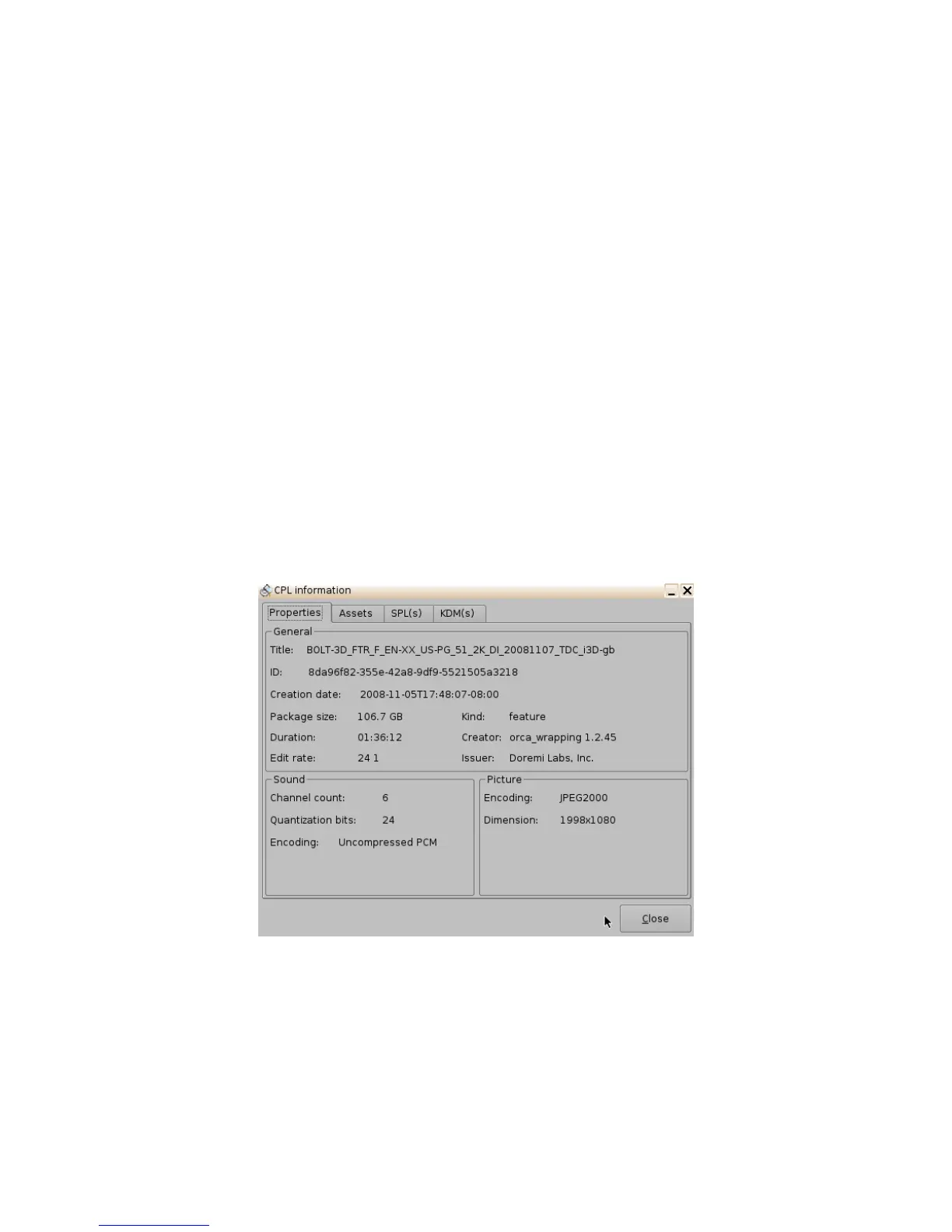
The "Info" button displays general information about the CPL. The information displayed includes:
KDM, Properties, Show Playlists that the CPL is a part of, and Assets. Any time the user wants to
exist the CPL Information window, click on the Close button located in the bottom-right.
• To use this function, select a CPL and click the "Info" button.
• The following window will appear (Figure 60):
6.4.2.2.1 Properties Tab
• The Properties tab displays the following information about the CPL (Figure 60):
• Title
• UUID (Universally Unique Identifier)
• Creation date
• Package size
• Duration
• Edit rate (frame rate)
• Kind (e.g., trailer, feature, etc.)
• Creator
• Issuer
• Sound: Channel count, Quantization bits, Encoding.
• Picture: Encoding and Dimension.
Figure 60: CPL Information Window - Properties Tab
______________________________________________________________________________________
D2K.OM.001822.DRM Page 53 of 177 Version 1.5
Doremi Labs



 To Next Page