13.3 Editing a Macro Automation Cue
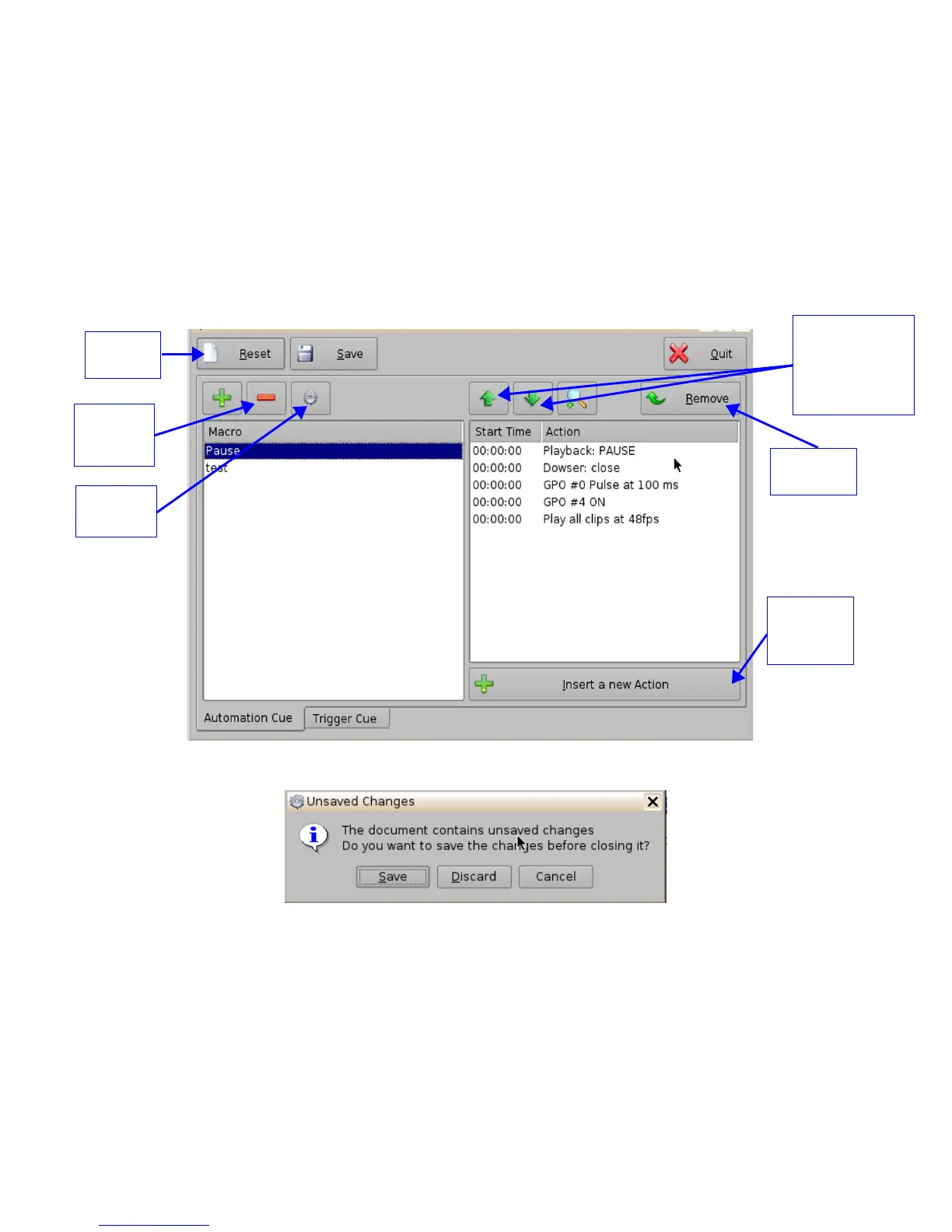
• To remove (delete) a Macro Automation Cue, select it in the Macro Editor window and click
the “Delete Macro” button (Figure 166).
• To edit the name of an existing Macro Automation Cue, click the Edit button or double-click
on the Macro itself (Figure 166).
• Use the up and down arrows to re-arrange the Automation Cues.
• Click the Save button when finished.
• Selecting the Reset button will close a document without saving the changes. You will be
prompted to a window asking if you would like to save your changes (Figure 167).
Figure 166: Macro Editor Window
Figure 167: Unsaved Changes Window
______________________________________________________________________________________
D2K.OM.001822.DRM Page 133 of 177 Version 1.5
Doremi Labs
Use the up and
down arrows to
re-arrange the
order of the
commands
“Delete
Macro”
Button
Remove
Button
Reset
Button
“Insert a
new Action”
Button
Edit
Button



 To Next Page