4 Network Configuration
4.1 Default Network Configuration
All servers are shipped with a default IP address of 192.168.100.50 on the Ethernet port (Eth1) and
a DHCP assigned dynamic IP address on the Ethernet port (Eth0).
4.2 Changing the IP Address
• To change the IP address of the server, select Menu → System → Networking
Configuration and then follow the steps below:
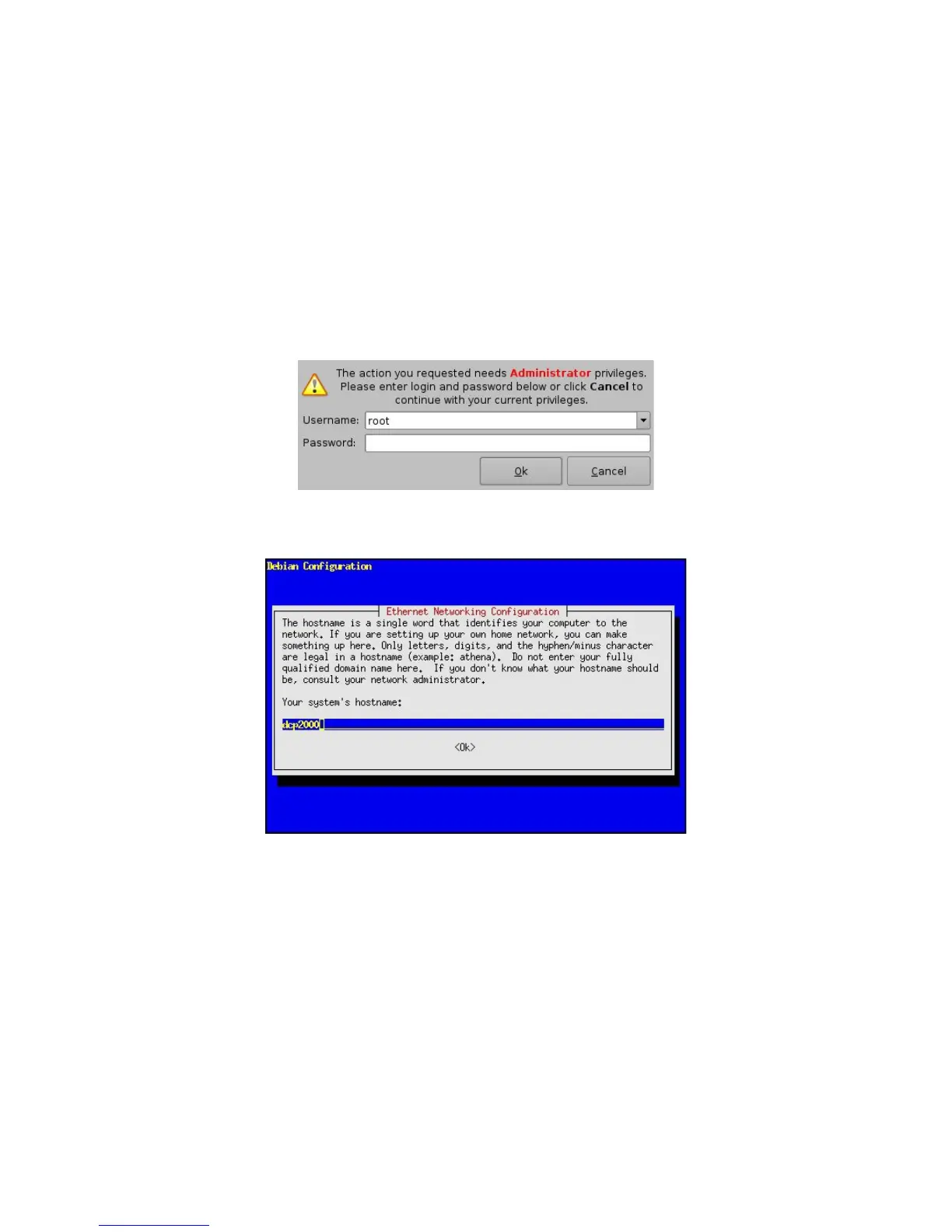
• A window will appear asking for a password as illustrated below:
Figure 9: Password Confirmation Window
• Follow the steps according to the "Ethernet Networking Configuration" Wizard.
Figure 10: Network Configuration
• Press Enter to confirm the configuration of each page of the "Ethernet Networking
Configuration" Wizard. Press "Tab" to select an option.
• Enter the desired system’s hostname and then press Enter (Note: It is a good idea to put
the circuit location/screen number in here. For example, “AMC_bir_scr1,” as it will be easier
to identify when connecting via VNC and in the logs).
• Enter the desired system domain name and then press Enter.
• Select Yes to set eth0 and then press Enter.
• Select No for Removable Device and then press Enter.
• Select No for automatically configure device with DHCP and then press Enter.
______________________________________________________________________________________
D2K.OM.001822.DRM Page 13 of 177 Version 1.5
Doremi Labs



 To Next Page