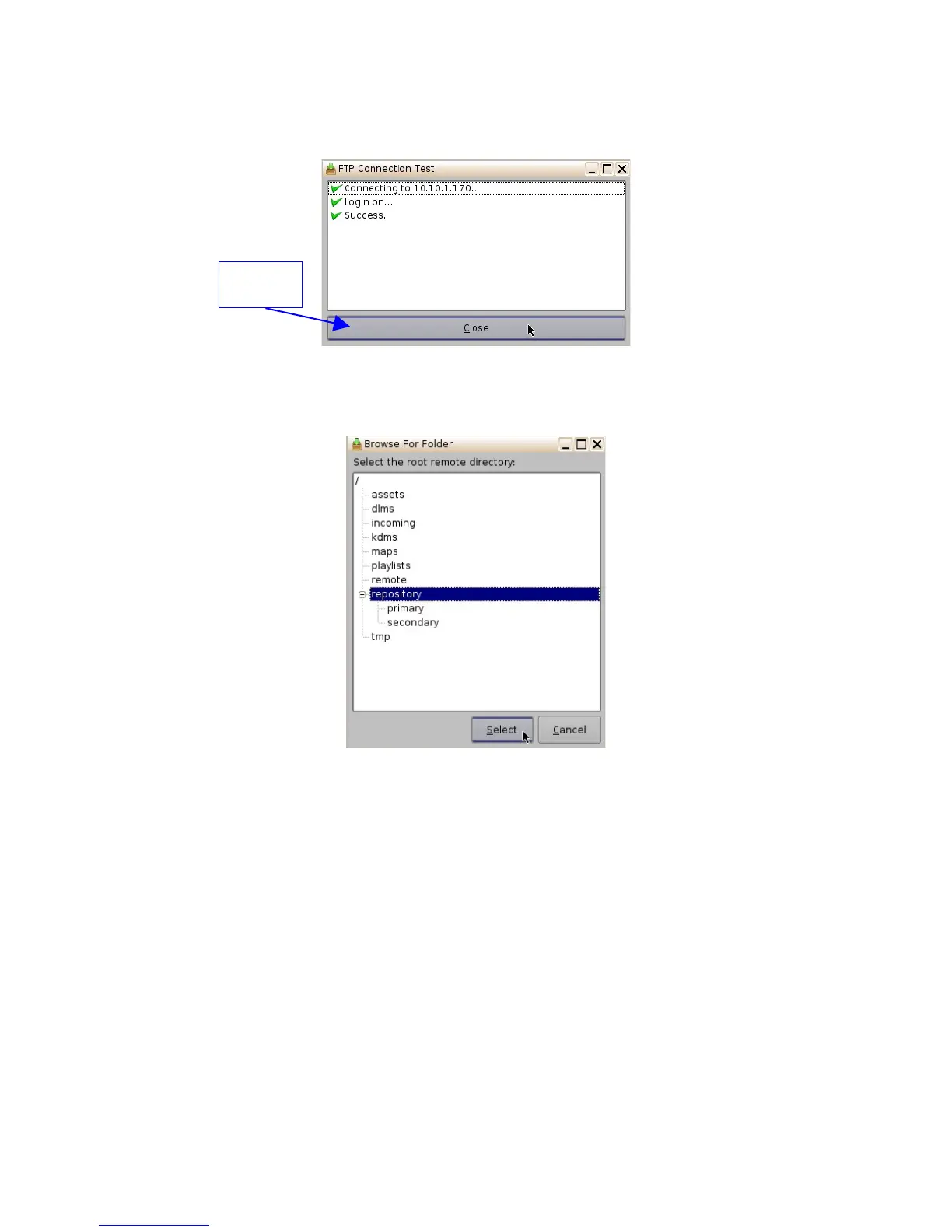
• Optional: Click the "Test" button to test the IP connection. A pop-up window will appear that
will test the connection (Figure 44). Click the Close button to exist this window.
Figure 44: FTP Connection Test Window
• Enter the "Remote Path" for the destination of the server. Clicking the Browse button will
allow the user to locate the "Remote Path." The "Browse for Folder" window will appear.
Figure 45: Browse for Folder Window
• Select the folder which contains the content to be ingested.
6.3.5 Advanced Options
• Clicking the "Advanced Options" button will open a drop-down menu where the user can
configure the following file types to be used for ingesting.
• Authorize "play while ingest" from this server (enabled by default)
• Key Delivery Message – allows the KDM to be ingested from the FTP or another
server registered in the netmap.
• Composition Playlist (enabled by default) – allows import or FTP of a CPL into the
server.
• Installation Package software, security manager, firmware packages for upgrades.
• Doremi License (DLM) – Doremi License Messages, e.g., Dolby3D, RealD, 4K
Enabled, etc.
• Show Playlist – click this box if you want to be able to export and then import a SPL
from one server to another.
______________________________________________________________________________________
D2K.OM.001822.DRM Page 41 of 177 Version 1.5
Doremi Labs
Close
Button



 To Next Page