6.10.1 Creating a Live Event
• To create a "Live CPL" allowing a live event, click the Add button.
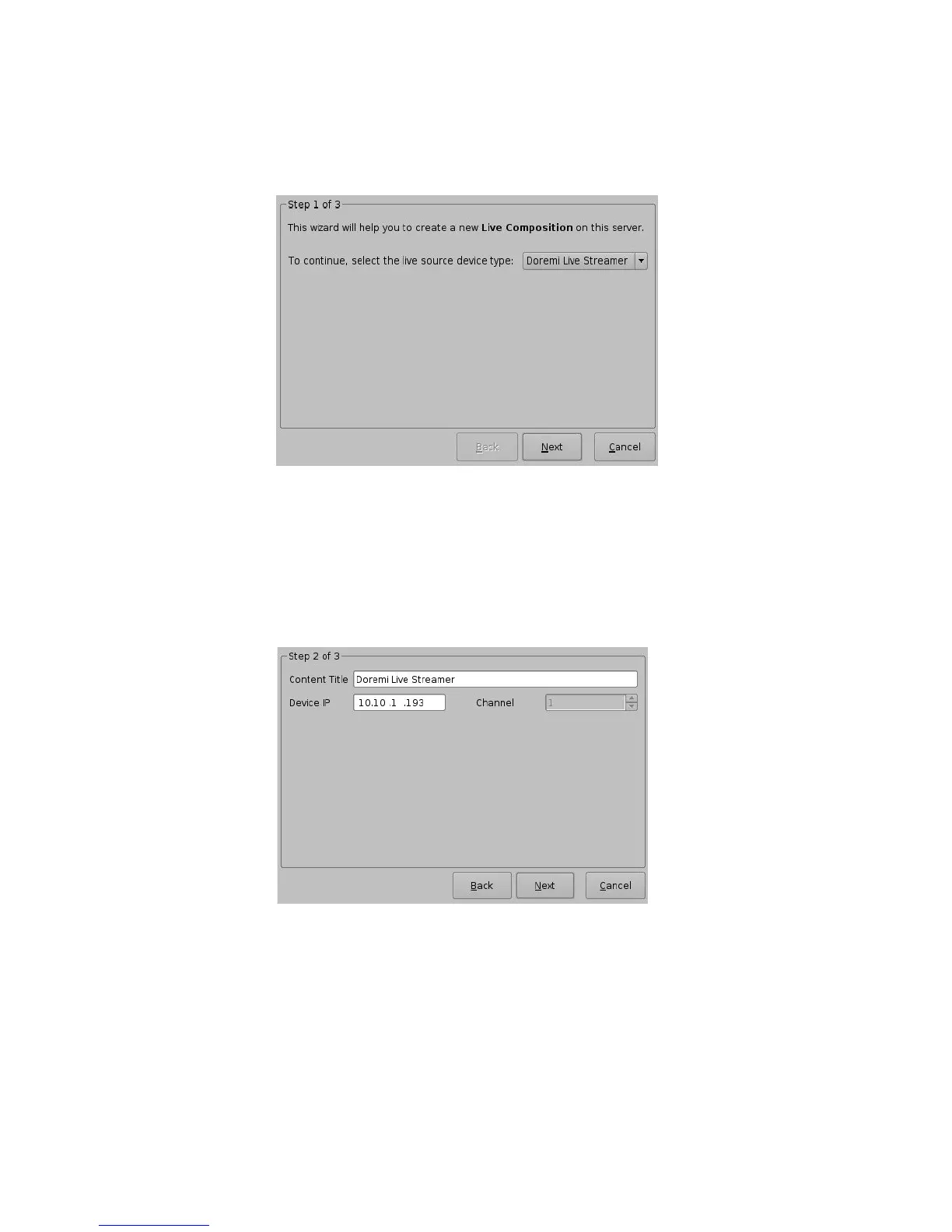
• The following wizard window will appear (Figure 108):
Figure 108: Live Manager – Live CPL Creation Wizard Step 1
• Select the "live source device type."
• Click the Next button. The next wizard window will appear.
• Enter the IP address of the external "Live Event" box in the Device IP field (Figure 109).
• Enter the "Live CPL" content title in the Content Title field (Figure 109).
Figure 109: Live Manager – Live CPL Creation Wizard, Step 2
• Click the Next button.
• Click the Finish button to complete the "Live CPL" creation (Figure 110).
______________________________________________________________________________________
D2K.OM.001822.DRM Page 90 of 177 Version 1.5
Doremi Labs



 To Next Page