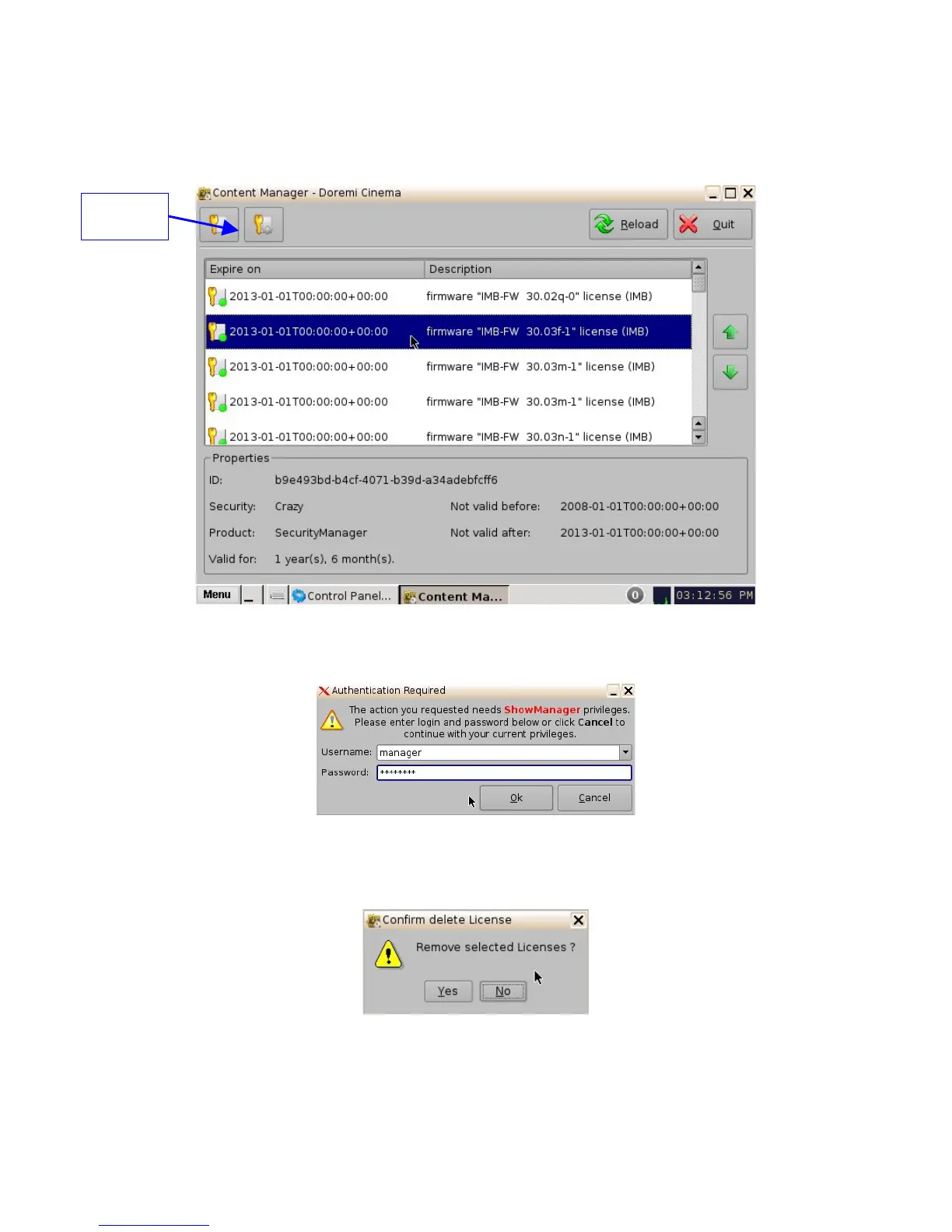
6.4.9 Delete a License
• Select the license from the list and then click on the "Actions" button (Figure 78).
• Click on Delete.
Figure 78: Licenses Page
• A Manager password will be needed to perform the deletion (Figure 79).
Figure 79: Password Confirmation Window
• Click on Yes to confirm the deletion (Figure 80).
Figure 80: Confirmation Window
______________________________________________________________________________________
D2K.OM.001822.DRM Page 68 of 177 Version 1.5
Doremi Labs
Actions
Button



 To Next Page