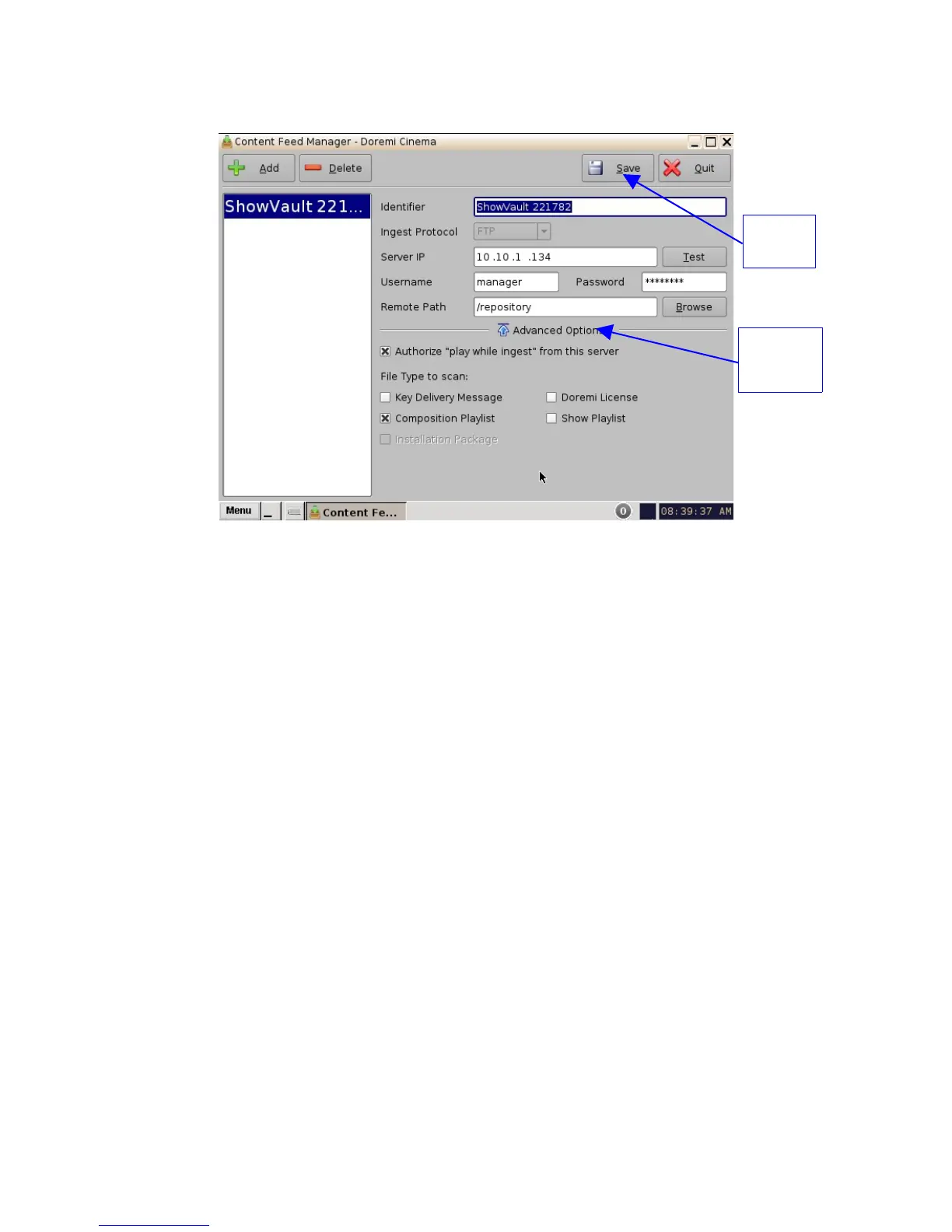
6.3.3 Advanced Options Button
Figure 40: Advanced Options Menu
• Clicking the "Advanced Options" button will open a drop-down menu where the user can
configure the following file types to be used for ingesting (Figure 40):
• Authorize "play while ingest" from this server (enabled by default)
• Key Delivery Message – allows the KDM to be ingested from the FTP or another
server registered in the netmap.
• Composition Playlist (enabled by default) – allows import or FTP of a CPL into the
server.
• Installation Package software, security manager, firmware packages for upgrades.
• Doremi License (DLM) – Doremi License Messages, e.g., Dolby3D, RealD, 4K
Enabled, etc.
• Show Playlist – click this box if you want to be able to export and then import a SPL
from one server to another.
• Click the Save button to save the configuration.
• Click the Quit button when finished.
______________________________________________________________________________________
D2K.OM.001822.DRM Page 38 of 177 Version 1.5
Doremi Labs
Advanced
Options
Button
Save
Button



 To Next Page