14 Trigger Cue Tab
A “Trigger Cue" allows for the execution of a Macro Automation Cue upon the occurrence of an
event from an external device using a “Signal” or “General Purpose Input.” When you select an
event to occur from the external device, the occurrence of that event “triggers” a Macro Automation
Cue. The Macro Automation Cue will then be executed. Both the event and the Marco Automation
Cue are defined during the “Trigger Cue” creation.
Note: The “Signal” comes from an external device connected over the Ethernet. The external
device options are: eCNA, JNior, and Raw.
Example: If a Trigger cue is based on the event “Wait for GPI #1 ON”, you can link a specific
Macro Automation Cue as presented above in order to be executed when GPI #1 is ON.
You have the choice to program Trigger Cues to be available during the whole Show Playlist or
only during a specific Show Playlist element.
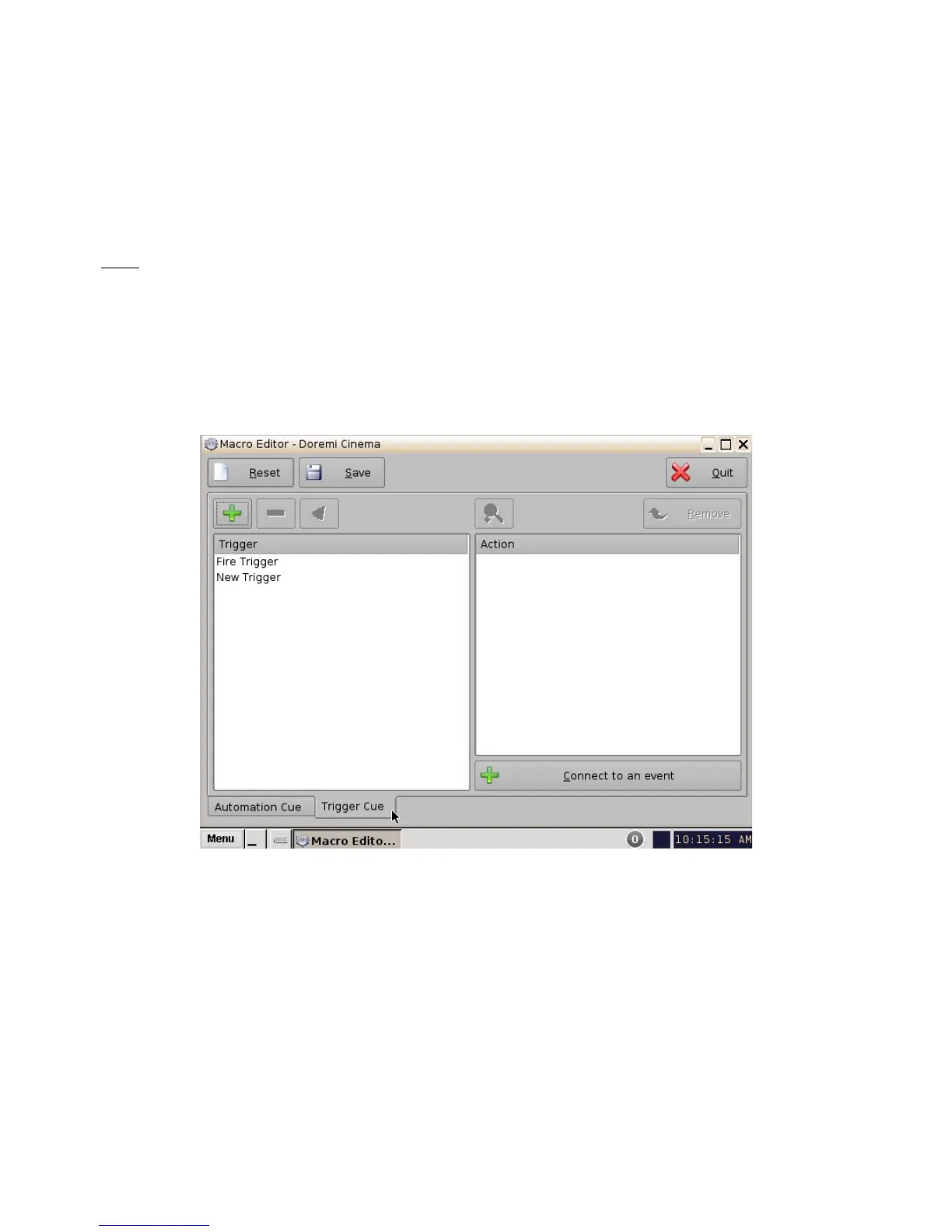
14.1 Trigger Cue Tab Overview
Figure 181: Macro Editor - Trigger Cue Tab
______________________________________________________________________________________
D2K.OM.001822.DRM Page 143 of 177 Version 1.5
Doremi Labs



 To Next Page