• Click the Save button when finished editing the settings (Figure 20).
• Click the Close button when finished with the configuration (Figure 20).
6.1.3 Delete an Existing User Account
• To delete an existing user account, select it within the main Account Manager GUI and click
the Delete button.
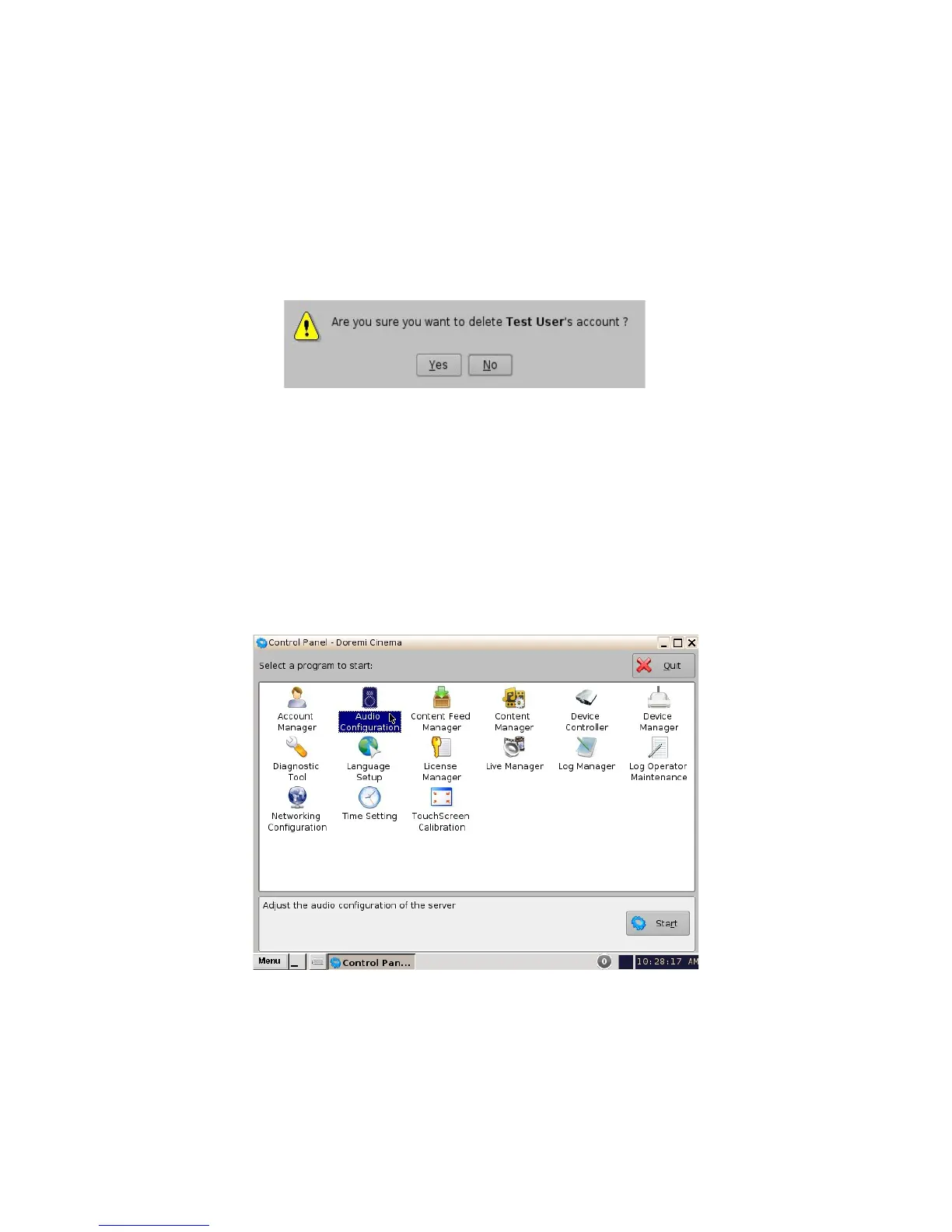
• The user will be asked for a confirmation. Clicking Yes will delete the user account.
Figure 21: User Account Deletion Confirmation
6.2 Audio Configuration
The Audio Configuration application allows the user to route all audio tracks in an SMPTE/Interop
package to operator-designated outputs. The main purpose of the mapping is to allow users to
move the HI or VI channels to a specific output. The Audio Configuration application is available in
the Control Panel.
• To open the Audio Configuration application, go to Menu -> Control Panel -> Audio
Configuration (Figure 22).
Figure 22: Control Panel with Audio Configuration Icon Selected
• An “admin” password and confirmation will be needed to perform the operation.
• The Audio Configuration window will appear.
______________________________________________________________________________________
D2K.OM.001822.DRM Page 22 of 177 Version 1.5
Doremi Labs



 To Next Page