6.4.2 Composition Playlists Page
6.4.2.1 Actions Button
• Click on the House icon and select "Composition Playlists" from the drop-down menu.
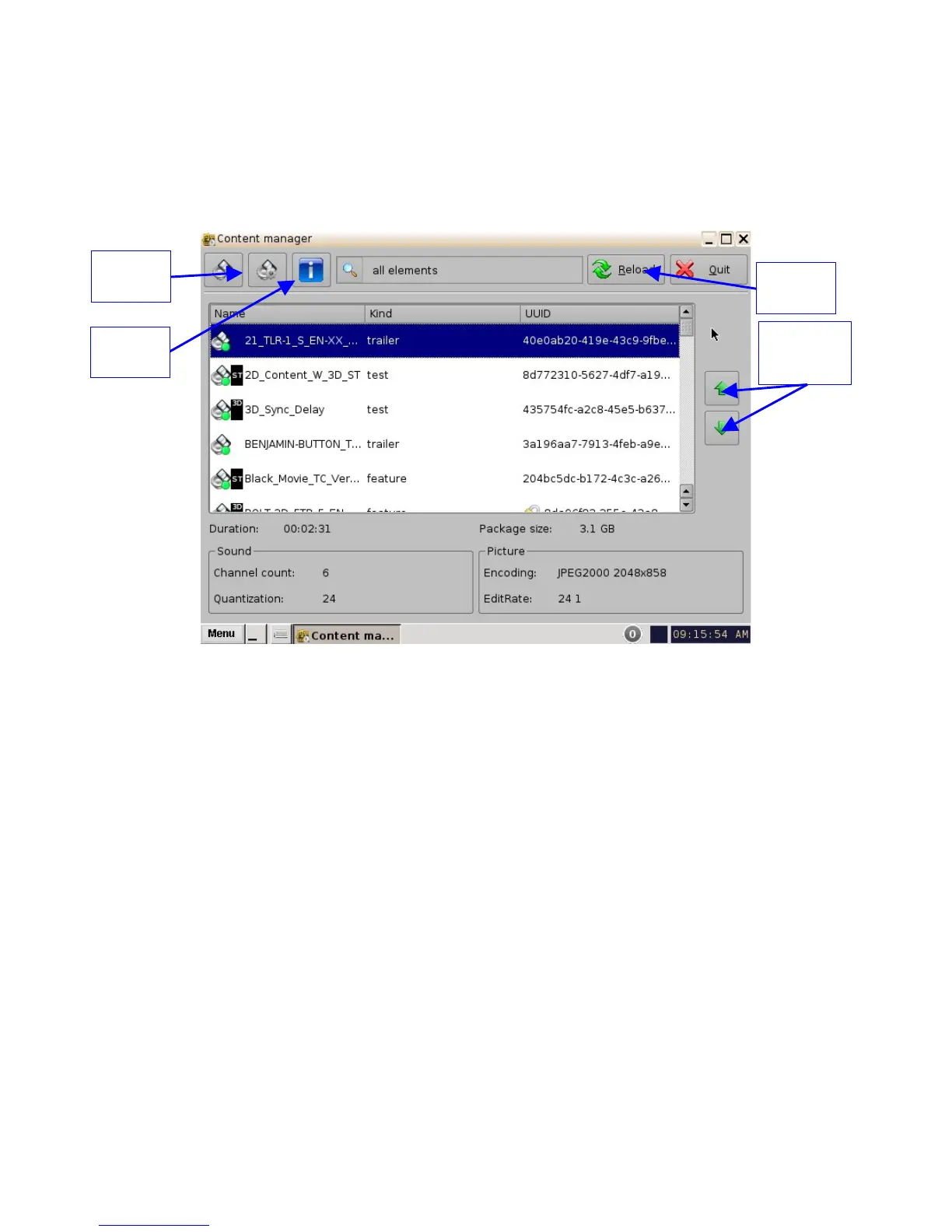
• The following page will appear showing all the CPLs that are available on the unit.
Figure 51: Content Manager Composition Playlists Tab
• The green arrows to the right of the window allow the user to navigate up and down when
searching for a CPL (Figure 51).
• The Reload button allows the user to refresh the list of CPLs (Figure 51).
• Select a CPL and click on the "Actions" button to get more options (Figure 51).
• The "Actions" button will allow you to (Figure 52):
• Delete a CPL
• Perform an Integrity Check
• Perform a Sanity check
• Export a CPL
______________________________________________________________________________________
D2K.OM.001822.DRM Page 47 of 177 Version 1.5
Doremi Labs
Actions
Button
Info
Button
Green
Navigation
Buttons
Reload
Button



 To Next Page