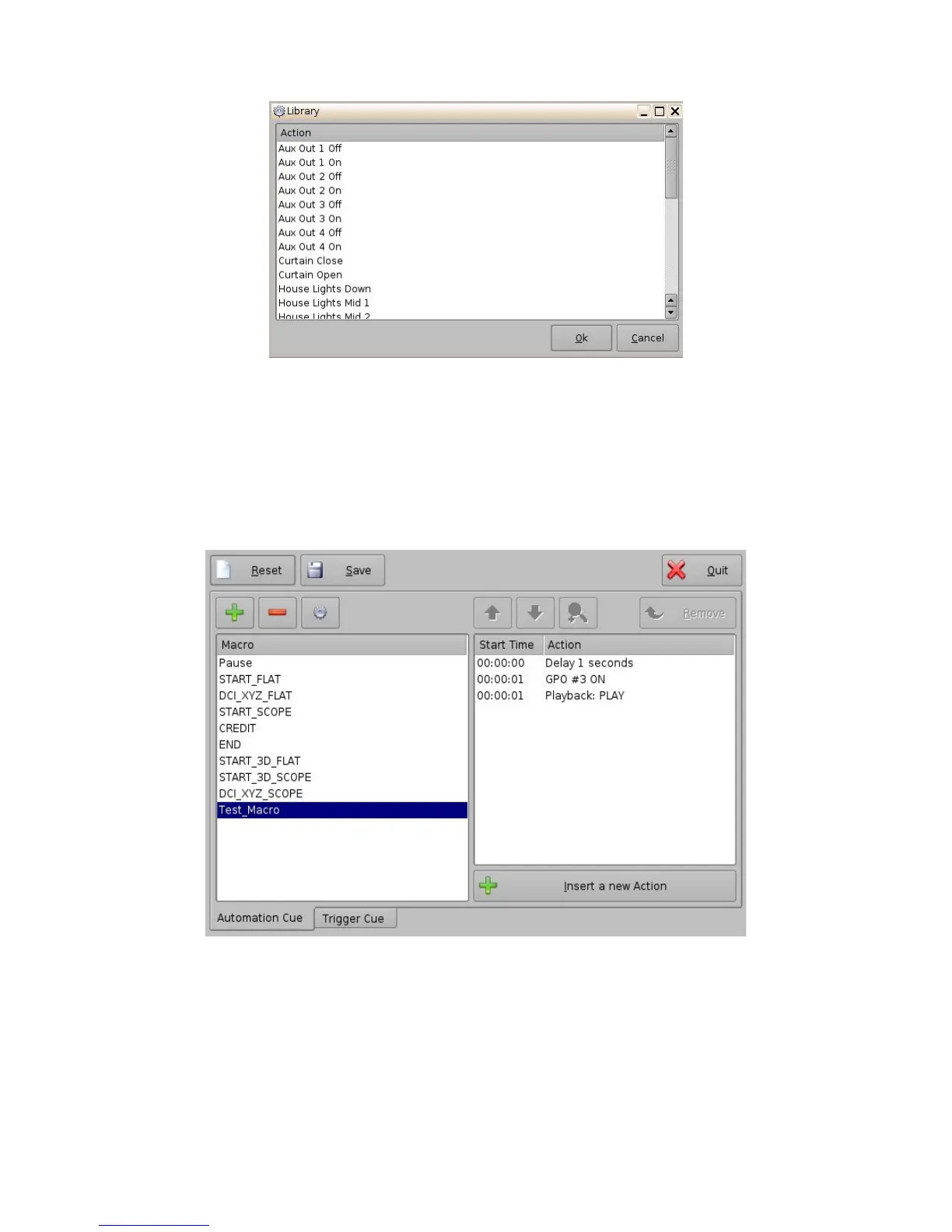
Figure 178: Macro Editor GUI – Library Automation Configuration
• Select the desired action and click the Ok button, or Cancel to cancel this command.
13.5.2 Resulting Macro Setting
• After inserting the three actions “Delay 1seconds”, “GPO line #3 ON”, and “Playback:
PLAY” in the Macro “Test_Macro” as called in the example. The right part of the
“Automation Cue” tab will display the added actions as illustrated below:
Figure 179: Macro Actions Window Updated
• Click the Save button to save the “Test_Macro” settings.
• Enter the password to save settings and proceed.
______________________________________________________________________________________
D2K.OM.001822.DRM Page 141 of 177 Version 1.5
Doremi Labs



 To Next Page