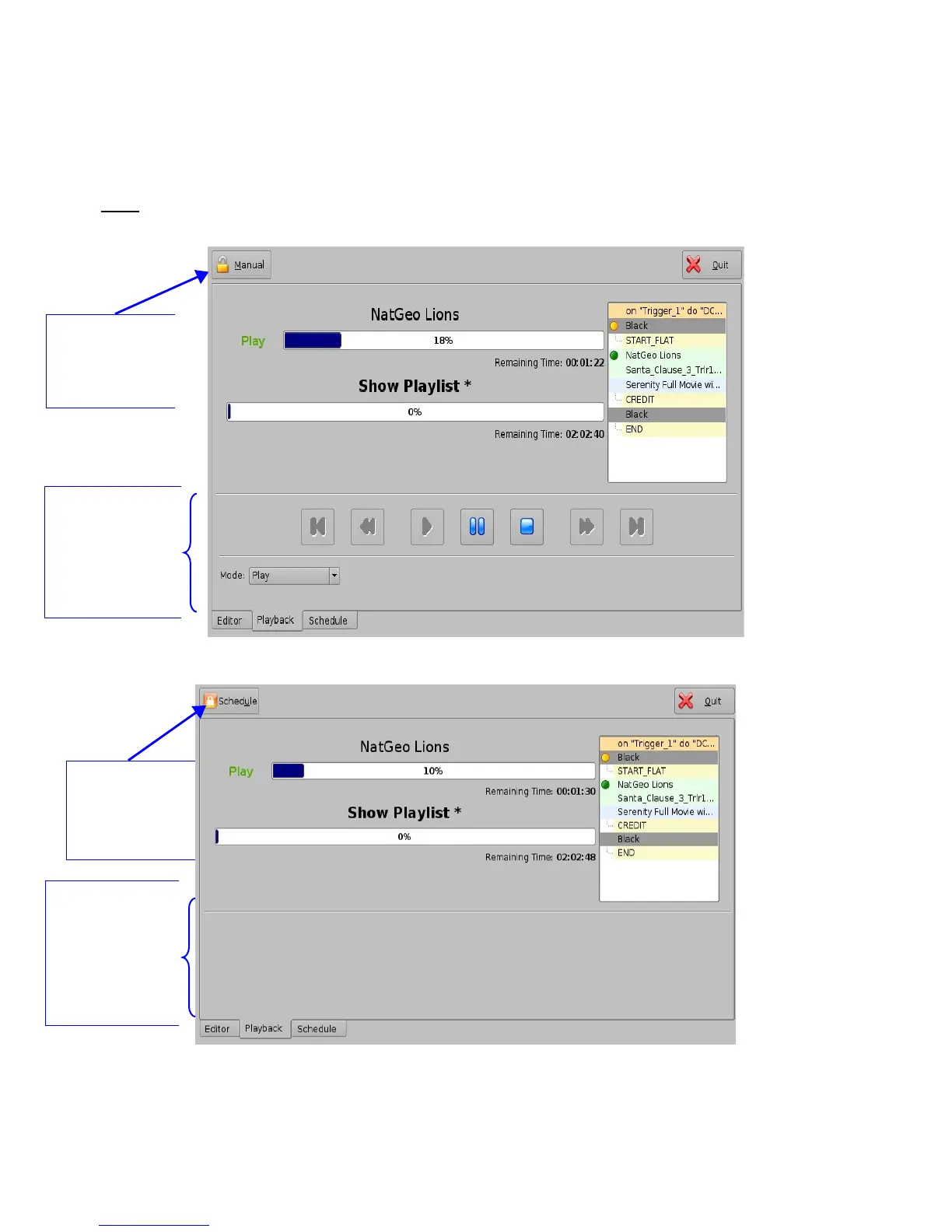
16.6 Playback Lock Mode
The “Mode” button can be used to lock the playback of a CPL or SPL in order to avoid an
accidental interruption of the show. To lock the manual mode, just click on the “Mode” button that is
located on the top-left of the Playback tab.
Note: Playback automatically changes to lock mode during scheduled playback
(Section 17.1.1).
Figure 203: Playback Mode Unlocked
Figure 204: Playback Mode Locked
______________________________________________________________________________________
D2K.OM.001822.DRM Page 159 of 177 Version 1.5
Doremi Labs
“Mode” button
changes the lock
mode of playback -
“Manual” means
Unlocked
Unlocked Mode:
During Unlocked
Mode, Playback
features such as
pause, play, fast
forward, rewind, and
stop are available
Locked Mode:
During Locked
Playback mode,
features such as
pause, play, fast
forward, rewind,
and stop are NOT
available
“Mode” button
changes the lock
mode of playback -
“Schedule” means
Locked



 To Next Page