9.4 Importing a Show Playlist
The user can import a Show Playlist from a USB drive or any other drive that the server supports.
9.4.1 How to Import an SPL
• Go to the CineLister Editor tab ( Figure 147) and click the Open button.
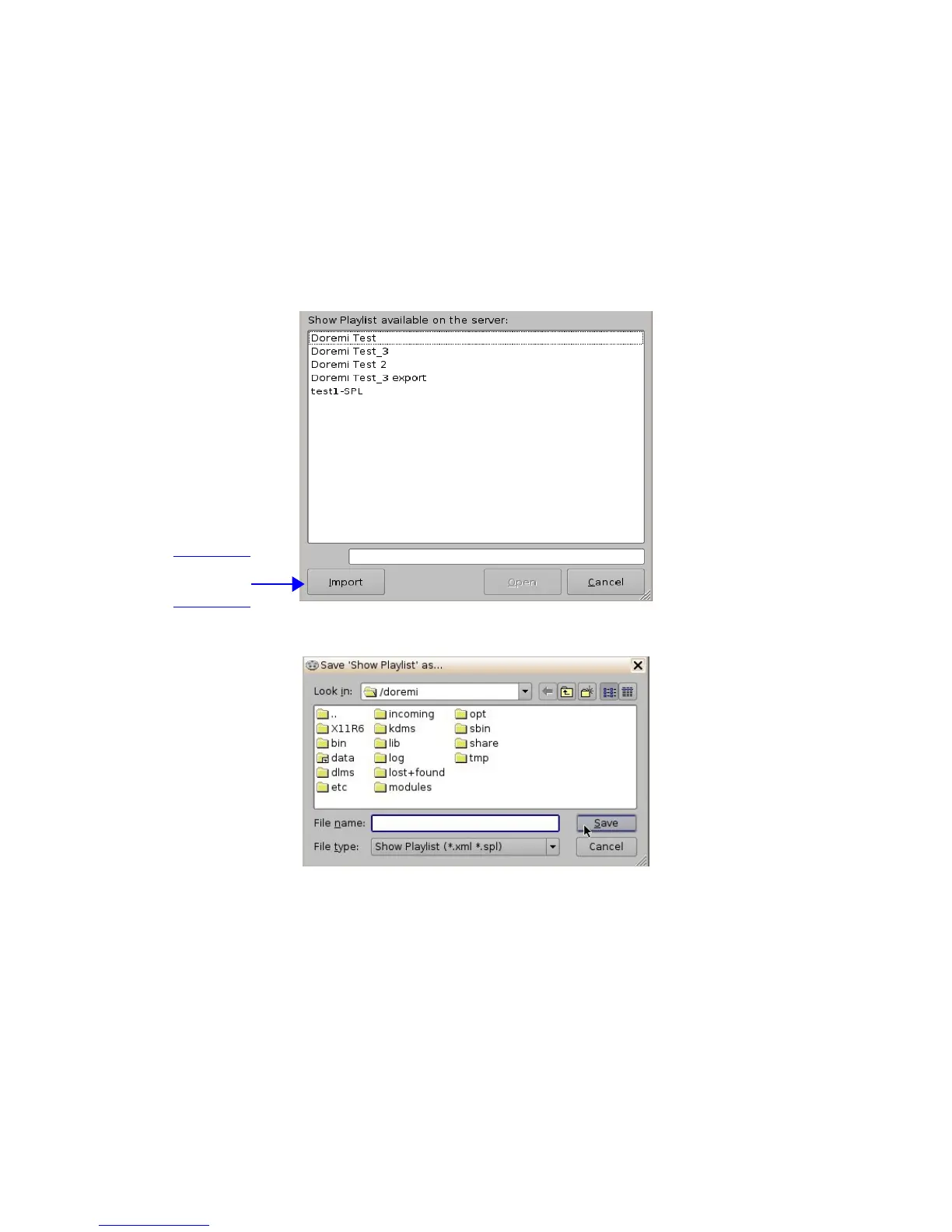
• A window will appear with SPLs to import (Figure 151).
• Click the Import button. The “Browse Filepath” window will appear ( Figure 152).
• Choose the file path to import the SPL from and click Open.
Figure 151: “SPL's Available on Server” Window
Figure 152: Browse Filepath Window
______________________________________________________________________________________
D2K.OM.001822.DRM Page 120 of 177 Version 1.5
Doremi Labs
Import
Button



 To Next Page