12 Accessing a Show Playlist
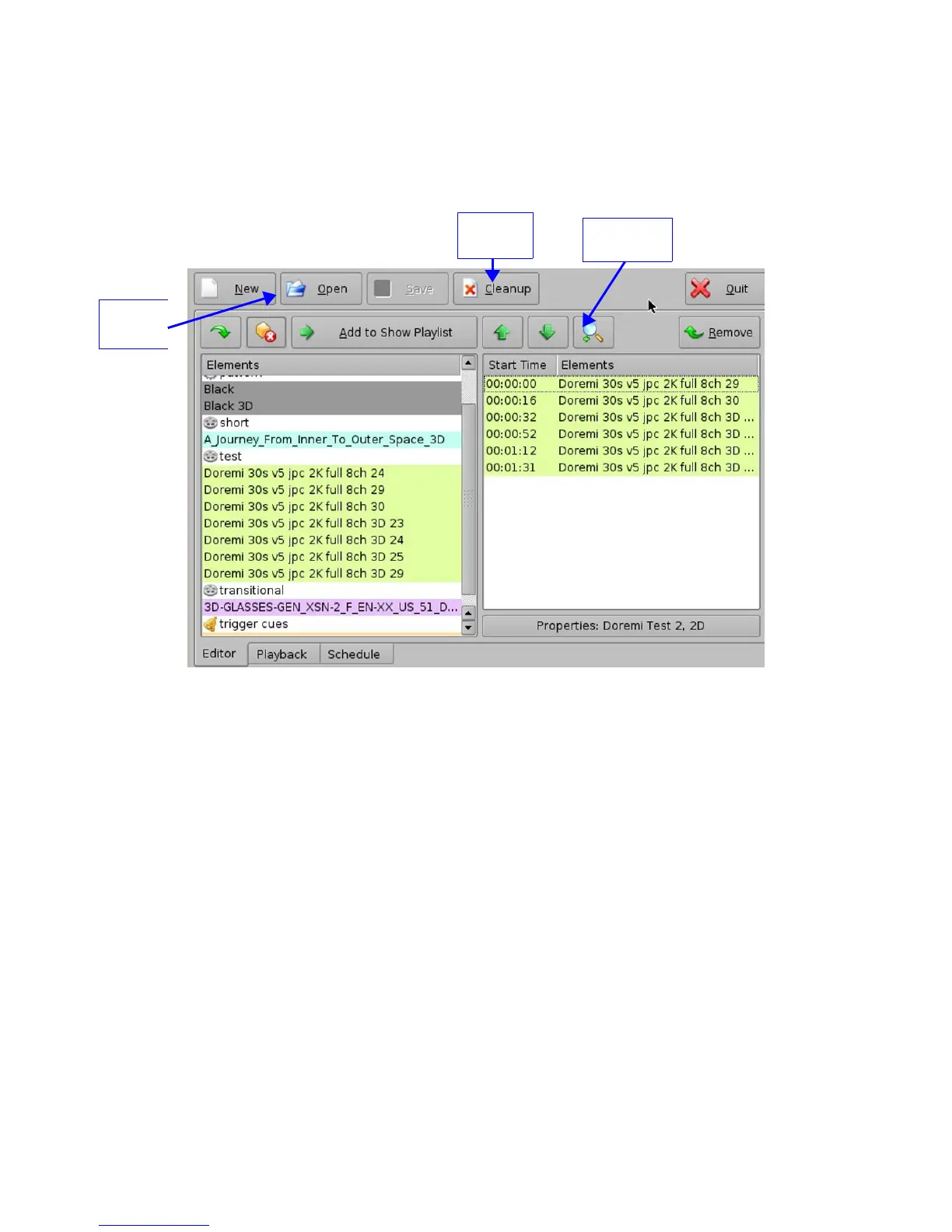
• To open an existing Show Playlist, click on the Open button from the CineLister Editor tab
(Figure 161). A new window will appear allowing the user to select the desired CPL.
• Click the Open button (Figure 162). The Show Playlist will be displayed on the right side of
the GUI.
Figure 161: CineLister GUI – Editor Tab
______________________________________________________________________________________
D2K.OM.001822.DRM Page 128 of 177 Version 1.5
Doremi Labs
Cleanup
Button
Open
Button
Properties
Button



 To Next Page