13.4.5 Projector Channel Switch Insertion
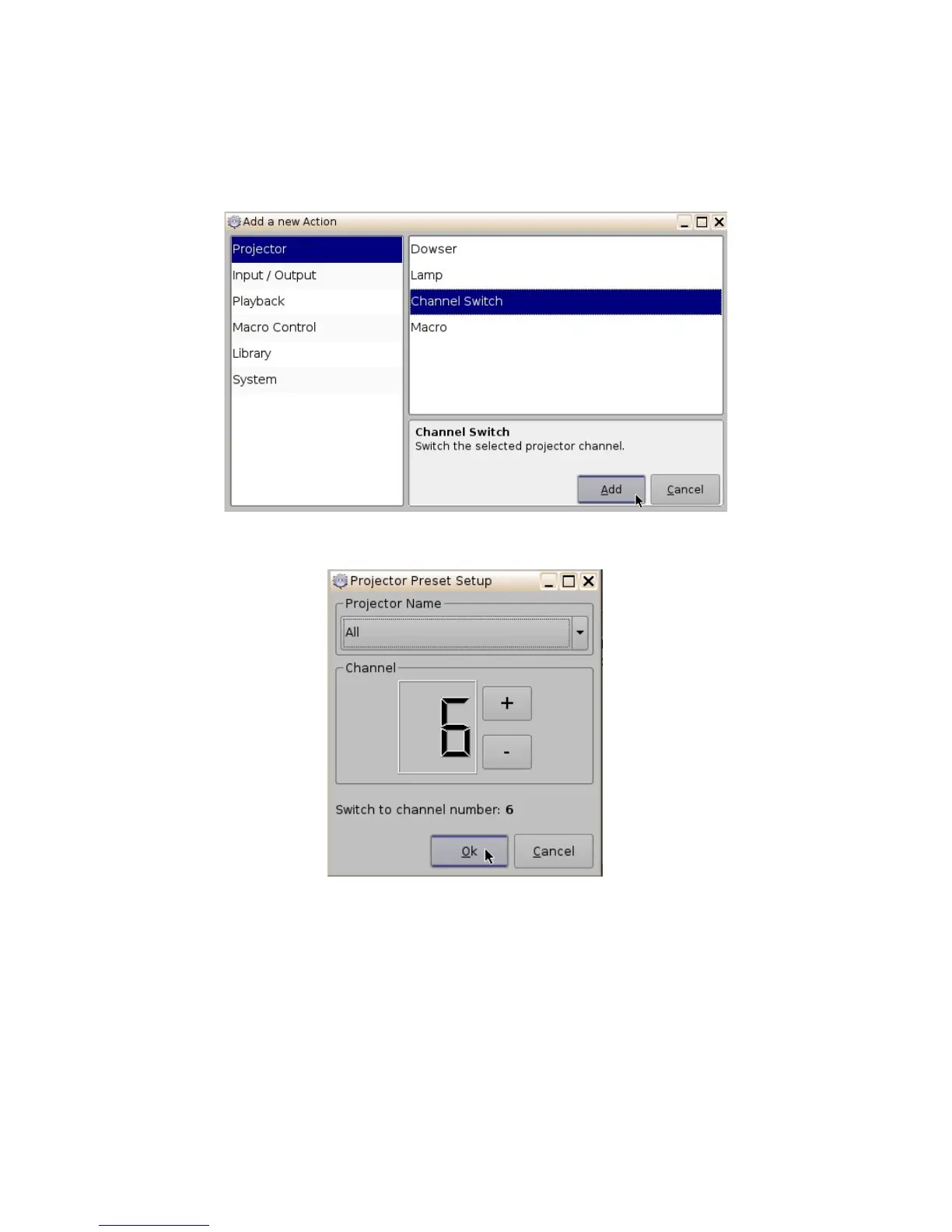
From the “Add a new Action” window choose the Projector setting (Figure 175). Next, scroll to and
select the Channel Switch option. Choose the name of the projector from the drop-down menu
window that appears (Figure 176). Use the plus/minus buttons to select the channel you would like
to send the command to.
Figure 175: Add a New Action Window - Channel Switch
Figure 176: Projector Channel Switch
______________________________________________________________________________________
D2K.OM.001822.DRM Page 139 of 177 Version 1.5
Doremi Labs



 To Next Page