19 Virtual Keyboard
19.1 How to Access the Virtual Keyboard
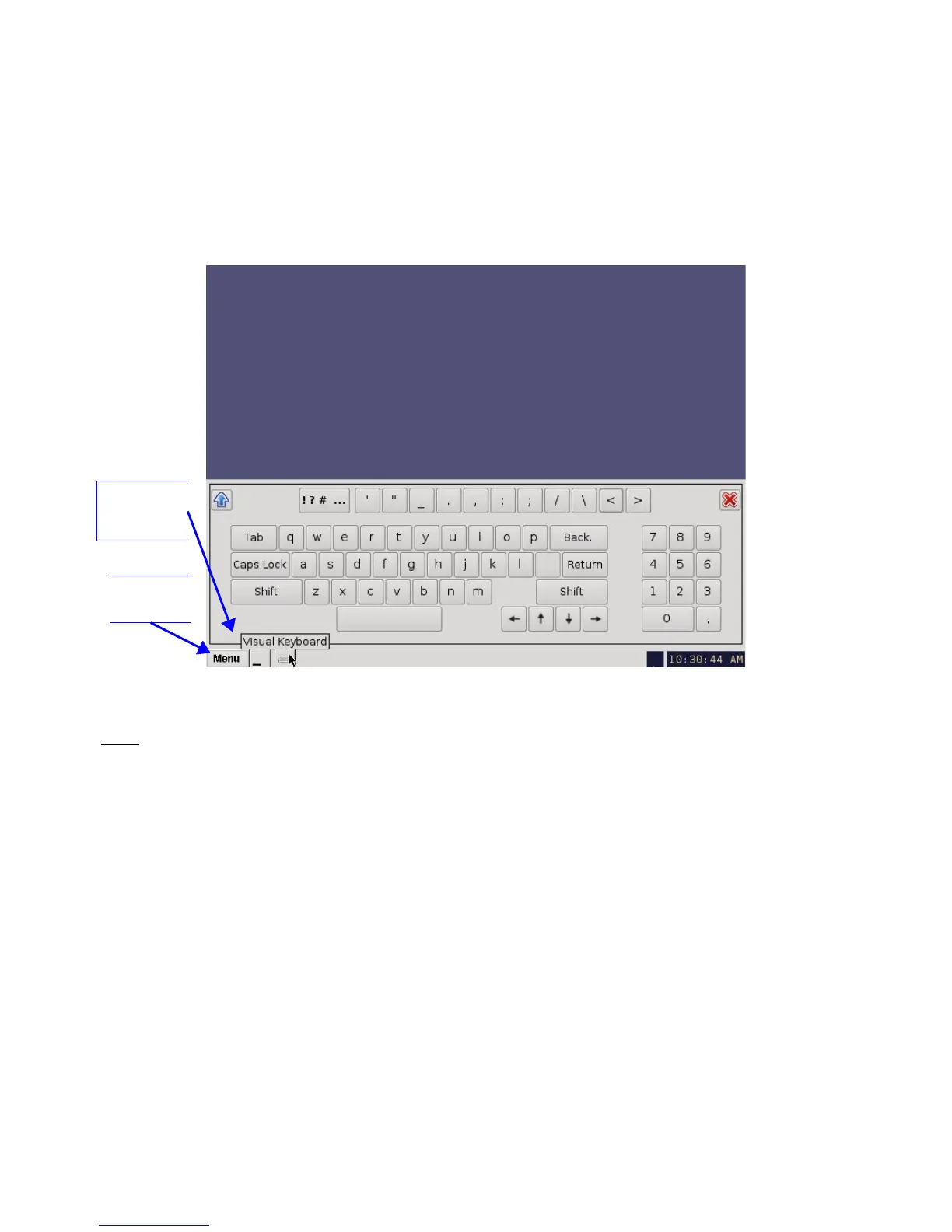
• Go to the Menu on the DCP-2000 home desktop and select Virtual Keyboard.
• The keyboard will appear on the GUI, as illustrated in Figure 219 below.
• You can use the keyboard with a stylus pen or by connecting a mouse to the DCP-2000.
Figure 219: Virtual Keyboard
Note: If you have an earlier version of the CineLister software, the virtual keyboard is available by
going to Menu → System → Legacy Virtual Keyboard.
______________________________________________________________________________________
D2K.OM.001822.DRM Page 173 of 177 Version 1.5
Doremi Labs
Menu
Key
Virtual
Keyboard
Key



 To Next Page