17.2 Schedule Playback Messages
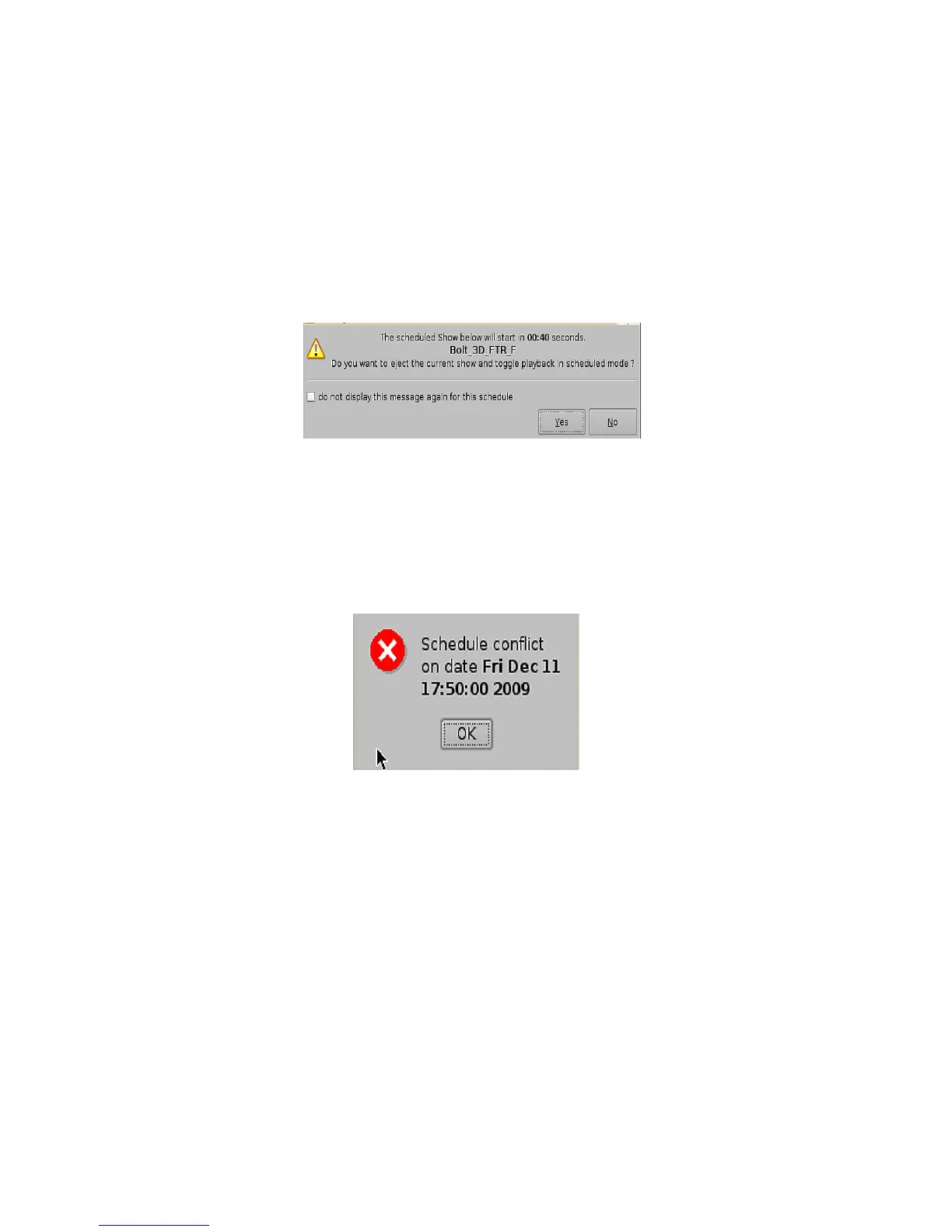
If you are playing a show in the Playback tab and there is a time conflict with a scheduled show,
you will get an alert message. The message will tell you that you have a scheduled SPL that will
start in (example 00:40 seconds) and asks if you want to eject the current show and toggle
playback in scheduled mode.
• If you want to keep playing the current show, click No.
• If you want to stop playing the current show and allow the scheduled show to begin, click
Yes. The server will stop playback and your show will play as it was scheduled.
Figure 210: Scheduled Show Will Start (Time Message)
17.2.1 Schedule Conflict
If you are trying to schedule playback and one already exists for the same time and date, you will
receive a “Schedule Conflict” message (Figure 211). The "Schedule Conflict" message displays the
time and date for which there is a conflict. You will also receive the conflict message if you try to
schedule playback that interrupts the scheduled time of another playback.
Figure 211: Schedule Conflict Message
______________________________________________________________________________________
D2K.OM.001822.DRM Page 164 of 177 Version 1.5
Doremi Labs



 To Next Page