3 CineLister
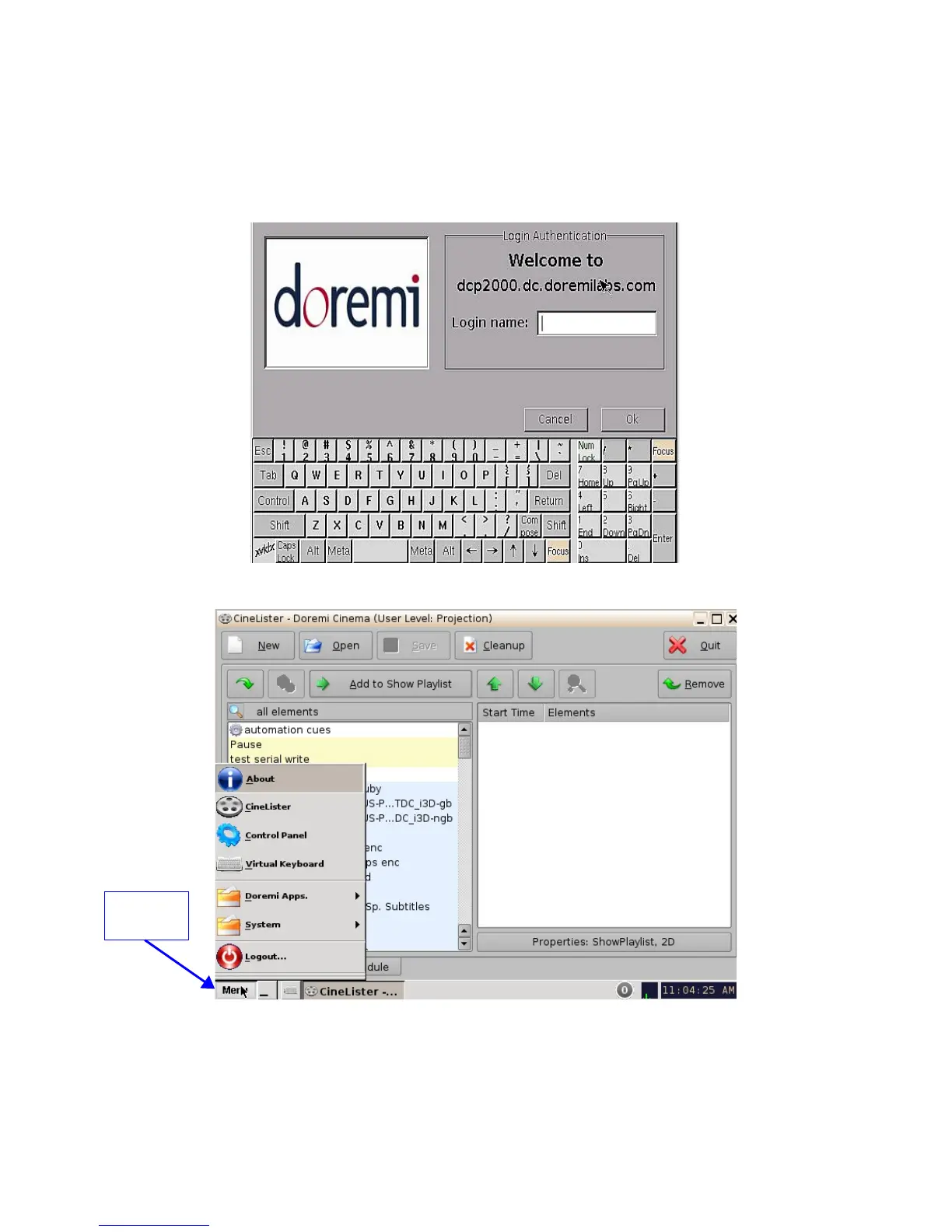
Every time the user logs out of the CineLister application and then logs back in again, a “Login
Authentication” window will appear (Figure 5). The default login name is “doremi” and the
Password is “doremi.” However, the administrator may have changed and or added other login
usernames and passwords. Please contact the administrator for the password.
Figure 5: Login Authentication Window
Figure 6: CineLister Application and Menu List
______________________________________________________________________________________
D2K.OM.001822.DRM Page 11 of 177 Version 1.5
Doremi Labs
Menu
Button



 To Next Page