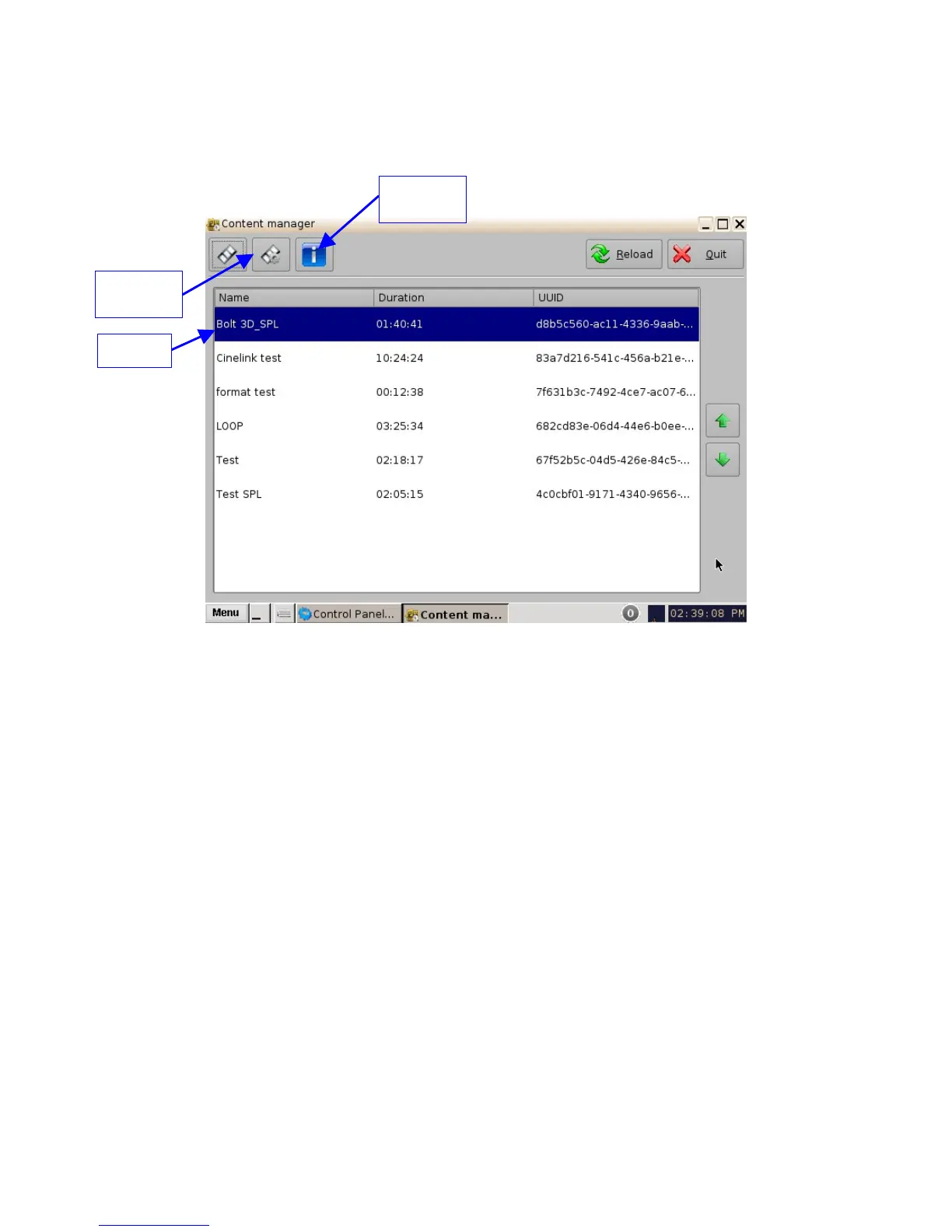
6.4.6 Show Playlists Page
This page displays all the SPLs available on the unit together with the following information:
• SPL Duration
• SPL UUID
Figure 76: Show Playlists Page
• The following Actions can be performed from the Show Playlists page: Delete and Export
SPLs.
6.4.6.1 Delete an SPL
• Select an SPL from the list and click the "Actions" button (Figure 76) and select Delete from
the drop-down menu.
• A manager password and confirmation will be needed to perform the operation.
• Confirm or deny the deletion with the pop-up confirmation window by pressing Yes or No.
6.4.6.2 Export an SPL
• Insert a USB device in a USB port on the unit.
• Select an SPL from the list and click the "Actions" button (Figure 76) and select Export from
the drop-down menu.
• Select the USB device to export the SPL to.
• Click on the Export button.
• When the Export is finished, click on the Ok button and remove the USB device.
______________________________________________________________________________________
D2K.OM.001822.DRM Page 66 of 177 Version 1.5
Doremi Labs
Information
Button
SPL
Actions
Button



 To Next Page