16.3 Pause Mode
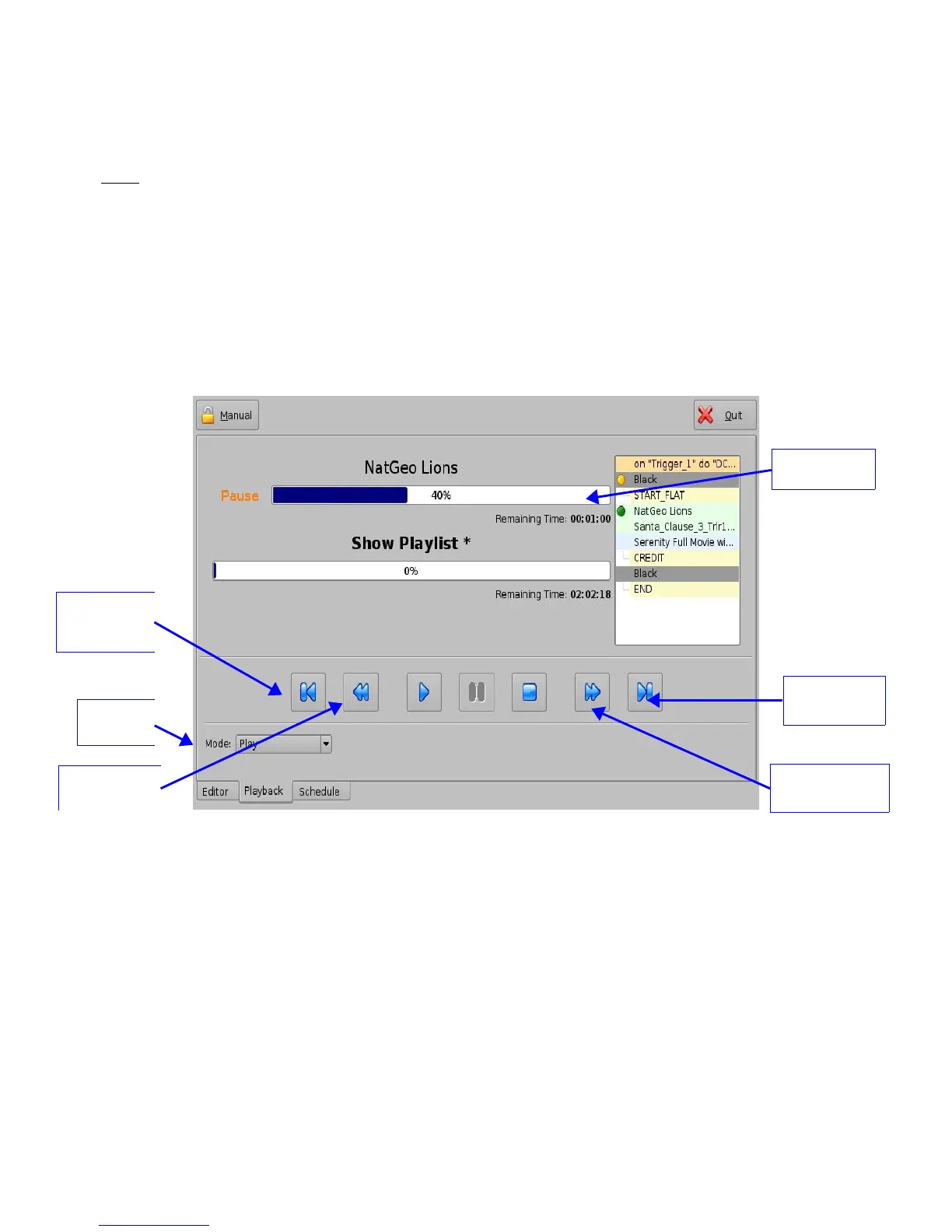
• Use the Pause button to pause the playback.
Note: Clicking the Stop button will eject the SPL.
• Use the “Next” and “Previous” buttons to go to the next or previous CPL in the Show
Playlist.
• Use the “Fast Forward” and “Rewind” buttons to forward or rewind within a CPL. The
default value is set at 3 minutes. See below for instructions on how to adjust the value.
• Use the Play button to resume from where the CPL was last paused.
• Select the playback mode from the “Mode” drop-down list: Play; Loop; Play then rewind; or
Play then eject. You will be prompted to a password window to confirm the mode; the
default mode is Play.
Figure 199: Playback Tab during Pause
______________________________________________________________________________________
D2K.OM.001822.DRM Page 154 of 177 Version 1.5
Doremi Labs
“Skip to
Previous Clip”
button
Rewind 3
minutes
“Skip to Next
Clip” button
Fast Forward 3
minutes
Mode list
box



 To Next Page