FORE Systems ES-2810 Ethernet Switch User's Manual
3 - 33
Standard Configuration
Standard
Configuration
3.19 Port Specific Spanning Tree
3.19.1 Purpose
You can:
• View the Spanning Tree setups for the port
• Specify whether STP (Spanning Tree Protocol) is enabled on the port
• Define which ports are going to be used most frequently
3.19.2 Changing the State of a Port
To specify that a port is using STP:
1. Click the port you want to change.
2. Select Port Setup.
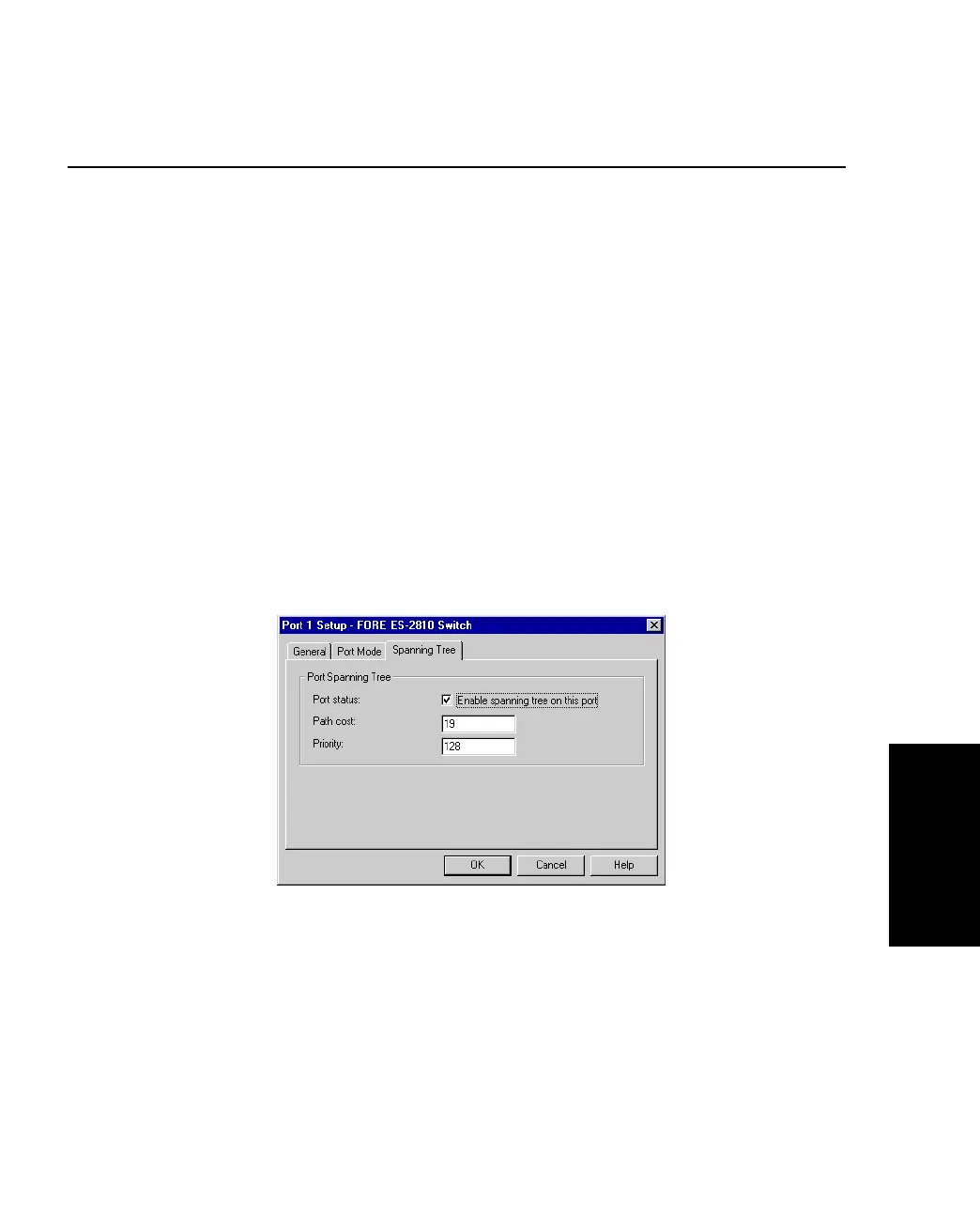
3. Click Spanning Tree.
Figure 3.16 -
Spanning Tree Tab of the Port Setup Dialog Box
4. Click Enable spanning tree on this port.
If there is a check mark in the box, the port is used in STP. If the box is empty, the
port is not used in STP.
5. Click OK.



 To Next Page