FORE Systems ES-2810 Ethernet Switch User’s Manual
1 - 11
Introduction to the ES-2810
Introduction to the ES-
2810
1.5.6 In an Equipment Rack
To mount the switch in a standard equipment rack:
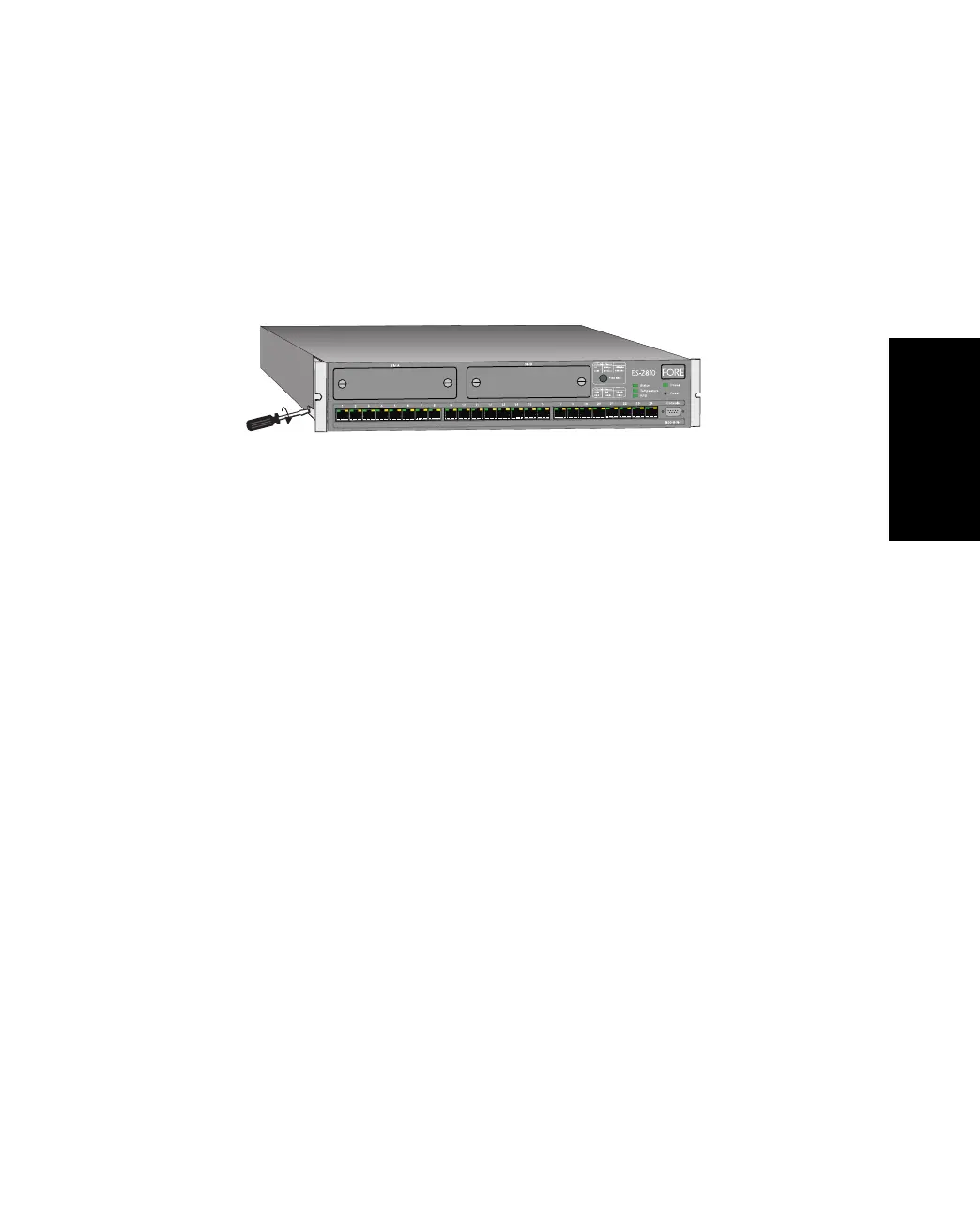
1. Attach the mounting bracket marked “Left” to the left-hand side of the switch, and
attach the mounting bracket marked “Right” to the right-hand side of the switch,
using the four screws provided.
Figure 1.3 -
Attaching the Mounting Brackets
Make sure that you attach the mounting brackets to the correct sides. Otherwise
the switch will not align correctly in the equipment rack.
2. If the four rubber feet prevent the switch from standing firmly on the equipment
rack’s side support rails, remove them.
3. Set the switch in the equipment rack, and make sure there is adequate space for air
flow around the switch (see “Allow Adequate Ventilation” on page 1-9).
4. Screw the mounting brackets securely to the equipment rack.
1.5.7 Ambient Temperature
If the switch is installed in a closed or multi-rack assembly, the operating ambient temperature
of the rack environment may be greater than the ambient temperature of the room. Make sure
that the temperature of the rack environment does not exceed the recommended operating
temperature for the switch.
1590



 To Next Page