FORE Systems ES-2810 Ethernet Switch User's Manual
3 - 15
Standard Configuration
Standard
Configuration
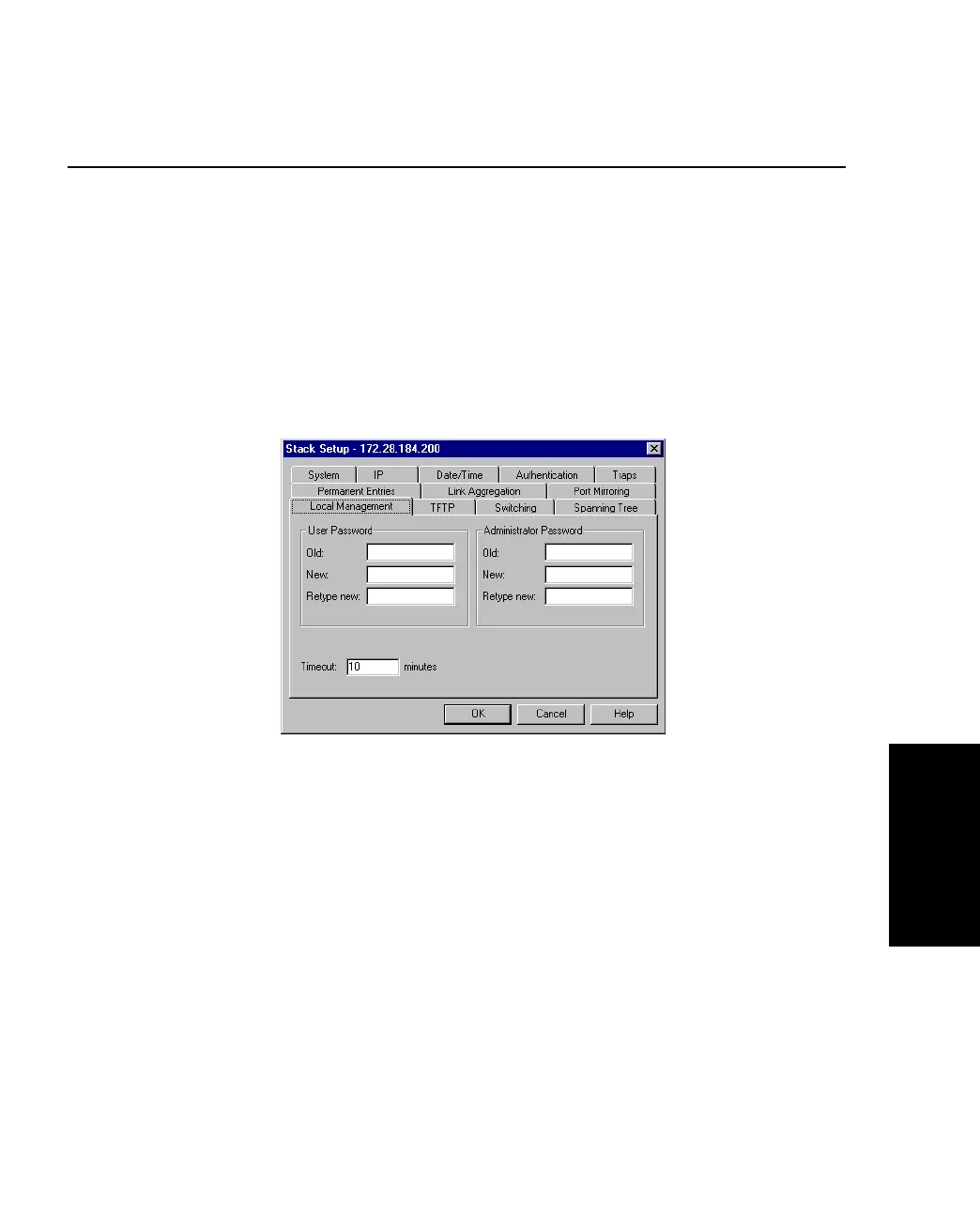
3.11 Local Management
3.11.1 Changing Password Details
The administrator has read-write access at all levels. The user can read the monitoring screens,
but cannot change the configuration, update software or reset the station. To prevent unautho-
rized personnel changing configurations:
1. Select Device Setup or Stack Setup.
2. Click Local Management.
Figure 3.9 -
Local Management Tab of the Stack Setup Dialog Box
3. You can change the passwords for the Administrator and User.
4. Type the old password.
5. Type the new password.
6. Retype the new password (in Retype new).
7. Click OK.



 To Next Page