FORE Systems ES-2810 Ethernet Switch User's Manual
3 - 7
Standard Configuration
Standard
Configuration
3.6.3 Adding a Device
To add a host that is allowed to carry out management on the switch:
1. Select Device Setup or Stack Setup.
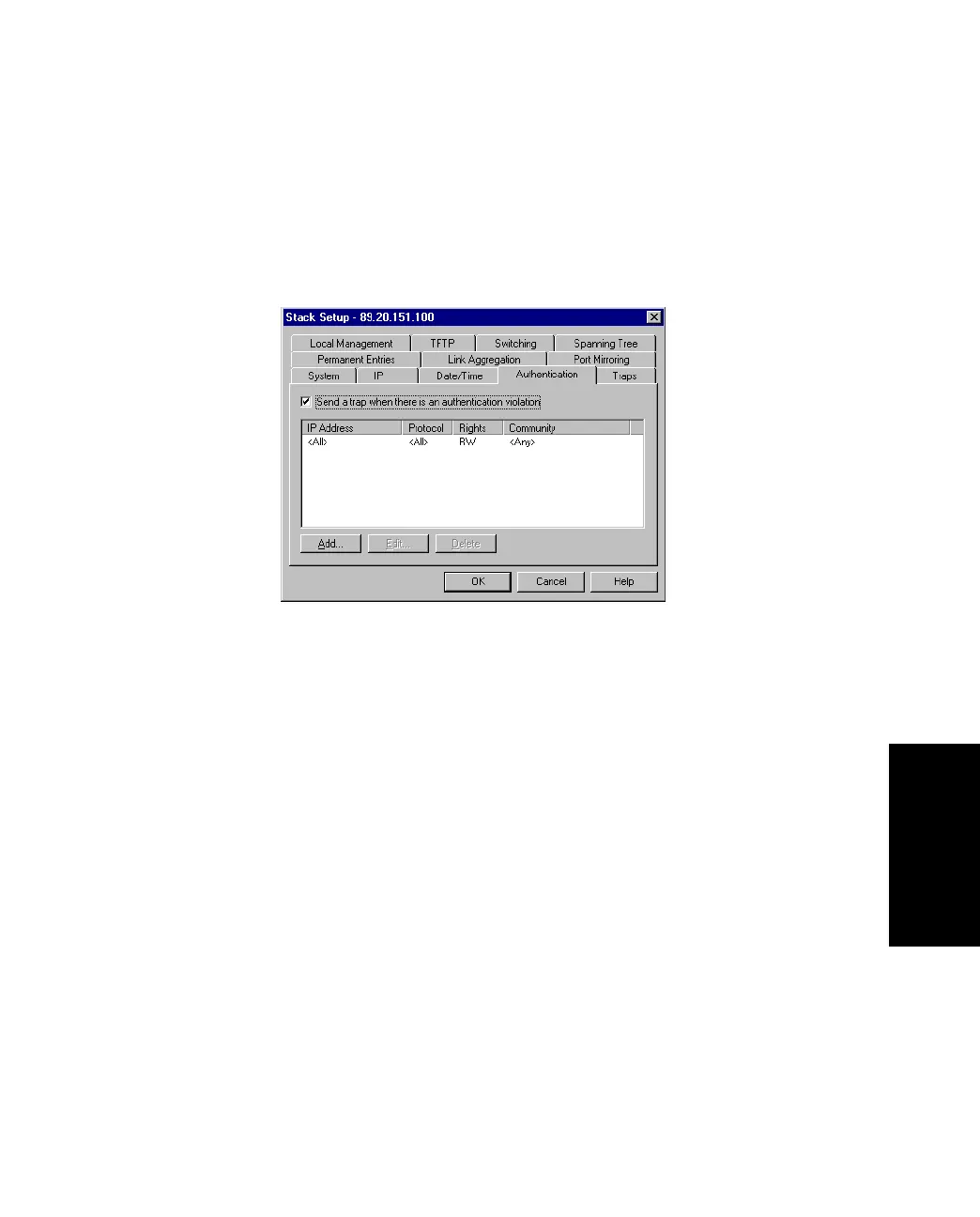
2. Click Authentications.
Figure 3.4 -
Authentication Tab of the Stack Setup Dialog Box
3. Click Send trap when authentication violation.
A message will be sent to the Traps window if unauthorized hosts try to carry
out management on the switch.
4. Click Add.
5. In IP address, type the IP address of the device to manage the switch.
You can have a maximum of eight addresses in the list. The address 0.0.0.0 indi-
cates that all IP addresses are accepted.
6. Click Protocol and select one.
7. Click Rights and specify the level of access to the switch
8. For SNMP only, click Community and type the SNMP request name accepted by
the SNMP agent.
If no community name is specified, all community names are accepted by the
SNMP agent.
9. Click OK.



 To Next Page