FORE Systems ES-2810 Ethernet Switch User's Manual
5 - 15
Managing the Switch
Managing the Switch
5.6.4 Monitoring the Total Packet Activity of the Switches
Use the following procedure to view the total activity of the packets on all the switches:
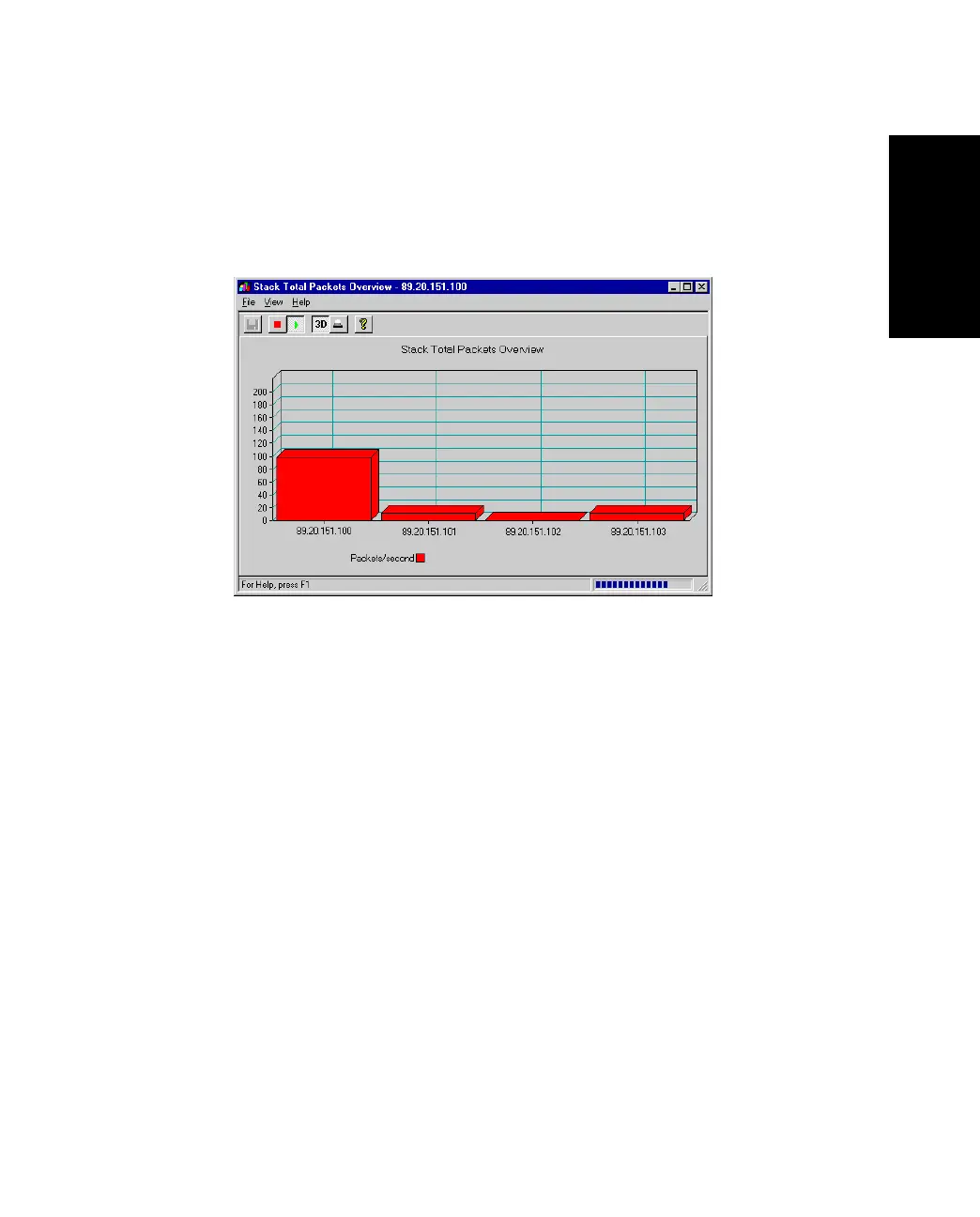
1. Right-click the stack border and select Stack Activity>Total Packets.
Figure 5.10 -
Stack Total Packets Graph Dialog Box
Each column represents a switch and its activity level.
2. To see the exact value, hold the mouse pointer over a switch.
3. Click View and change the presentation style: 3D- to 2D-Graph, with or without a
peak value indicator and vertical to horizontal bars.
5.6.5 Monitoring the Total Activity of Transmitted Packets
Use the following procedure to view the total activity of the packets being transmitted on all
the switches:
1. Right-click the stack border and select Stack Activity>Tx Packets.
Each column represents the activity level on a switch.
2. Hold the cursor on a column to see the exact value.
3. Click View and change the presentation style: 3D- to 2D-Graph, with or without a
peak value indicator and vertical to horizontal bars.



 To Next Page