2 - 16
FORE Systems ES-2810 Ethernet Switch User’s Manual
FORE Stack View
2.9.6 Establishing and Expanding a Stack
If you connect switches that already have IP addresses assigned together via a Matrix Module,
you can manage them as a stack. To create or expand an existing stack:
1. Select Device>Manage, and the Manage dialog opens.
2. Type in the IP Address or MAC address of one of the switches. All the switches
connected via the Matrix Module are displayed in this window, even switches that
are already configured as a stack.
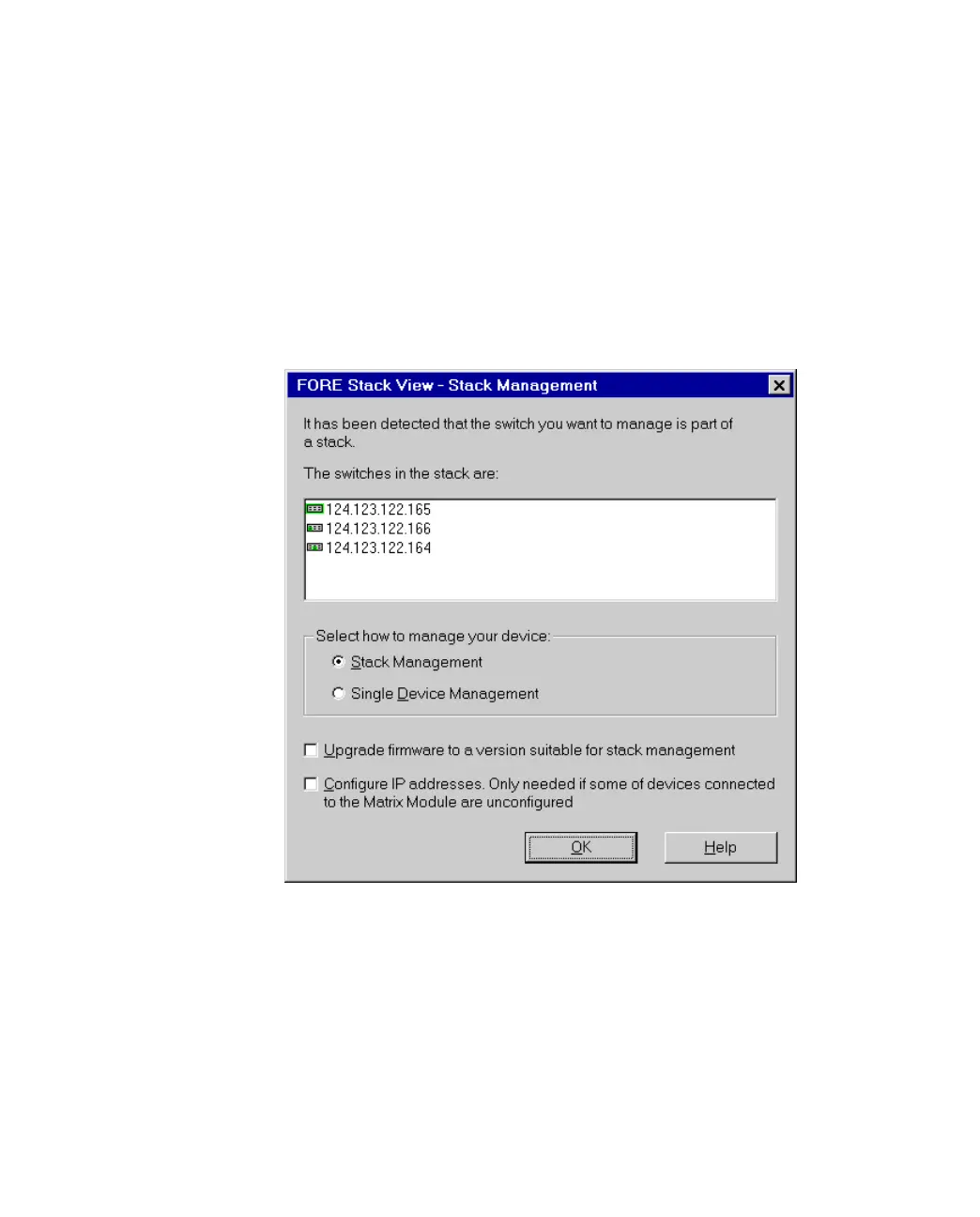
Figure 2.9 -
The Manage Dialog Box
3. If the switches don’t have compatible software, the Upgrade box is checked. If one
or more of the switches aren’t configured, the Configure IP address box is
checked.
4. Select Stack Management.
5. Select OK. The Upgrade Wizard starts automatically if software needs to be
upgraded.



 To Next Page