6 Scanning
127
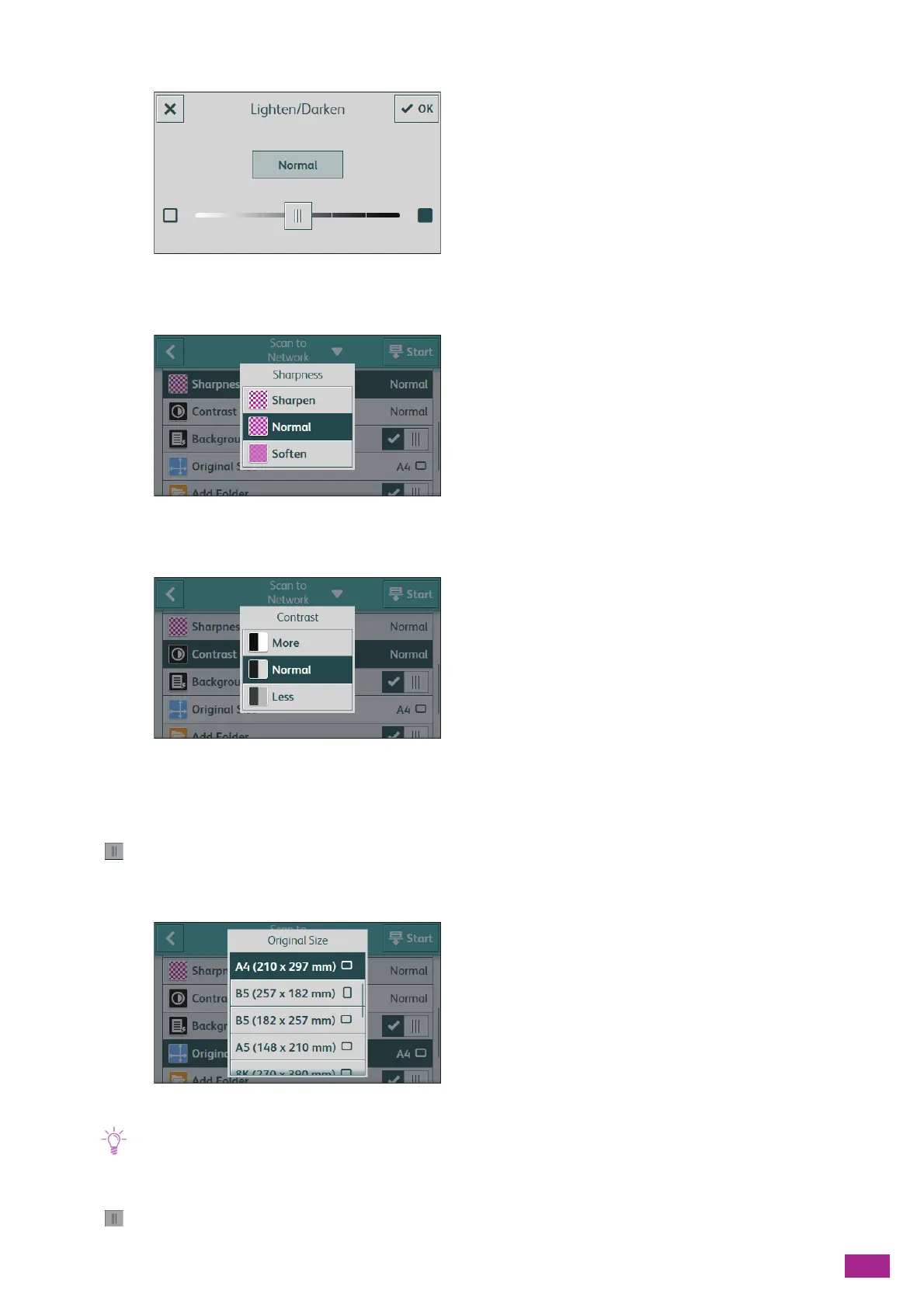
[Lighten/Darken]
Specify the density to make the scanned data darker or lighter.
[Sharpness]
Specify the sharpness level to make the image sharper or softer.
[Contrast]
Specify the difference between the light and the dark. The higher contrast makes the difference bigger, and the
lower contrast smaller.
[Background Suppression]
Tap to display the check mark to suppress the background density of the document to enhance the
scanned image.
[Original Size]
Select the document size to be scanned.
• When [Auto] is selected, the machine detects and specifies the document size automatically.
[Add Folder]
Tap to display the check mark to create a new folder to which the scanned data is stored.



 To Next Page
 Loading...