11 Making Better Use of Your Machine
333
3.
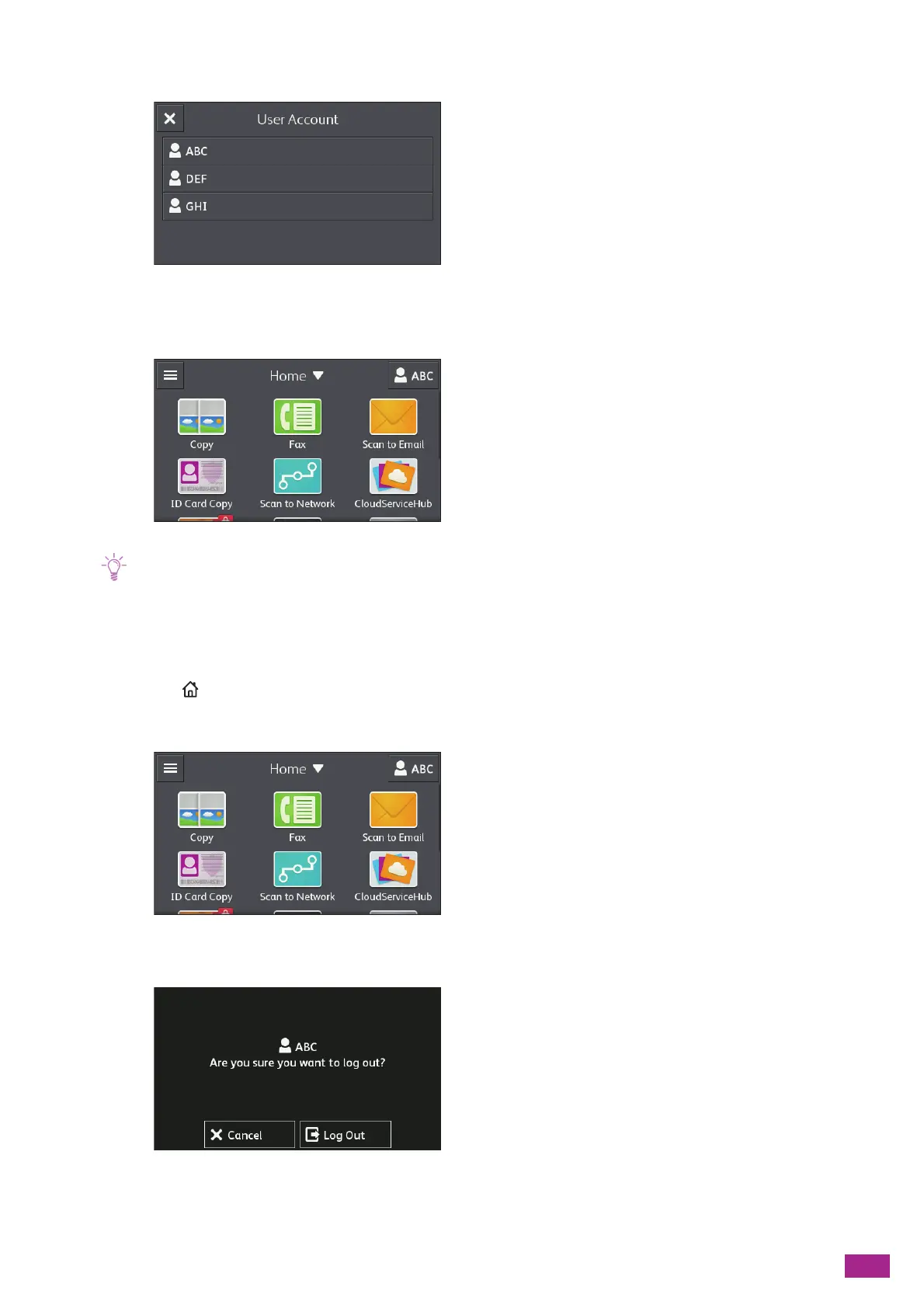
Tap the user account to login.
4.
Enter the password, and then tap [OK].
When you login, your user name is displayed on the upper right corner.
• The machine automatically logs out in the following cases:
- When the machine enters the sleep mode
- When the time period specified on [Auto Clear] passes with no operation of the machine
Logging Out
1.
Press the <Home> button.
2.
Tap the user name on the upper right corner.
3.
Tap [L og Out].



 To Next Page
 Loading...