450
S:\HP892XX\USRGUIDE\manual\oscscrn.fb
Chapter 14, Oscilloscope Screen
Field Descriptions
Oscilloscope Trigger Menu Fields
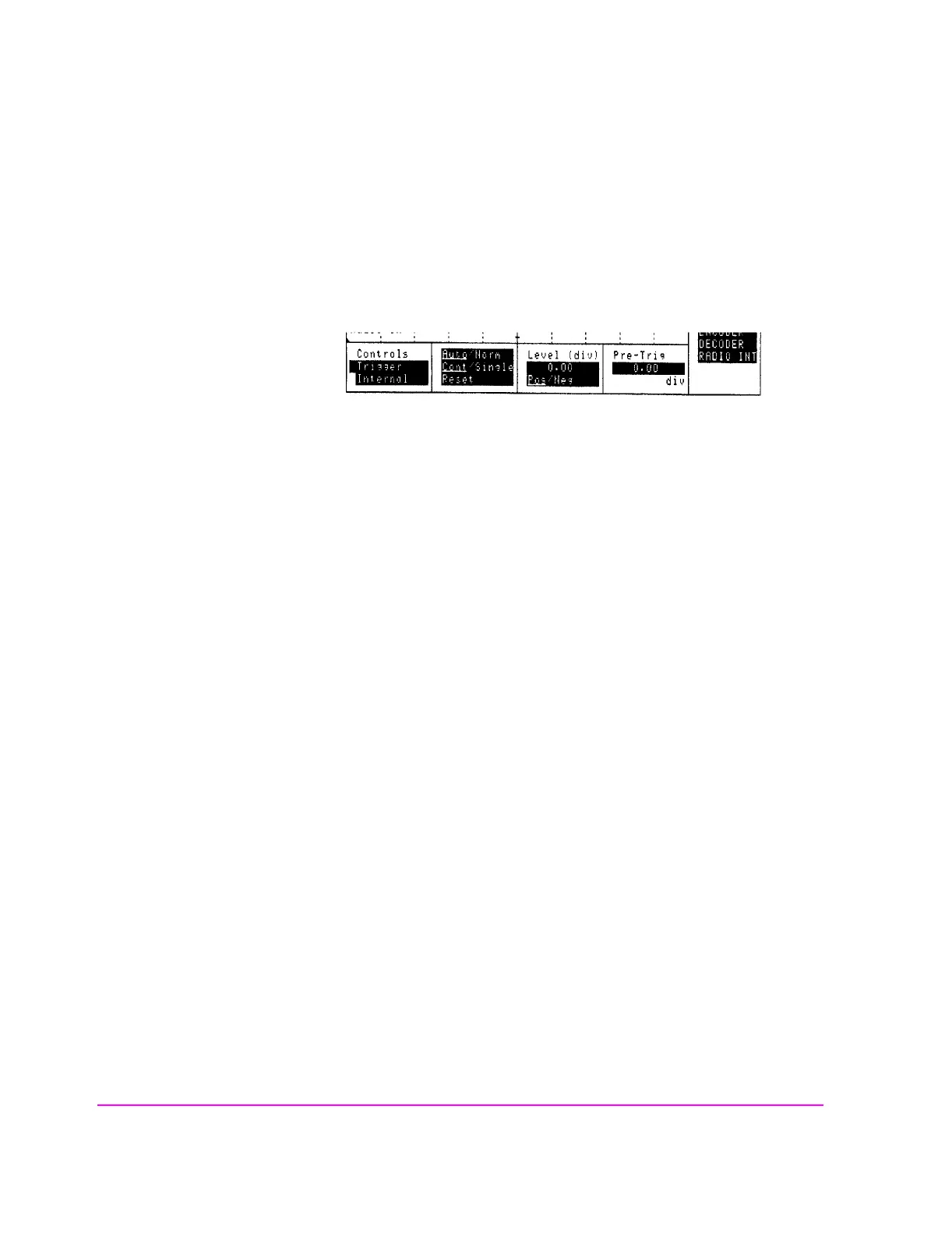
Figure 114 Oscilloscope Triggering
Internal
This field selects the trigger source.
• Internal uses the signal being displayed for triggering.
• External uses the rear-panel EXT SCOPE TRIGGER INPUT for triggering. This is
a TTL level trigger (approximately 2.5 V).
• ENCODER
1
uses the signaling encoder for triggering. The encoder must be sending its
signal to trigger the oscilloscope.
1. Optional on some Test Set models.
Auto/Norm
This field specifies how the trigger level is set.
• Auto automatically triggers if a triggering signal is not detected within approximately
50 ms of the last trigger.
• Norm requires a specific triggering signal before triggering.
Operating Considerations
Automatic triggering should be used for signals >20 Hz. Normal triggering should
be used for signals
≤20 Hz.
Also, when measuring
≤1 Hz signals, you should set the Scope To field in the AF
ANALYZER screen to
Input to provide dc coupling to the oscilloscope’s input.
oscscrn4.wmf



 To Next Page