81
Chapter 3, Operating Overview
Using USER Keys
To Use the Pre-Assigned Local USER Keys
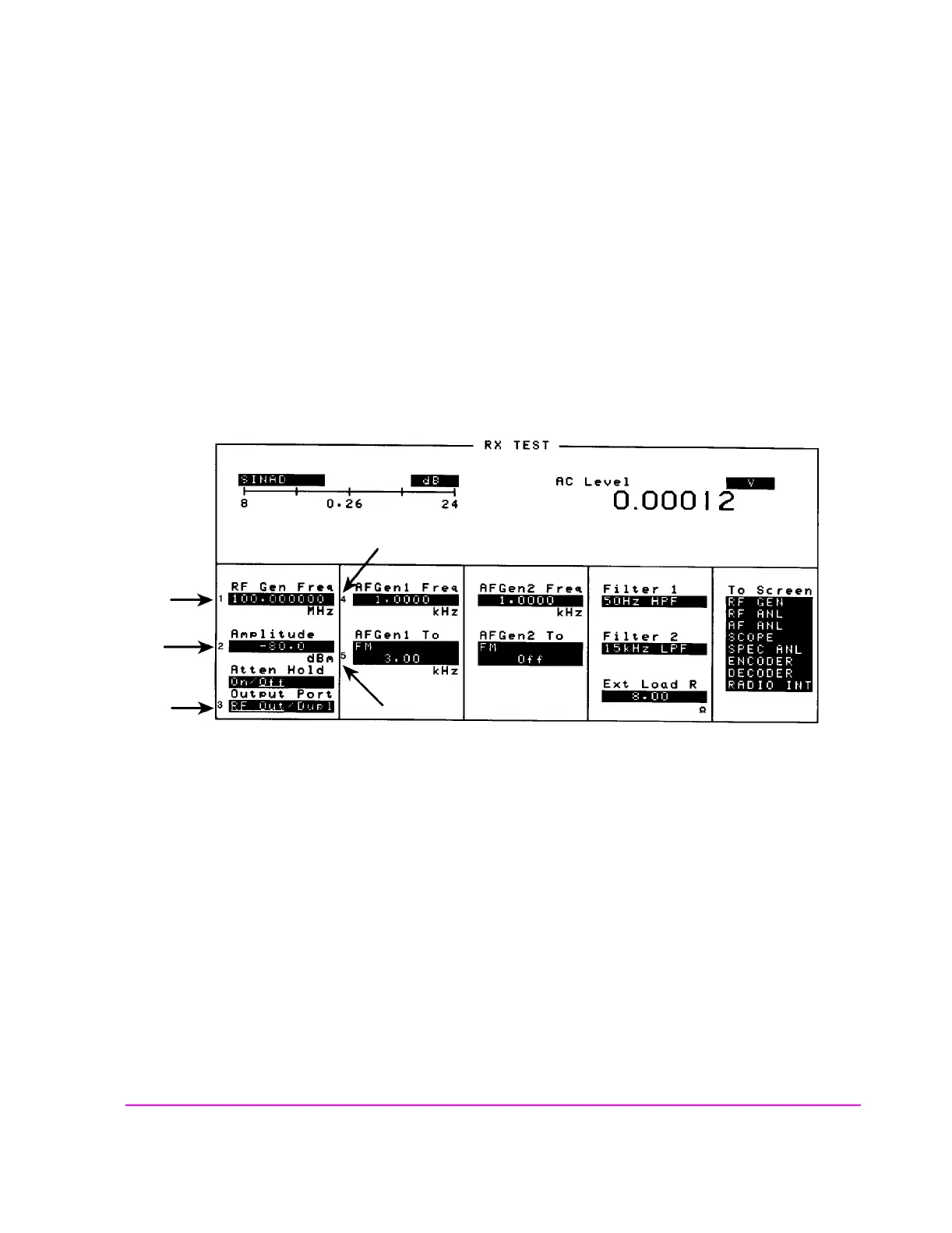
1. Press and release the SHIFT key, then the k4 key to access the ASSIGN function; then
press the ENTER key. The numbers 1 through 5 appear in front of various fields. (See
figure 12 .)
2. Press the different local user keys (k1 to k5) and notice how the cursor immediately
moves to the corresponding field.
3. To stop using the default local user keys, press and release the SHIFT key, then the k5
key to access the RELEASE function; then press the ENTER key.
Figure 12 An Example of Pre-Assigned Local User Keys
scnusr.wmf



 To Next Page