74
S:\HP892XX\USRGUIDE\manual\opoverv.fb
Chapter 3, Operating Overview
Using Memory Cards
The Memory Card Battery
SRAM memory cards use a lithium battery to power the card. Listed below are the
batteries for the Test Set’s SRAM cards. SRAM cards typically retain data for
over 1 year at 25
° C. To retain data, the battery should be replaced annually.
SRAM Card Battery Part Numbers - CR2016 or HP 1420-0383
Replacing the Battery
Turn the Test Set on and insert the memory card. An inserted memory card takes power
from the Test Set, preventing the card’s contents from being lost.
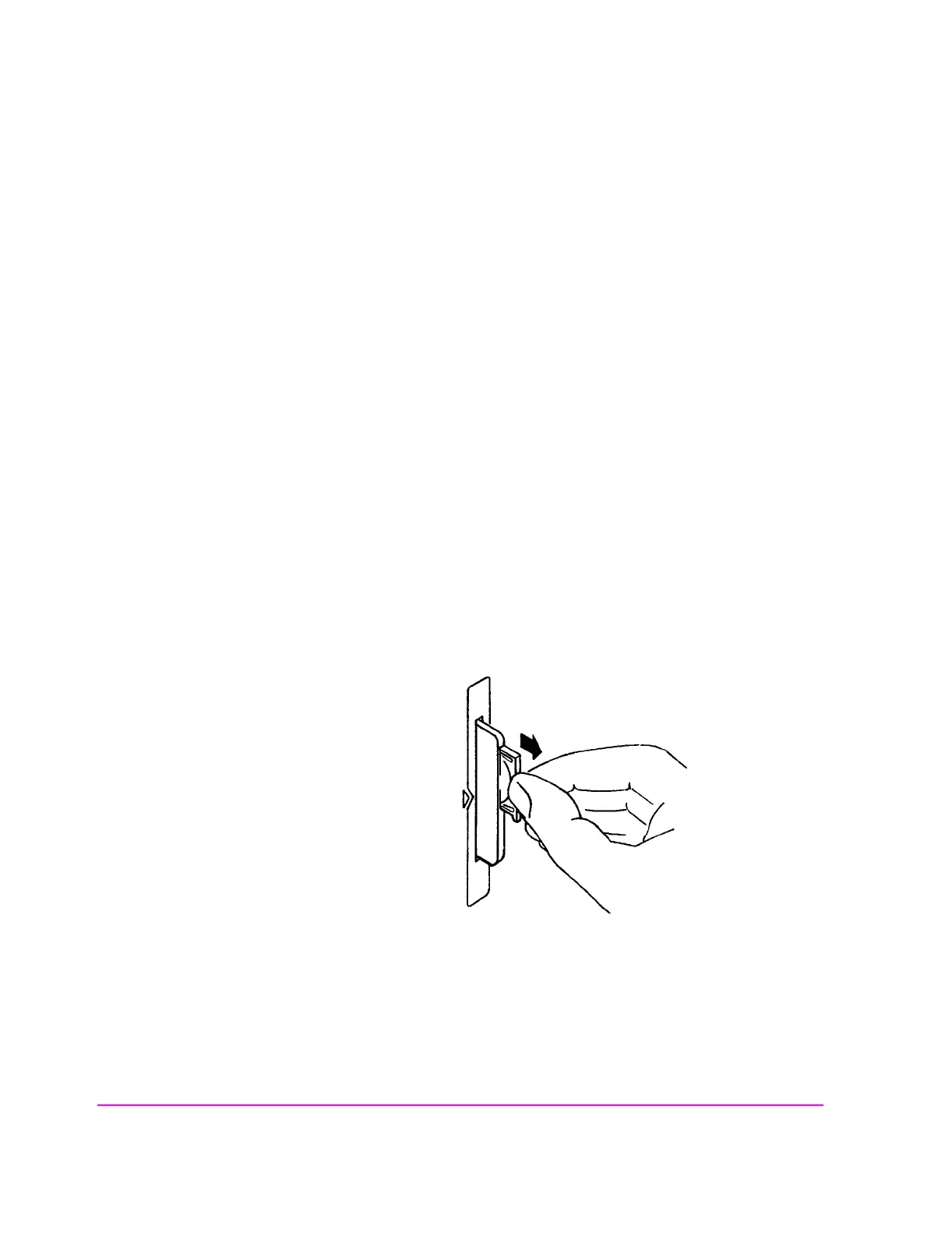
5. Hold the memory card in the slot with one hand and pull the battery holder out with your
other hand. (See figure 11 .)
6. Install the battery with the side marked “+” on the same side marked “+” on the battery
holder. Avoid touching the flat sides of the battery, finger oils may contaminate battery
contacts in the memory-card.
7. Re-insert the battery holder into the memory card.
8. Remove the memory card from the Test Set.
Figure 11 Replacing the Memory Card’s Battery



 To Next Page