Chapter 4: Getting Started (The Standard Template)
Your First Mix
Eclipse User Guide 2.0 101/ 526
Metering
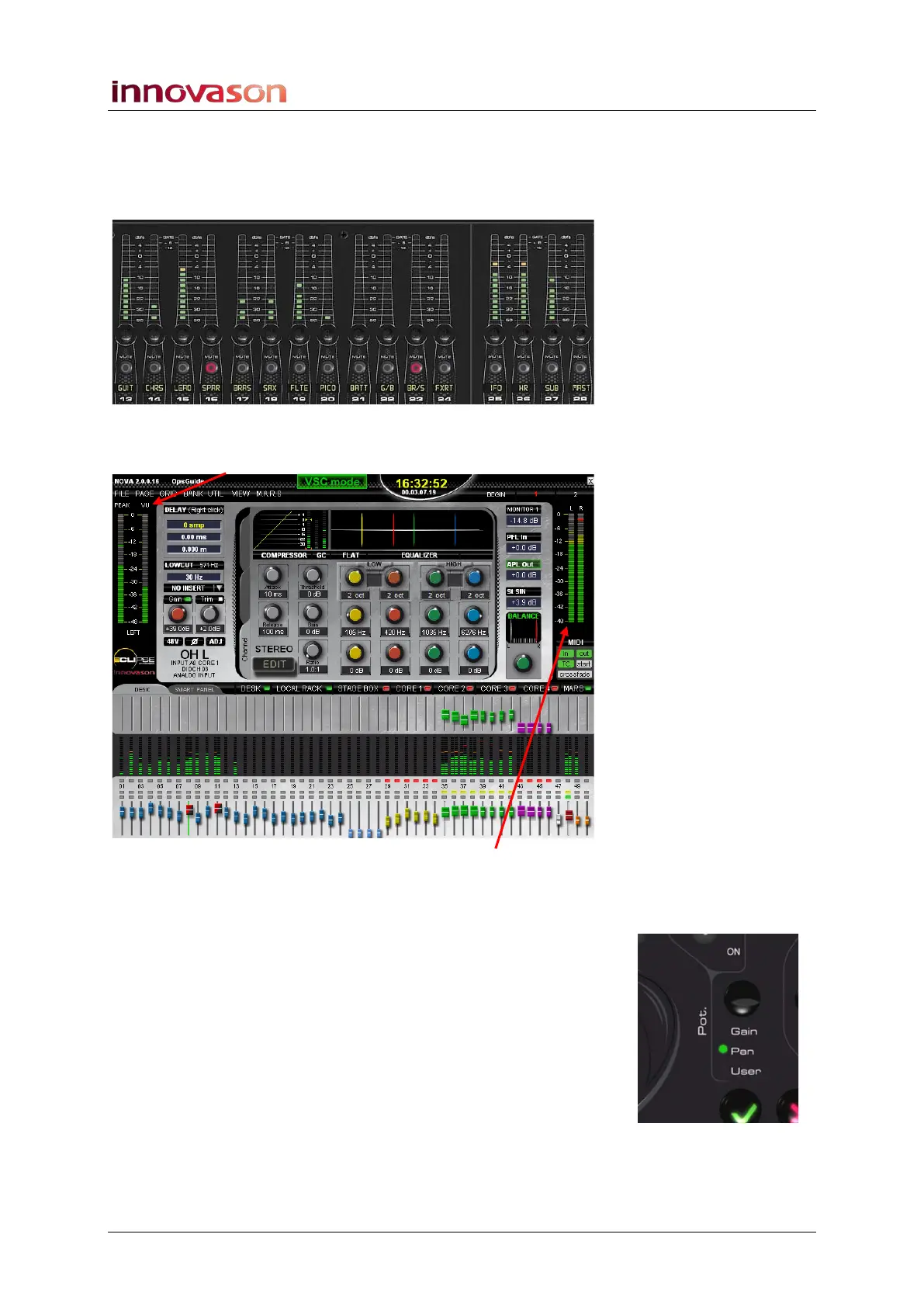
As soon as audio is present you will see levels on the input and
Master fader VU meters:
You will also see PEAK and VU metering for the selected input
channel (SEL flashing) on the left of the Main Mix display:
And LEFT and RIGHT output metering for the stereo Master on
the right of the display.
Panning
1. Press the Pot. button beside the trackball until the Pan
LED lights.
This assigns left/right Pan to the Fader strip rotary controls.
2. Turn the rotary controls to set the pan position.
An INFO pop-up appears confirming the setting.
Dependent panning affects all stereo bus sends – in our
template, this is the stereo Master and stereo Aux sends. Note
that panning to Auxes may be independent for each Aux output.
See Page 126 for details.



 To Next Page