Chapter 5: Console Operation
Fader Strips: Pot Configurations
126/ 526 2.0 Eclipse User Guide
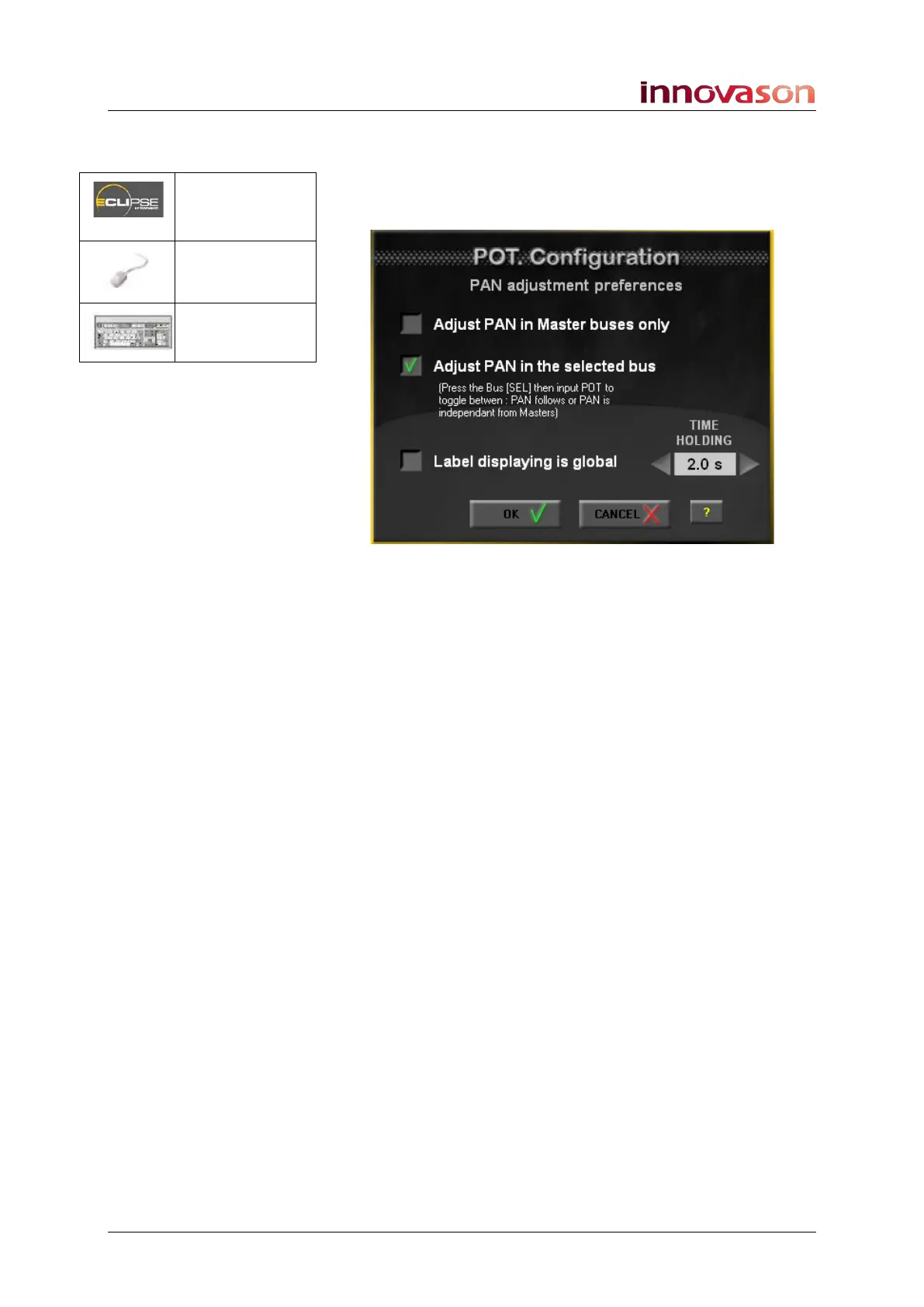
Pan Pot Configuration
This window determines the rotary control options when the Pot
mode is switched to Pan:
The first two options are exclusive and determine whether
panning to stereo Auxes can be independent from the main
channel pan:
• Adjust PAN in Master busses only – panning is
always dependent (i.e. the Aux send follows the main
channel pan position).
• Adjust PAN in the selected bus – panning can be
switched between dependent and independent for each
input which feeds a stereo Aux send (see next page).
The remaining options are:
• Label displaying is global – pan position is displayed
globally across all Fader strip Labels when you adjust a
control (as for the Gain Pot configuration).
• TIME HOLDING – enter a time (e.g. 2 seconds). This is
the length of time for which the INFO pop-up window
appears on the Nova display when you adjust a pot in
Pan mode (as for the Gain Pot configuration).
Pot. = Pan
(press & hold)
“VIEW -> Pan
Configuration
n/a



 To Next Page