Chapter 5: Console Operation
Fader Strips: Pot Configurations
Eclipse User Guide 2.0 127/ 526
Controlling Independent Panning
The first two options in the Pan Configuration window determine
whether panning to stereo Auxes is dependent or independent
from the main channel pan:
• Adjust PAN in Master busses only – panning is
always dependent (i.e. the Aux send follows the main
channel pan position).
• Adjust PAN in the selected bus – panning can be
switched between dependent and independent for each
input which feeds a stereo Aux send.
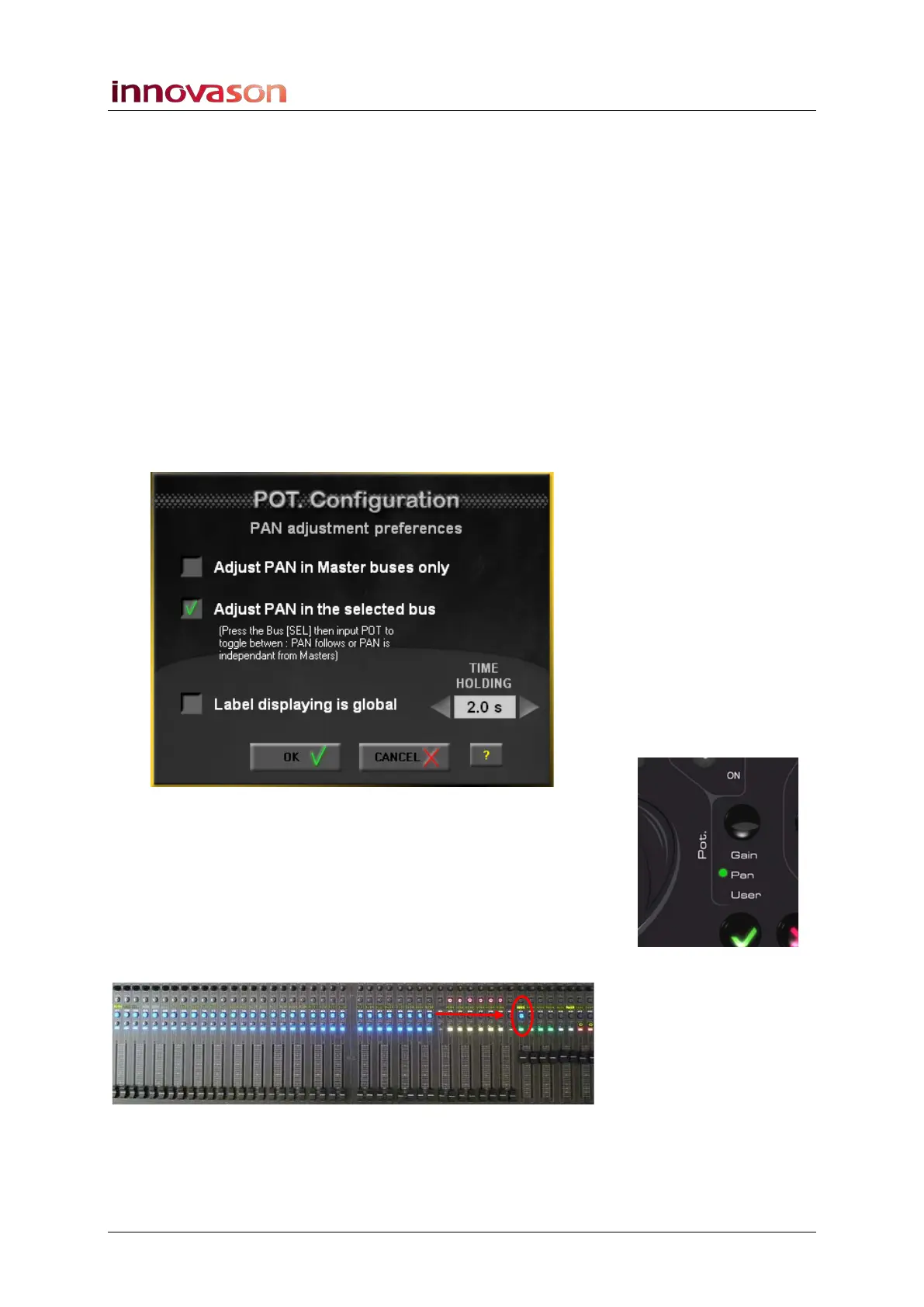
To switch an aux send to independent pan:
1. First make sure that the Adjust Pan in the selected
bus option is enabled within the Pan Configuration
window:
2. Then switch the Fader strip pots to Pan mode.
The green LED next to Pan should be illuminated.
3. Press SEL on your Aux master channel so that the input
faders feeding the Aux switch into “Aux send” mode:
The steady state SEL buttons indicate bus assignments to the
selected Aux - in our example, a range of input channels are
assigned to the Aux:
If you move your input faders, you should be adjusting the Aux
send levels.



 To Next Page