Chapter 5: Console Operation
Mix Bus Sends: The PAN Display
166/ 526 2.0 Eclipse User Guide
Interrogating Assignments to a Mix Bus
1. Press SEL on an output channel – e.g. an Aux.
The SEL button and Label on the Aux should be flashing.
2. Open the PAN display by pressing the Pre/Pan button
on the UTILITIES panel.
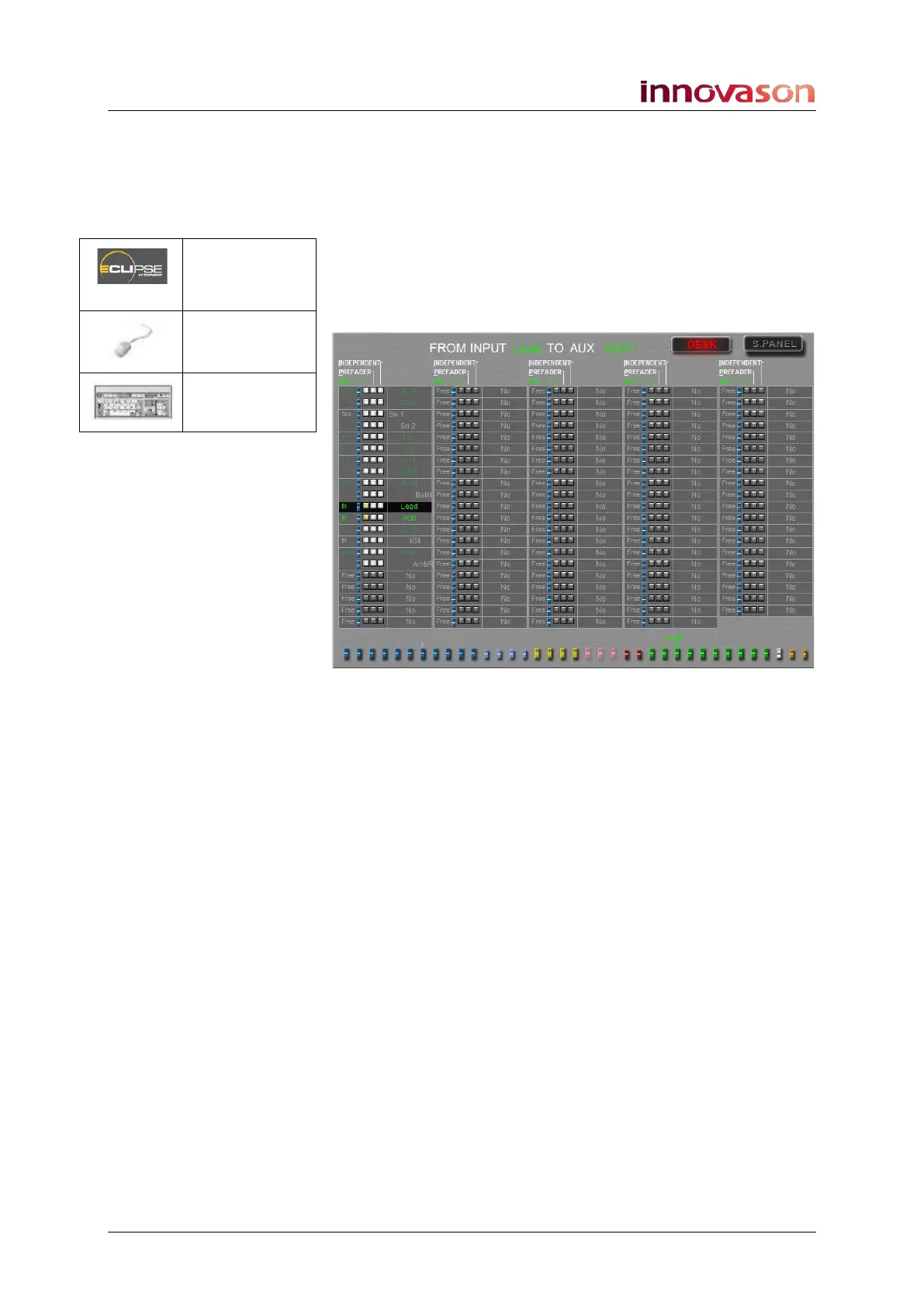
This time the display shows bus assignments and panning to
the selected Aux (e.g. AUX 1) from all 104 input channels:
Note that it doesn’t matter if the input channels are assigned to
the Fader strips or Smart Panel; you will see all input channels
providing a complete overview of assignments.
In the example above we are only using the first few input
channels; the Lead and AGtr channels are routed to the
selected Aux (ON = post-fader, following channel pan).
Notice that some of the inputs are Smart Faders; for each
Smart Fader VCA, you can see the bus assignments and pan
positions from each individual slave channel.
3. Press SEL on a different output channel.
The display updates to show assignments to the selected mix
bus.
Pre/Pan
(UTILITIES)
“GRID ->
Pan”
[F11]



 To Next Page