Chapter 5: Console Operation
Labels
202/ 526 2.0 Eclipse User Guide
Changing Labels
Entering Labels varies slightly depending on whether you are
labelling an input, output or VCA channel, so let’s take an
example of each:
Labelling an Input
To Label an input from the console surface:
1. Press SEL on the input Fader or Smart Panel strip to
select the channel.
2. Then press [F3] on the console keyboard.
A switch on the User Defined panel can also be assigned to this
function, see Page 322.
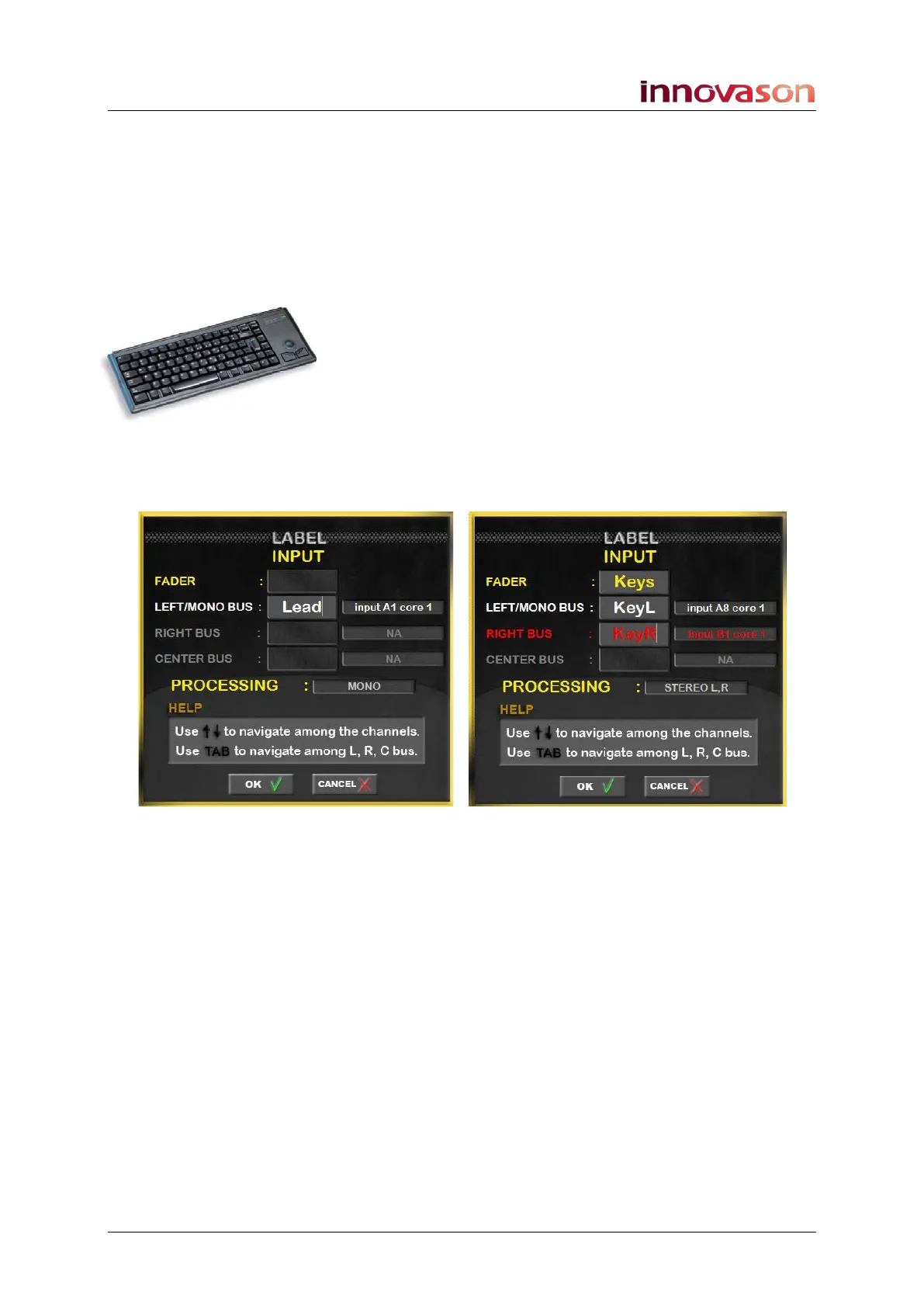
The channel LABEL window appears:
3. On a mono channel, enter a 4-character Label into the
LEFT/MONO field – e.g. Lead.
4. Confirm by pressing OK.
The input Label appears on the Fader strip and on the Main Mix
and Patch displays.
5. On a stereo channel, press [TAB] to navigate between
the different fields, and enter a 4-character Label into
each active field
6. Confirm by pressing OK.
The FADER Label appears on the Fader strip.
The LEFT and RIGHT input Labels are used on the Main Mix
and Patch displays.
All other fields are for information only.
Mono Input Channel Stereo Input Channel



 To Next Page