Chapter 6: Console Configuration
The Personal Console Builder: Overview
222/ 526 2.0 Eclipse User Guide
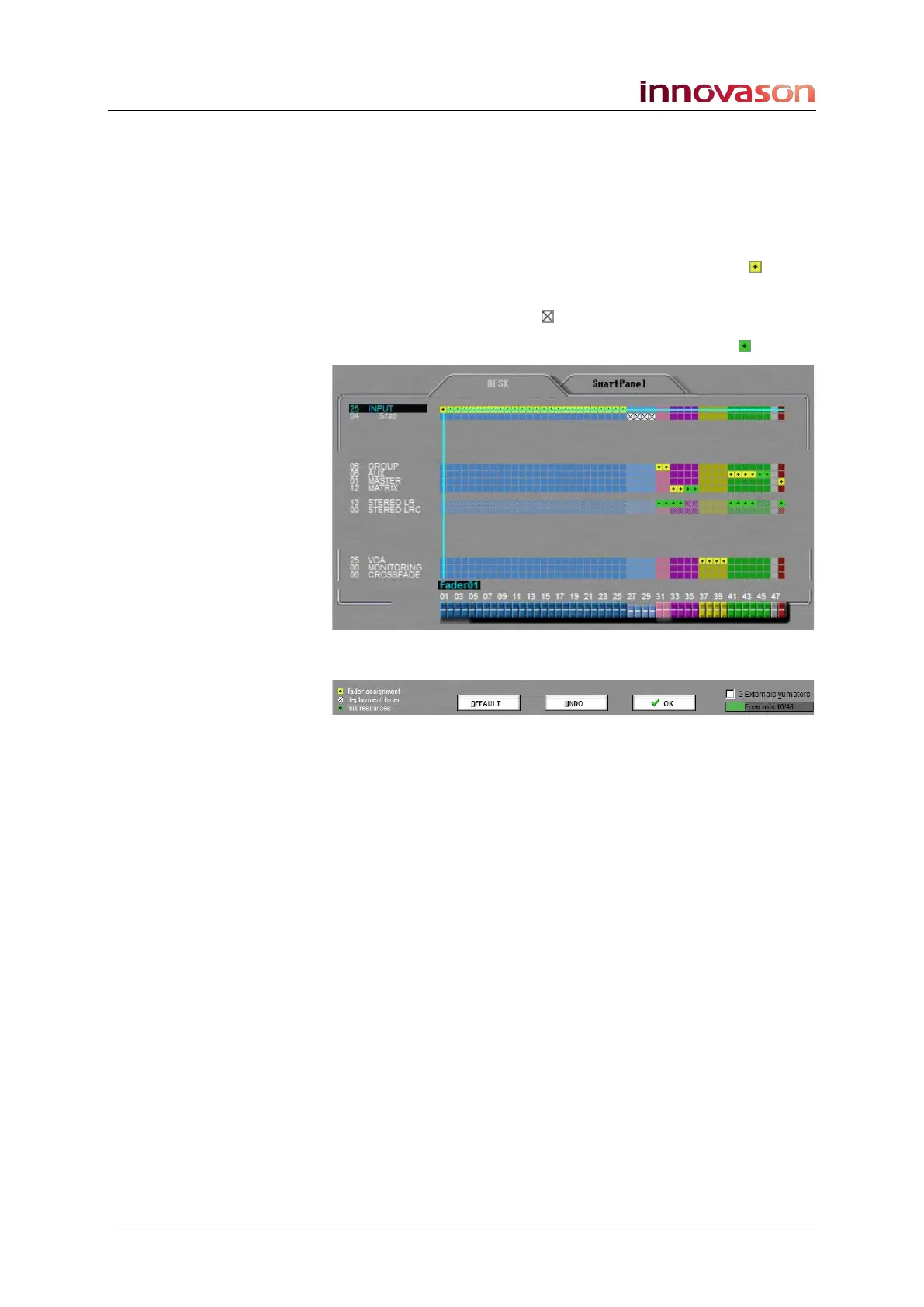
The faders at the bottom of the display are colour coded to help
you distinguish inputs (blue) from Smart Faders (light blue),
Groups (pink), Matrices (violet), VCAs (yellow), etc. For a full list
of colours, see Page 58. If a fader is not assigned, then it is
grey.
Within the grid itself, the following assignment colours are used:
• Fader assignments are marked by a yellow box
• Deployment faders (Smart Faders) are marked by a
black and white box
• Mix bus resources are marked by a green box
On the lower left of the display there is a key to this coding:
On the lower right, you will see the mix bus resource counter –
Free mix 10/48. This shows the number of mix busses still
available; in our example, we have 10 free busses:
Above this a tick box can be used to reserve two mix bus
resources for external VU metering. See Page 229.
The three on-screen buttons perform the following functions:
• DEFAULT – loads a default configuration. This is factory
configured and cannot be modified by the user.
• UNDO – will undo any changes made in this visit.
• OK – loads the displayed configuration to the console.



 To Next Page