Chapter 6: Console Configuration
The Patch Input Display
238/ 526 2.0 Eclipse User Guide
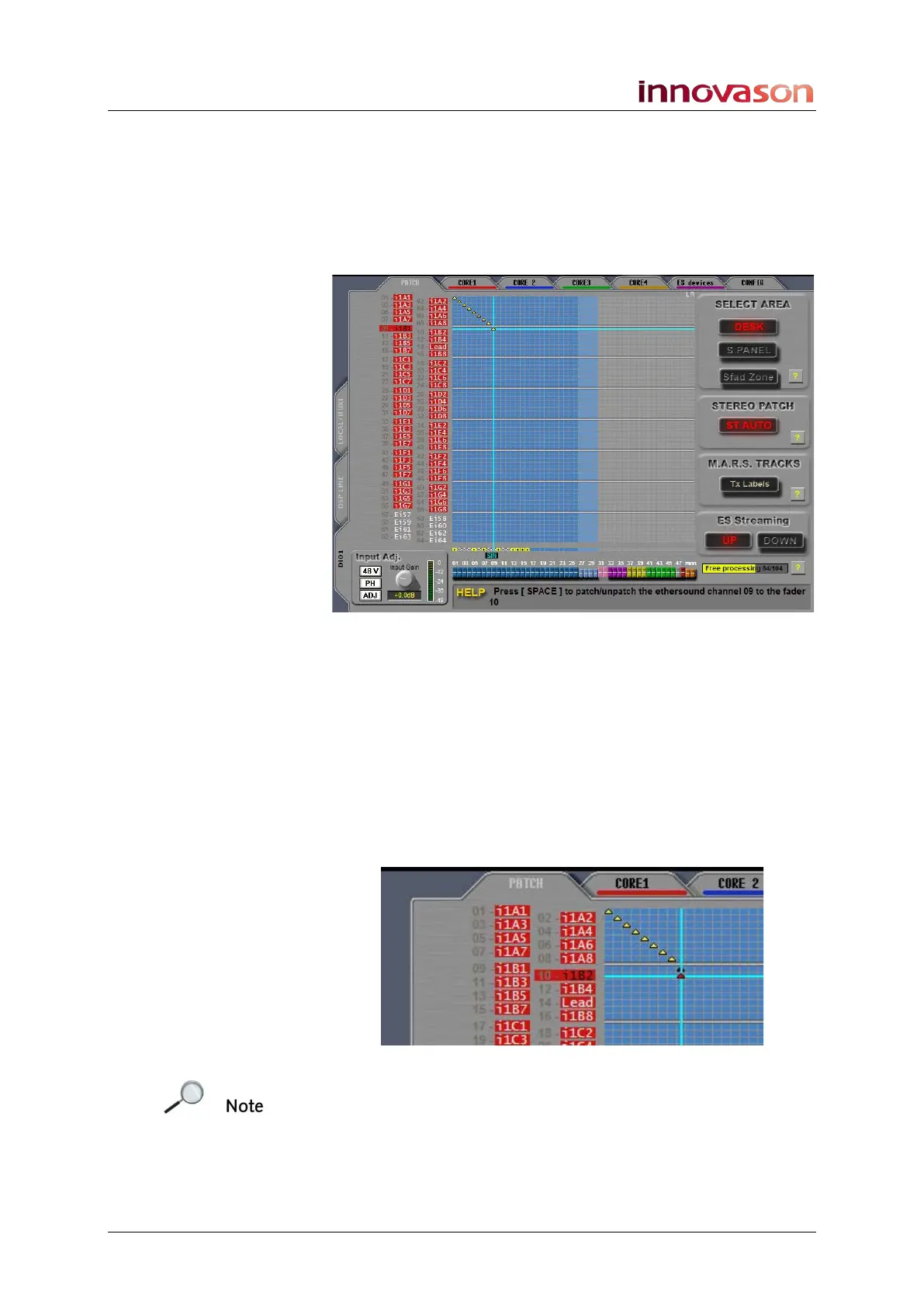
Stereo Input Patching
To create a stereo channel:
1. Repeat steps 1 to 6 from the previous section to patch
the left input.
A mono patch is made:
2. Now check that the STEREO PATCH option on the right
of the display is set to ST AUTO.
3. With the same fader selected, position the cursor to
select the source for the right input.
4. Press the [SPACE bar] on the console keyboard, or
right-click, to make the patch.
Making a second patch to the same Fader (or Smart Panel
controller) updates the channel to stereo. The Free processing
counter reduces by an extra channel, and the crosspoints
update to black and red indicating the left and right connections:
Note that the STEREO PATCH option must be set to ST AUTO
to allow automatic creation of stereo channels. If this option is
set to MONO, then making a second patch to the same fader
replaces the existing patch.



 To Next Page