Chapter 6: Console Configuration
The Patch Output Display
Eclipse User Guide 2.0 255/ 526
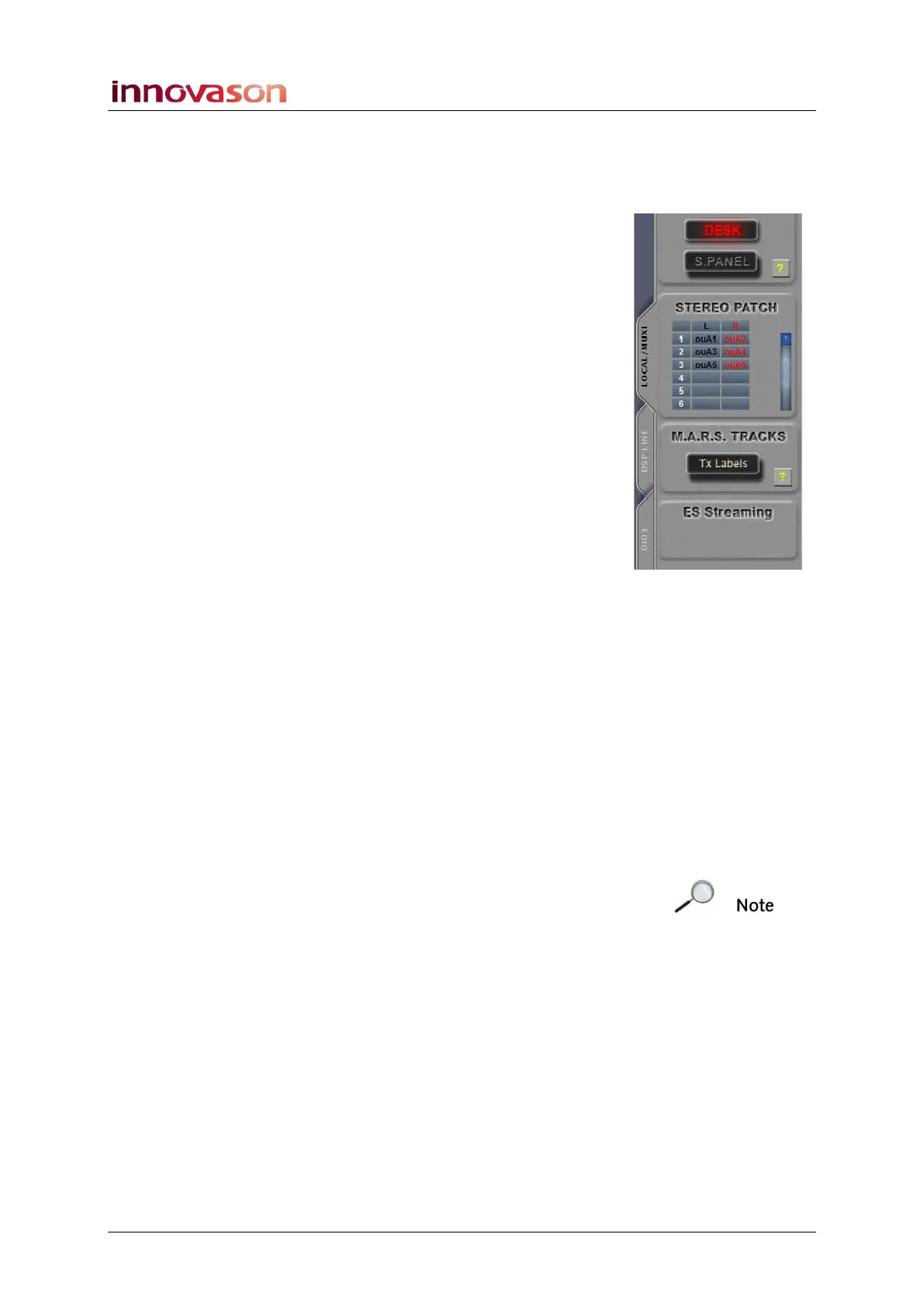
On-screen Button Summary
On the left of the PATCH OUTPUT display are a number of on-
screen buttons. These perform the following functions:
SELECT AREA
Selects the area of the console to patch:
• DESK = Faders 1 to 48.
• S. PANEL = Smart Panel controllers 1 to 48.
STEREO PATCH
Lists individual patch points for stereo outputs (LR and LRC).
Click to make, remove or edit an existing patch.
M.A.R.S. TRACKS
If you have labelled the DioCore mic inputs, then you can
transfer these Labels to M.A.R.S. before you record. The
advantage is that each audio clip will be labelled according to
its source – e.g. kick, snare, HiHat, etc.
You can perform this operation from the PATCH INPUT or
PATCH OUTPUT grid, depending on whether the Ethersound
channel you are recording is upstream or downstream. See
Page 475 for details.
E.S. Streaming
This option is only available when the DIO1 tab is selected, and
it defines the Ethersound streaming direction which will be
applied when you make a patch:
• UP = upstream
• DOWN = downstream
Note that the direction you choose depends on the
configuration of your Ethersound network. See Page 263 for
more details.



 To Next Page